
Lexmark
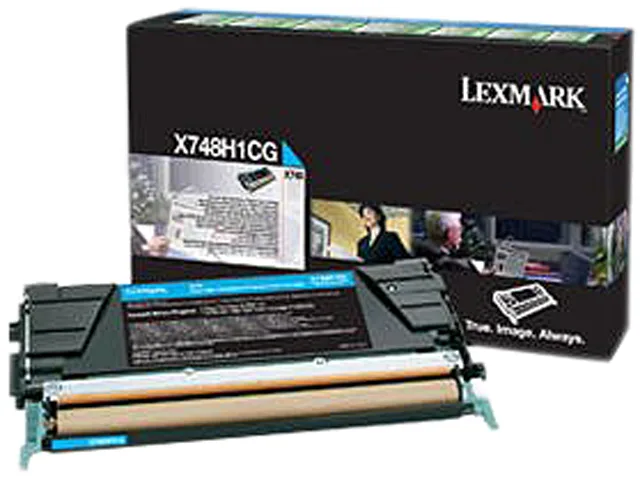
Lexmark X748H4CG High Yield Toner Cartridge Cyan 10000 Pages
High-yield cyan toner cartridge prints approximately 10000 pages for Lexmark X748 series printers
- Cartridge QuantitySingle Pack
- Cartridge ColorCyan
- Compatible ProductsX748de, 748dte
- Approximate Page Yield10000 Pages
- High-yield cyan toner prints up to 10000 pages
- Genuine Lexmark formulation delivers consistent professional colour
- Designed for Lexmark X748 series printers
- Single cartridge simplifies replacement workflow
- High-capacity yield reduces cartridge change frequency
Genuine Lexmark High-Yield Cyan Toner
This genuine Lexmark X748H4CG cartridge delivers high-yield cyan output for laser printing. It is designed for offices that need consistent colour quality across large print volumes. The single pack supplies approximately 10000 pages of professional documents.
Suited to X748de and 748dte users needing
It fits the Lexmark X748 series printers listed in the compatibility data. Buyers with other printer models or those who require a multi-colour set should look at alternative configurations.
Yield of 10000 pages per cartridge
The approximate page yield of 10000 pages is the key figure for planning toner replacement cycles. Verify that your device is an X748de or 748dte before ordering this cyan unit.
Highlights
- High-yield cyan toner prints up to 10000 pages
- Genuine Lexmark formulation delivers consistent professional colour
- Designed for Lexmark X748 series printers
- Single cartridge simplifies replacement workflow
- High-capacity yield reduces cartridge change frequency
Specifications
| Brand | LEXMARK |
|---|---|
| Model | X748H4CG |
| Cartridge Quantity | Single Pack |
| Cartridge Color | Cyan |
| Compatible Products | X748de, 748dte |
| Approximate Page Yield | 10000 Pages |
| Shipping weight | 1.81 kg |
| Package size | 406 × 305 × 203 mm |
Questions about this item
Will the Lexmark X748H4CG cyan cartridge fit my Lexmark X748de printer?
Yes, the cartridge is compatible with the Lexmark X748de and X748dte models in the X748 series.
How do I install the Lexmark X748H4CG toner, and what step is commonly missed?
Open the front cover, remove the old cartridge, shake the new cartridge gently side-to-side to distribute toner, remove all sealing tape, then insert until it clicks.
When will the Lexmark X748H4CG need replacement, and what indicates it?
The cartridge yields approximately 10000 pages; the printer will display a low-toner warning when replacement is needed.
Also in this aisle
People compared these
Same shelf, same checkout — eight coins and a 30-minute rate lock.


Tripp Lite
Tripp Lite U324-003-BK USB 3.0 cable USB-A to USB-A 3 ft
- USB
- Black
$13.99
0.00016772BTC
In stock

MADE IN USA TONER
MADE IN USA TONER TK-8367K Cyan Toner Cartridge 25000 Pages
$48.99
0.00058732BTC
In stock