


Junchi
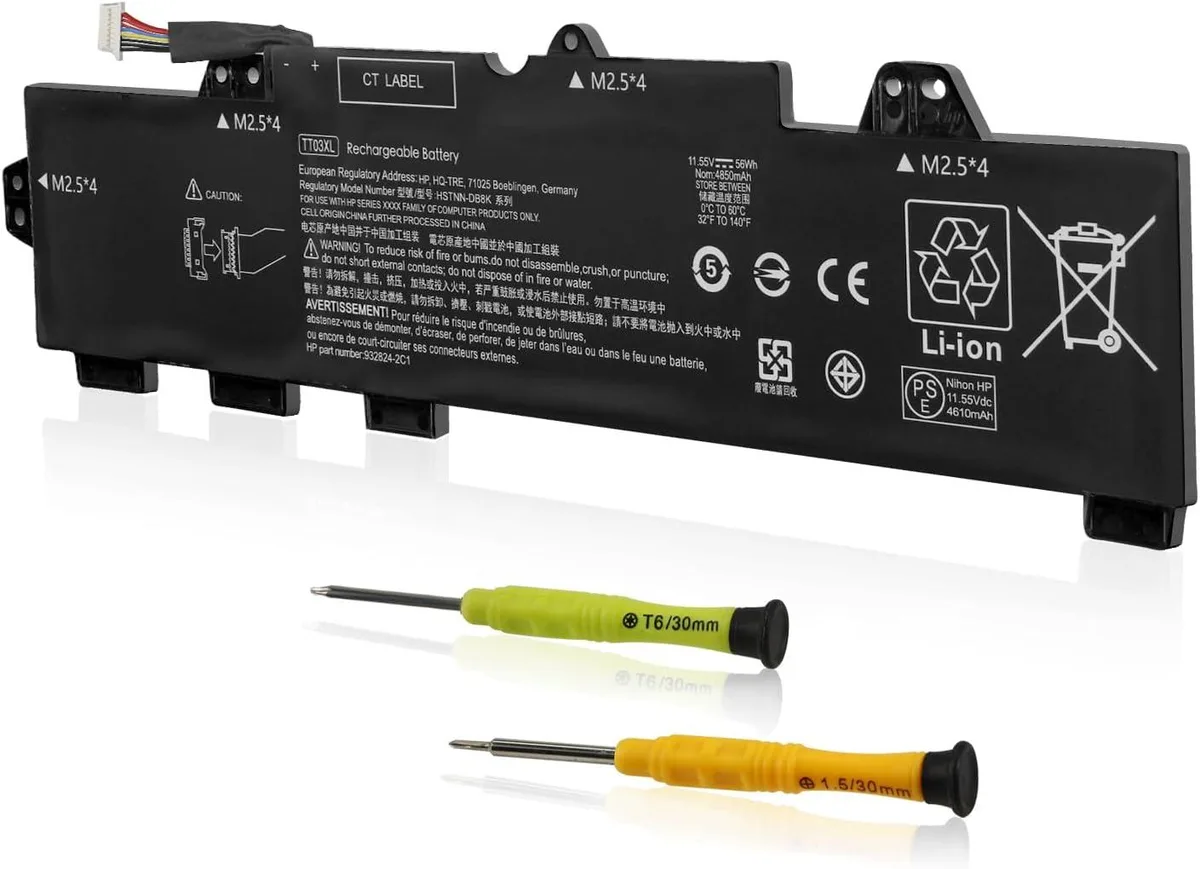
Junchi 56Wh TT03XL Laptop Battery for HP EliteBook ZBook 15U
56Wh lithium-ion replacement battery fits HP EliteBook 755 G5, 850 G5, 850 G6 and ZBook 15U G5, G6 models
- Battery TypeLithium-Ion
- 56 Wh capacity supports long work sessions away from power
- 55 V lithium-ion chemistry delivers stable current for demanding tasks
- Replaces ten HP part numbers including TT03XL and 932824-421
- Fits EliteBook 755 G5, 850 G5, 850 G6 and ZBook 15U G5, G6
- Certified to UL, CE, FCC and RoHS with 500-cycle rated life
Replacement battery for HP EliteBook and ZBook
This 56Wh lithium-ion unit replaces the original TT03XL pack in HP EliteBook 755 G5, 850 G5, 850 G6 and ZBook 15U G5 or G6 mobile workstations. It operates at 11.55V and delivers 4850mAh of rated capacity. The pack is built with new cells, quality circuit boards and an integrated smart chip for stable current delivery.
Thermals noise and power draw in daily use
Lithium-ion chemistry produces minimal heat during normal charging and discharging cycles, keeping the laptop chassis cool. The sealed design has no moving parts, so it adds no audible noise to the system. Power draw follows the host device’s own management profile without introducing extra load.
Deciding specification 56Wh capacity
The 56Wh rating determines how long the machine runs between charges; buyers needing longer unplugged time will find this capacity insufficient. It also replaces a specific list of HP part numbers including 932824-421 and 933322-855, so systems requiring a different watt-hour rating or form factor cannot use this pack.
Highlights
- 56 Wh capacity supports long work sessions away from power
- 55 V lithium-ion chemistry delivers stable current for demanding tasks
- Replaces ten HP part numbers including TT03XL and 932824-421
- Fits EliteBook 755 G5, 850 G5, 850 G6 and ZBook 15U G5, G6
- Certified to UL, CE, FCC and RoHS with 500-cycle rated life
Specifications
| Battery Type | Lithium-Ion |
|---|
Questions about this item
How do I install the 56Wh TT03XL battery in my HP EliteBook 850 G5, and which step is often missed?
Power off the laptop, remove the bottom case screws, disconnect the old battery cable from the motherboard, fit the new pack, reconnect the cable firmly, then replace the cover; the step most often missed is reconnecting the cable before screwing the case back on.
What maintenance will the 56Wh Li-ion pack need, and when should I plan a replacement?
No scheduled maintenance is required; the battery is rated for up to 500 charge cycles, so plan a replacement once runtime drops noticeably after roughly that many full cycles.
What limit appears first during sustained heavy use of this 11.55V 4850mAh battery?
The 56Wh capacity is the limiting factor; under continuous high load the pack will deplete its stored energy before any thermal or cycle-life limit is reached.
Also in this aisle
People compared these
Same shelf, same checkout — eight coins and a 30-minute rate lock.


Case Logic
Case Logic 3203990 briefcase for 15.6 in laptop with 10.1 in tablet pocket
$30.99
0.00037385BTC
In stock