


Jansicotek
Jansicotek SW240-HD 4-Port HDMI KVM Switch 4K@60Hz USB 3.0
Connects four computers to one 4K@60Hz monitor and four USB 3.0 peripherals with push-button or remote switching
- TypeHDMI, USB
- PC ConnectorsHDMI, USB
- Computer Connections4 Port - USB 3.0 HDMI
- Monitor Connections1 Port
- Video Resolution4K 60Hz
- PC SelectionPush Buttons/Desktop Controller
- Control four computers with one keyboard and mouse
- Share four USB 3.0 peripherals across all connected systems
- View 4K video at 60 Hz or 2K at 120 Hz
- Switch instantly using front buttons or IR remote
- Keep cables tidy with rear-facing HDMI and USB ports
Jansicotek SW240-HD 4-Port KVM
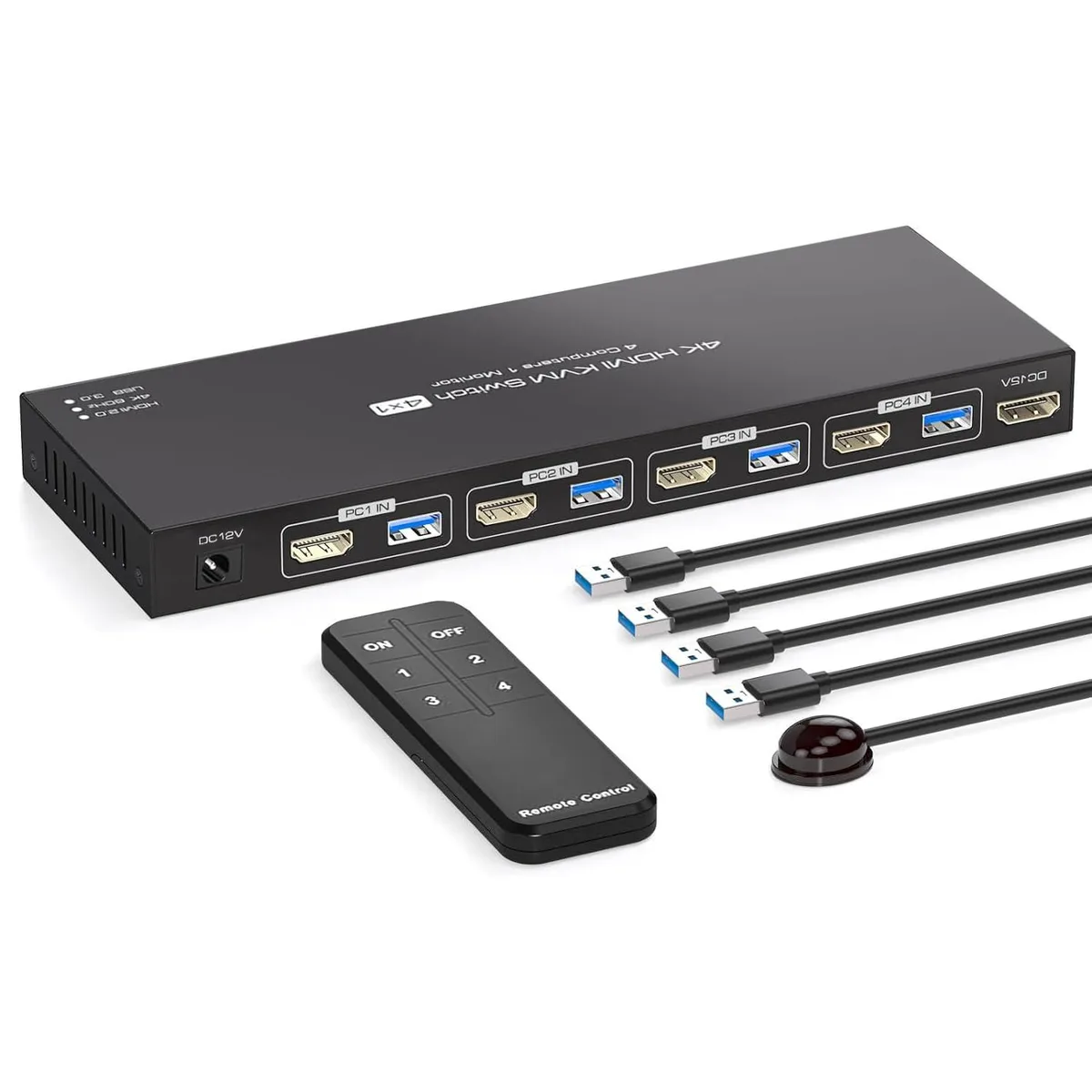
The Jansicotek SW240-HD lets four computers or laptops share one HDMI monitor and four USB 3.0 peripherals. A single keyboard and mouse control every connected system. Switching is handled by front push buttons or the included IR remote. The unit ships with four USB 3.0 A-to-A cables, a 12 V power adapter, an IR cable and a remote.
Upgrading from a two-port or manual switch
Moving from a two-port KVM or a manual cable swap adds two extra computer connections and one-touch switching. The jump is worth it when you regularly juggle three or four machines and need USB 3.0 speeds for shared printers or scanners. Auto-scan cycles every three seconds for hands-free monitoring.
Check your graphics and monitor specs
Each computer must provide an HDMI output and a USB 3.0 port for the supplied cables. The monitor must accept a 4K 60 Hz or 2K 120 Hz signal over HDMI 2.0 to reach the advertised resolutions. Verify that your operating system appears in the supported list before ordering.
Highlights
- Control four computers with one keyboard and mouse
- Share four USB 3.0 peripherals across all connected systems
- View 4K video at 60 Hz or 2K at 120 Hz
- Switch instantly using front buttons or IR remote
- Keep cables tidy with rear-facing HDMI and USB ports
Specifications
| Brand | Jansicotek |
|---|---|
| Series | SW240-HD |
| Model | SW240-HD |
| Type | HDMI, USB |
| PC Connectors | HDMI, USB |
| Computer Connections | 4 Port - USB 3.0 HDMI |
| Monitor Connections | 1 Port |
| Video Resolution | 4K 60Hz |
| PC Selection | Push Buttons/Desktop Controller |
| AutoScan Interval | 3 seconds |
| LED Indicators | Yes |
| USB Features | with USB support |
| Application | The hdmi kvm switch 4 port allows 4 computers or laptops to share 1 monitor and 4 USB 3.0 devices. You can control all 4 computers directly with a single set of mouse and keyboard. Switching between the 4 computers is easy using the panel buttons or an external remote. It's plug-and-play, streamlining your workspace and boosting office efficiency. |
| Features | 4 in 1 out HDMI KVM Switch: 4X1 HDMI KVM Switch is a HDMI switch that help 4 computers/laptops to share 1 monitor and 4 USB 3.0 devices such as scanner, printer, mouse, keyboard. ? 4 computers/laptops share one set of keyboard, mouse and 1 monitors, and more USB 3.0 peripherals; Support maximum resolution up to 4K 60Hz HDMI monitors output support up to 4K@60Hz/2K@120Hz for mirrored display; Compatible with Windows 11/10/8/7/2000/XP/Vista, Linux, UNIX, Ubuntu, Fedora, and other systems; Advanced switching modes: push button and IR remote control;No complicated installation is require |
| Dimensions | 5.43 x 5.35 x 1.46 inches |
| Weight | 9.52 Ounces |
| Package Contents | You will receive a 1*4 in 1 out KVM switcher, 4*USB 3.0 A to A cables, 1*12V1A external power supply, 1*IR cable, 1*remote control (excluding battery), and 1*user manual. |
Questions about this item
How much desk depth do the 5.43 x 5.35 inch dimensions of the Jansicotek SW240-HD require?
The unit measures 5.43 inches wide by 5.35 inches deep, so allow at least that much flat surface plus cable clearance behind the rear-facing ports.
Which step do users often miss when connecting the four USB 3.0 A-to-A cables and the 12V 1A power supply?
Plug the external 12V 1A adapter into the KVM before linking any computer; without it the USB 3.0 hub and video switching will not function reliably.
What replaceable part ships with the IR remote and will need changing over time?
The remote control is supplied without a battery; you must insert a standard coin cell before the IR switching feature will work.
Also in this aisle
People compared these
Same shelf, same checkout — eight coins and a 30-minute rate lock.


Black Box Corporation
Black Box Corporation 4K60 HDMI Dual-Head KVM Switch 4 Port
$774.99
0.00928321BTC
In stock