


iTekiro
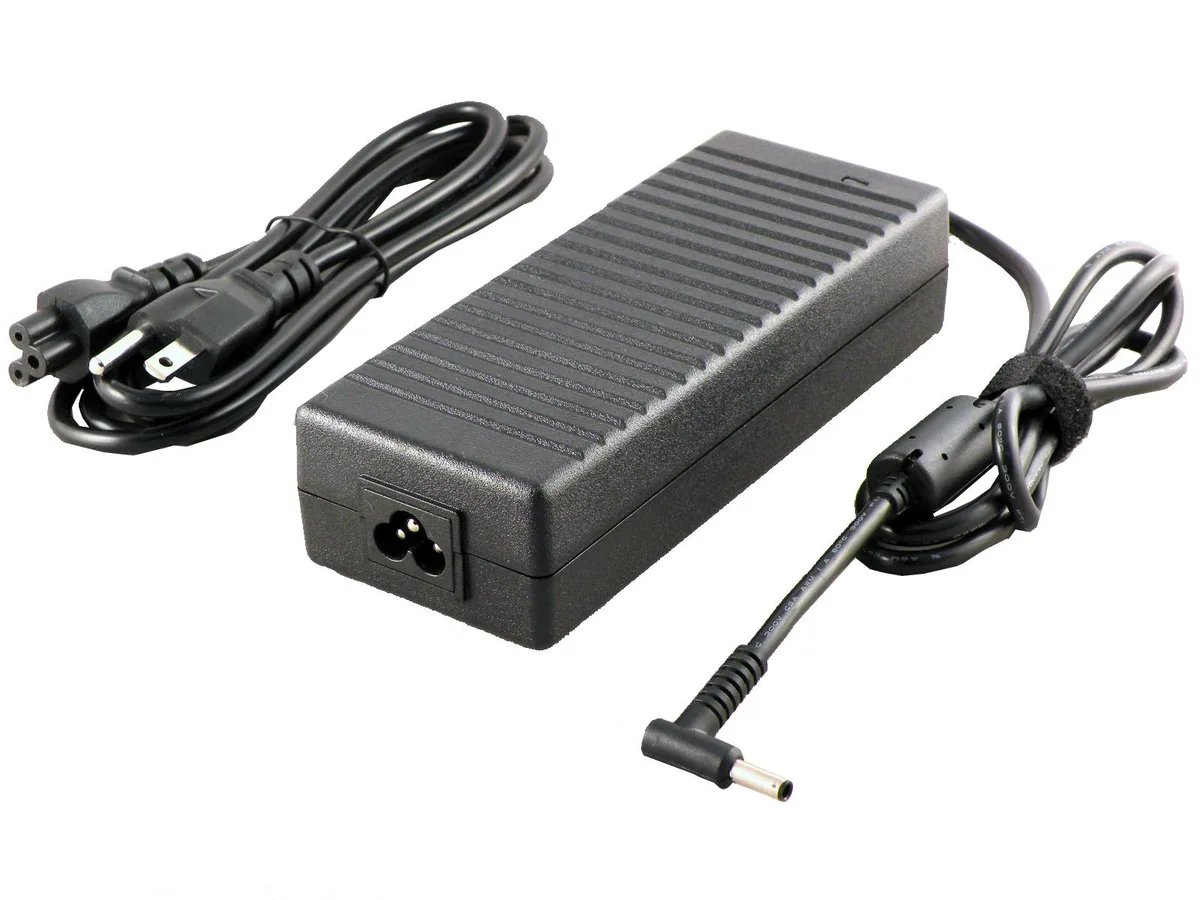
iTekiro 150W 20V 7.5A AC Adapter 4.5mm Pin for Asus Q539 Q540 UM535 UX535 UX550
A 150 W, 20 V, 7.5 A AC adapter with a 4.5 mm pin tip, 6 ft AC and 6 ft DC cords, and worldwide 100–240 V input for compatible Asus laptops
- TypeAC Adapter
- Battery TypeLithium-Ion
- AC Adapter Voltage20V
- AC Adapter Current7.5A
- AC Adapter Output Power150W
- 150W output powers demanding Asus laptops
- 20V 7.5A delivery matches original charger specs
- 5mm centre-pin tip fits Q539 Q540 UM535 UX535 UX550
- 100-240V input works worldwide without a converter
- 6ft AC plus 6ft DC cords give extra reach
Replacement 150W AC Adapter
This 150W AC adapter delivers 20V at 7.5A through a 4.5 mm centre-pin connector. It is built for owners of compatible Asus laptops who need a new or spare power supply. The unit includes a 6 ft UL-listed AC cord and a 6 ft DC cord for flexible desk placement.
Replaces 120W and 150W Originals
The adapter substitutes the factory 120W or 150W charger without changing voltage or tip geometry. The upgrade is worthwhile when the original unit is lost, damaged or no longer holds a stable output under load.
Fits Compatible Asus Ultrabooks
The plug matches the 4.5 mm pin type used on listed Asus Q539, Q540, UM535, UX535 and UX550 models. Worldwide 100–240V input lets the same brick work abroad, while overload, short-circuit and over-temperature protection guard the laptop’s charging circuit.
Highlights
- 150W output powers demanding Asus laptops
- 20V 7.5A delivery matches original charger specs
- 5mm centre-pin tip fits Q539 Q540 UM535 UX535 UX550
- 100-240V input works worldwide without a converter
- 6ft AC plus 6ft DC cords give extra reach
Specifications
| Type | AC Adapter |
|---|---|
| Battery Type | Lithium-Ion |
| AC Adapter Voltage | 20V |
| AC Adapter Current | 7.5A |
| AC Adapter Output Power | 150W |
Questions about this item
What size plug tip does this 150W adapter use for the Asus Q539?
The adapter has a 4.5 mm diameter plug tip with a centre pin inside, matching the Asus Q539 charging port.
How do I connect the 6 ft AC cord and 6 ft DC cord without strain on the 4.5 mm pin?
Plug the 3-prong AC cord into the wall outlet first, then insert the 4.5 mm DC plug firmly into the laptop until the centre pin seats fully.
When should I replace the 150W 20V 7.5A adapter if the output becomes unstable?
Replace the unit if the 20V 7.5A output drops, the brick overheats, or the 4.5 mm tip shows wear that causes intermittent charging.
Also in this aisle
People compared these
Same shelf, same checkout — eight coins and a 30-minute rate lock.


Case Logic
Case Logic 3203990 briefcase for 15.6 in laptop with 10.1 in tablet pocket
$30.99
0.00037337BTC
In stock