


IHDAPP
IHDAPP 2-Port Dual Monitor HDMI KVM Switch 4K 60Hz 4-Way Switching
Connects two computers to two monitors at up to 4K 60 Hz with four switching methods and included cables
- TypeHDMI, USB
- Computer Connections2 Ports
- Monitor Connections2 Ports
- Video Resolution4096 x 2160
- PC Selection1.Keyboard Hotkey 2.Front panel buttons 3.Wire-desktop contr
- Monitors SupportedDual Monitor
- Control two computers with one keyboard and mouse across dual monitors
- Switch between PCs four ways: hotkeys, front buttons, desktop controller or auto-scan
- View crisp 4K video at 60 Hz with YUV 4:4:4 colour fidelity
- Works in extended desktop or mirrored display modes for flexible layouts
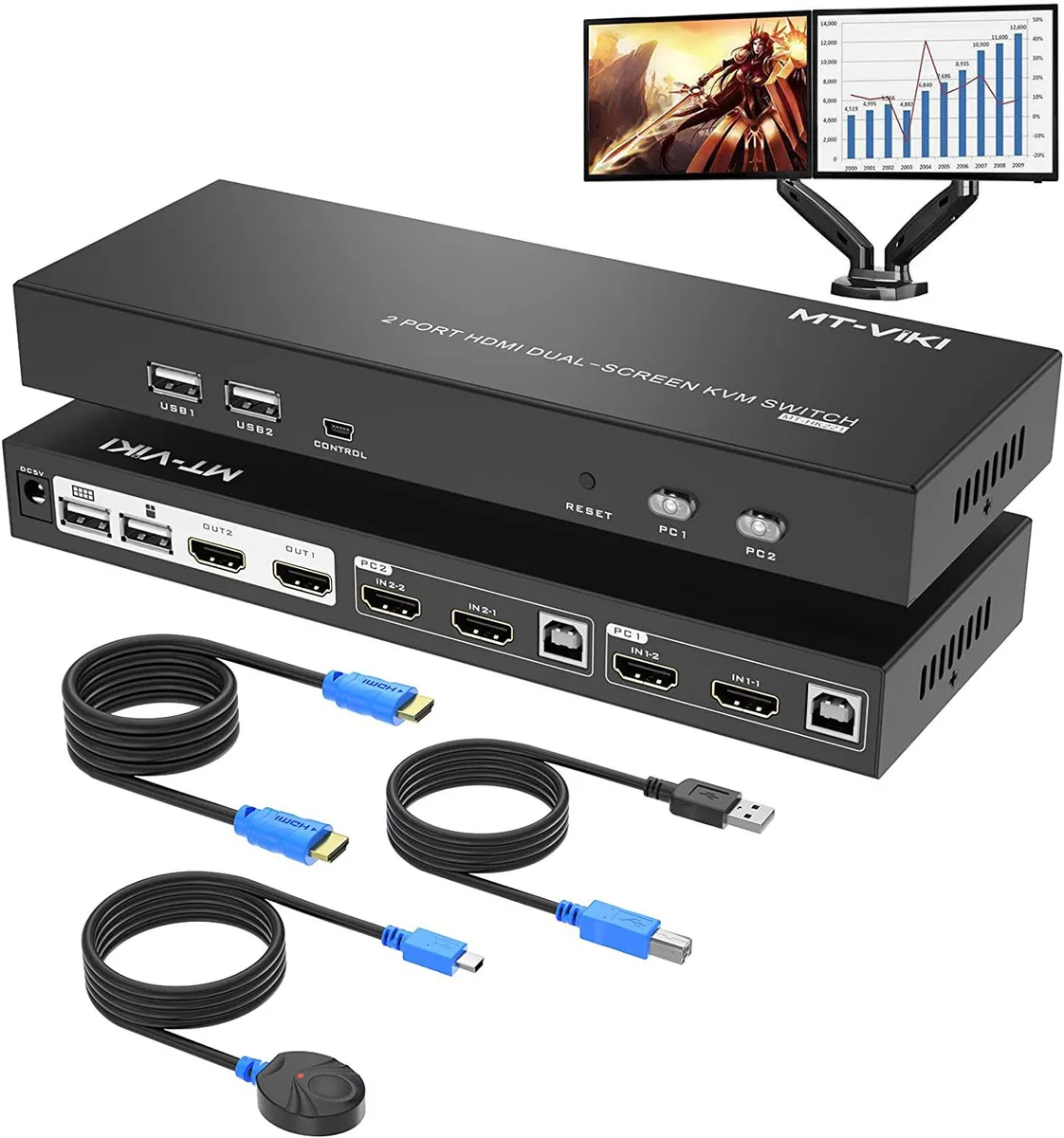
- Includes four 1.5 m HDMI cables, two USB cables, power adapter and remote controller
Dual-monitor KVM for two computers
The IHDAPP 2-Port KVM switch lets a single keyboard and mouse control two computers while sharing two HDMI monitors. It supports extended desktop or mirrored output at up to 4096 x 2160 resolution and 60 Hz refresh. Four USB 2.0 ports are provided for peripheral sharing. The unit ships with a wired desktop controller, power adapter, four 1.5 m HDMI cables and two USB A-to-B cables.
Four switching methods replace manual cable swaps
Users can change the active computer by keyboard hotkey, front-panel buttons, the wired desktop controller or auto-scan with an adjustable interval of 5 to 199 seconds. This removes the need to physically reconnect monitors and USB devices when moving between systems. The switch also functions as a 2-in-1-out KVM or a 1-in-2-out HDMI splitter depending on the selected display mode.
Suits dual-display workstations needing shared
Ideal for users whose two computers each provide two HDMI outputs and who want one keyboard and mouse set across both machines. It is not suited for single-HDMI laptops unless a separate video converter is added, nor for setups requiring more than two computer ports or monitor ports. Buyers needing higher refresh rates or additional USB standards should look elsewhere.
Highlights
- Control two computers with one keyboard and mouse across dual monitors
- Switch between PCs four ways: hotkeys, front buttons, desktop controller or auto-scan
- View crisp 4K video at 60 Hz with YUV 4:4:4 colour fidelity
- Works in extended desktop or mirrored display modes for flexible layouts
- Includes four 1.5 m HDMI cables, two USB cables, power adapter and remote controller
Specifications
| Type | HDMI, USB |
|---|---|
| Computer Connections | 2 Ports |
| Monitor Connections | 2 Ports |
| Video Resolution | 4096 x 2160 |
| PC Selection | 1.Keyboard Hotkey 2.Front panel buttons 3.Wire-desktop controller 4.Auto scan switching. |
| Monitors Supported | Dual Monitor |
| USB Features | with USB support |
| Application | This Dual Monitor KVM switch help you control 2 computers share 2 monitors (Extend display mode or copy display mode) by only one set of USB keyboard & mouse. |
| Features | Supports 4 ways to switch: 1.Keyboard Hotkey 2.Front panel buttons 3.Wire-desktop controller 4.Auto scan with adjustable interval between 5-199 seconds Two display mode: Extended mode & Mirror mode |
| Package Contents | HDMI KVM Switch Dual Monitor *1, Wire-desktop controller*1 Power adapter *1 HD MI Cable 1.5m *4 USB A to B Cable *2 User manual *1 |
Questions about this item
What cables and power supply are included so the switch is ready to mount on the desk?
The box contains four 1.5 m HDMI cables, two USB A-to-B cables, a wired desktop controller and a power adapter.
Which switching method is easiest to miss during setup, and how do you activate it?
The keyboard hotkey is often overlooked; press Scroll Lock twice then the port number (1 or 2) to switch instantly.
When should the power adapter be replaced to keep dual 4K 60 Hz output stable?
Replace the adapter if the unit loses signal on either monitor or the front-panel LEDs flicker, as steady 5 V power is required for 4K 60 Hz operation.
Also in this aisle
People compared these
Same shelf, same checkout — eight coins and a 30-minute rate lock.


Black Box Corporation
Black Box Corporation 4K60 HDMI Dual-Head KVM Switch 4 Port
$774.99
0.00928232BTC
In stock