
IBM
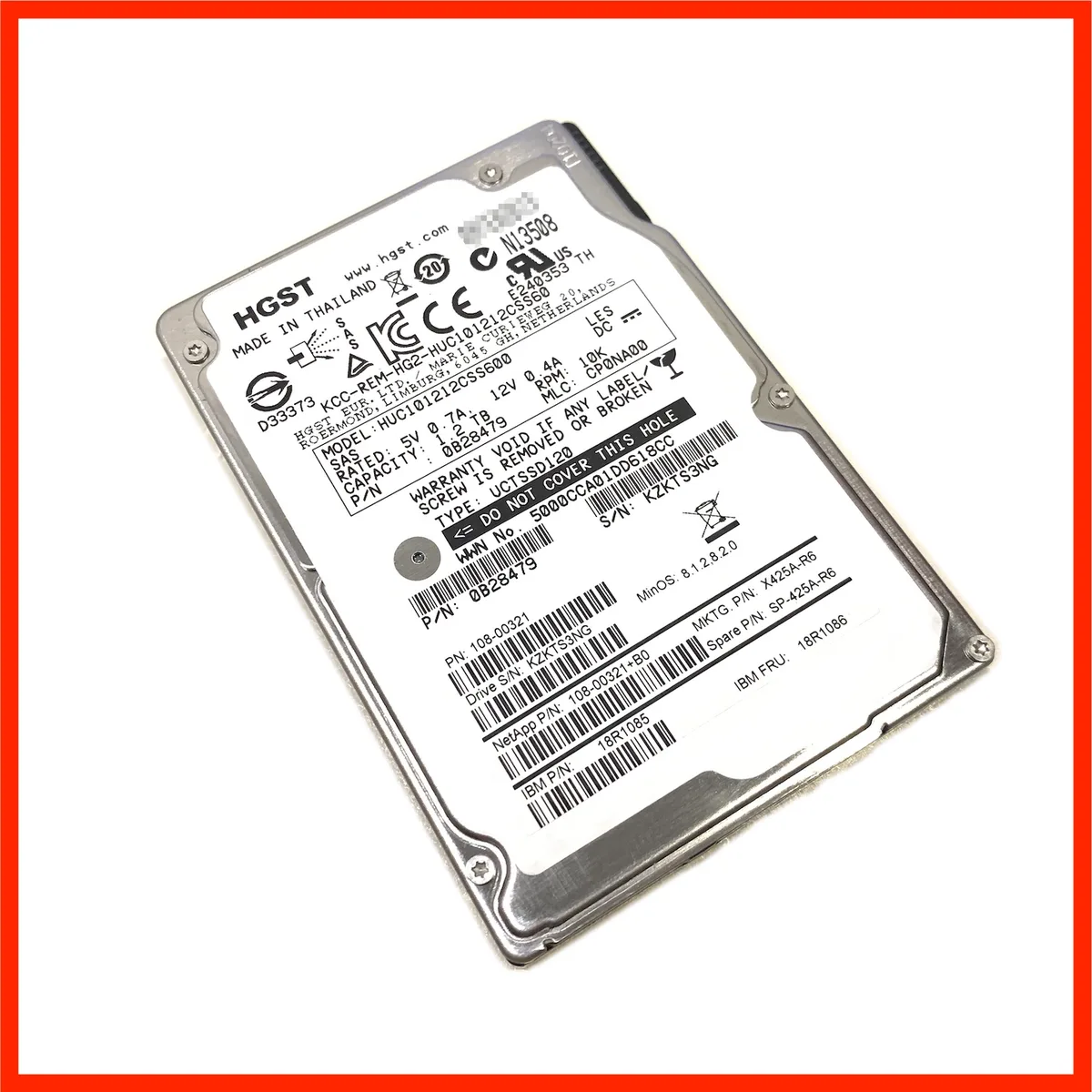
IBM 18R1086 18R1085 1.2TB 10000 RPM 2.5" SAS 6Gb/s internal hard drive
A 1.2 TB enterprise SAS drive spinning at 10000 RPM with 64 MB cache in a 2.5 inch form factor
- PackagingBare Drive
- InterfaceSAS 6Gb/s
- Capacity1.2TB
- RPM10000 RPM
- Cache64MB
- UsageFor Enterprise Storage
- 2 TB capacity stores large enterprise datasets
- 10,000 RPM spindle delivers fast data access
- SAS 6Gb/s interface provides reliable host connectivity
- 64 MB cache buffers intensive I/O workloads
- 5 inch form factor fits dense server bays
Capacity and interface
The IBM 18R1086 18R1085 is a 1.2TB enterprise hard drive with a 2.5 inch form factor and a SAS 6Gb/s interface. It spins at 10000 RPM and includes a 64MB cache for demanding workloads.
Enterprise workloads
This drive suits servers and storage arrays that require sustained throughput and low latency for transactional databases or virtualisation. It is not for systems that lack a SAS backplane or HBA, nor for builds where a 3.5 inch bay is the only option.
10000 RPM spindle speed
The 10000 RPM spindle speed is the specification that determines whether this drive meets the random I/O performance target of the deployment. Verify that the host controller supports SAS 6Gb/s before ordering.
Highlights
- 2 TB capacity stores large enterprise datasets
- 10,000 RPM spindle delivers fast data access
- SAS 6Gb/s interface provides reliable host connectivity
- 64 MB cache buffers intensive I/O workloads
- 5 inch form factor fits dense server bays
Specifications
| Brand | IBM |
|---|---|
| Series | 18R1086 18R1085 |
| Model | 18R1086 18R1085 |
| Packaging | Bare Drive |
| Interface | SAS 6Gb/s |
| Capacity | 1.2TB |
| RPM | 10000 RPM |
| Cache | 64MB |
| Usage | For Enterprise Storage |
| Form Factor | 2.5" |
Questions about this item
Will the 2.5 inch form factor fit my server drive bay?
The 2.5 inch form factor fits standard 2.5 inch SAS drive bays and hot-swap trays used in enterprise servers and storage arrays.
How is the bare drive installed, and what step is often missed?
Mount the bare drive into a compatible 2.5 inch SAS tray or caddy, connect the SAS data and power connector, then configure the drive in the RAID controller BIOS before use.
When should I plan to replace this 10000 RPM enterprise drive?
Replace the drive when SMART attributes report reallocated sectors, excessive seek errors, or when the RAID controller flags a predictive failure alert.
New to this? Paying with USDT: TRC-20 or ERC-20 — what to check, what it costs to pay, and what is never asked for.
Also in this aisle
People compared these
Same shelf, same checkout — eight coins and a 30-minute rate lock.


