


GREENCYCLE
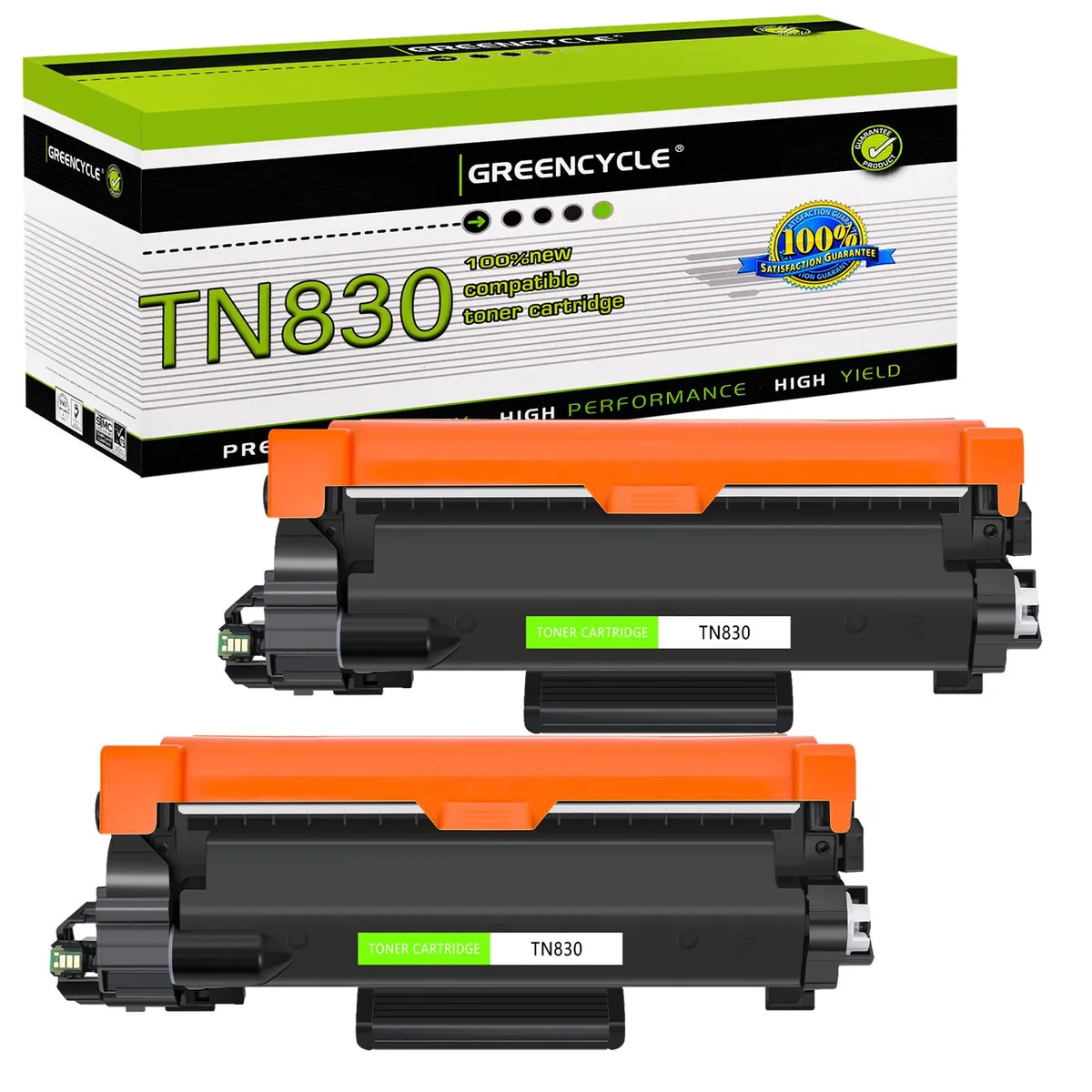
GREENCYCLE 2 Pack Compatible Black Toner Cartridge TN830 TN830XL 1200 Pages
Two-pack black toner cartridges yielding 1200 pages each for Brother laser printers
- Cartridge Quantity2 Pack
- Cartridge ColorBlack
- Replacement ModelBrother
- Approximate Page Yield1200 Pages
- Coverage5%
- TypeCompatible Toner
- Two-pack convenience for continuous printing
- 1,200 pages per cartridge at 5% coverage
- Compatible with HL-L2405W, HL-L2460DW, MFC-L2900DW and more
- Laser toner delivers sharp black text
- New compatible cartridges replace Brother TN830 and TN830XL
Two-pack black toner for Brother laser printers
This set contains two compatible black cartridges that replace the TN830 and TN830XL supplies. Each unit is rated for approximately 1200 pages at five percent coverage on Letter-size paper. The pack suits home offices and small businesses that print mainly text documents on the listed Brother HL-L, MFC-L and DCP-L models.
Cold-start behaviour and steady printing
Because the cartridges use standard laser toner formulation, the printer reaches operating temperature quickly and maintains consistent density across a typical print run. No additional warm-up cycles or calibration steps are required beyond the normal printer routine.
Extended runs and cartridge swaps
During long jobs the toner feed remains stable until the supply is exhausted, at which point the printer signals replacement. Users should shake each new cartridge six to eight times before installation and acknowledge the non-Brother toner prompt to continue printing.
Highlights
- Two-pack convenience for continuous printing
- 1,200 pages per cartridge at 5% coverage
- Compatible with HL-L2405W, HL-L2460DW, MFC-L2900DW and more
- Laser toner delivers sharp black text
- New compatible cartridges replace Brother TN830 and TN830XL
Specifications
| Cartridge Quantity | 2 Pack |
|---|---|
| Cartridge Color | Black |
| Replacement Model | Brother |
| Approximate Page Yield | 1200 Pages |
| Coverage | 5% |
| Type | Compatible Toner |
| Features | Print Technology: Laser |
Questions about this item
How do I install the TN830 cartridge into the drum unit and what step is often missed?
Shake the cartridge 6-8 times gently, remove the orange protective cover, insert the cartridge into the drum unit until it clicks, then install the combined unit into the printer.
What maintenance or replacement will this 2-pack require after the 1200 pages per cartridge are printed?
Each cartridge yields approximately 1200 pages at 5% coverage; once empty, replace the toner cartridge while reusing the existing drum unit until it reaches its own end of life.
What limit appears first during sustained printing if the printer displays "445,446" or "Cartridge Error"?
The printer's firmware may flag the compatible cartridge; restarting the printer typically clears the error and allows printing to continue.
Also in this aisle
People compared these
Same shelf, same checkout — eight coins and a 30-minute rate lock.


Tripp Lite
Tripp Lite U324-003-BK USB 3.0 cable USB-A to USB-A 3 ft
- USB
- Black
$13.99
0.00016748BTC
In stock

MADE IN USA TONER
MADE IN USA TONER TK-8367K Cyan Toner Cartridge 25000 Pages
$48.99
0.0005865BTC
In stock