


GCROWN
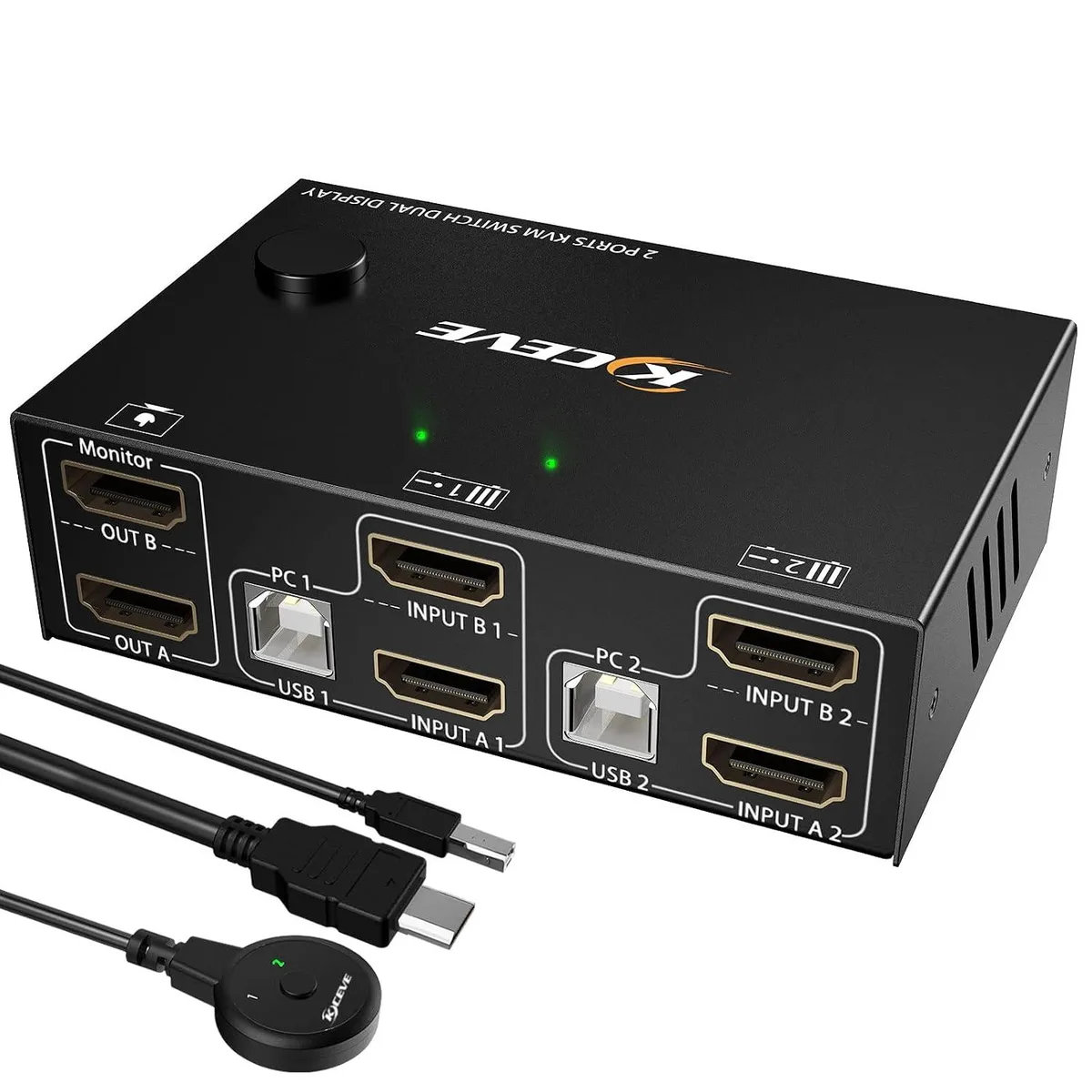
GCROWN Dual Monitor KVM Switch HDMI 2 Port 4K@30Hz 4 USB 2.0 Desktop Controller
Controls two PCs with one keyboard and mouse while sharing two monitors at up to 4K@30Hz and four USB 2.0 devices
- TypeKVM Switch
- Control two PCs with one keyboard and mouse set
- Share four USB 2.0 devices across both connected computers
- Switch between extended or copy dual-monitor modes
- Supports 4K at 30 Hz plus 1440p and 1080p resolutions
- Driver-free operation on Windows, Mac OS and Linux
Dual-monitor KVM for two PCs
This GCROWN KVM switch lets one keyboard, one mouse and two monitors control two computers. It provides two HDMI inputs and two HDMI outputs with four USB 2.0 ports for shared peripherals. The box includes the desktop controller and the necessary cables. It is aimed at users who need a simple dual-head setup without extra power adapters.
HDMI 2-port limits at 4K 30 Hz
The switch passes video up to 4K at 30 Hz and also handles 1440p at 60 Hz and 1080p at 60 Hz. A 2.0 HDMI cable is required for 4K, and both the source and the display must support the resolution. USB ports are 2.0 speed, so high-bandwidth devices such as HD webcams will not work reliably. MacBook Pro compatibility is not recommended by the supplier.
Replaces single-head KVMs and software sharing
It upgrades from a single-monitor KVM by adding a second extended or mirrored display without running extra cables between machines. It also removes the latency and driver overhead of software-based mouse and keyboard sharing. The jump is worth it when a user needs true hardware switching for two displays and basic USB peripherals on Windows 7 through 10, 8.1, Linux or Mac OS. Not suited for buyers who need higher refresh rates at 4K, USB 3.0 speeds or certified MacBook Pro operation.
Highlights
- Control two PCs with one keyboard and mouse set
- Share four USB 2.0 devices across both connected computers
- Switch between extended or copy dual-monitor modes
- Supports 4K at 30 Hz plus 1440p and 1080p resolutions
- Driver-free operation on Windows, Mac OS and Linux
Specifications
| Type | KVM Switch |
|---|
Questions about this item
Should I pick the 4K@30Hz version or the 4K@60Hz version?
The product supports 4K@30Hz as its highest resolution and refresh rate. For 4K output you need HDMI 2.0 cables and both computers and monitors that support 4K.
What does 4K@30Hz mean for my dual-monitor setup?
Each monitor can show up to 4K resolution at 30 Hz. Lower resolutions such as 1440P@60Hz or 1080P@60Hz are also supported. Extended mode gives two different screens; copy mode duplicates the same image.
Which HDMI standard does the switch use and what does it limit?
It uses HDMI 2.0, which allows 4K@30Hz, 1440P@60Hz and 1080P@60Hz. The 30 Hz cap at 4K comes from this interface.
Also in this aisle
People compared these
Same shelf, same checkout — eight coins and a 30-minute rate lock.


Black Box Corporation
Black Box Corporation 4K60 HDMI Dual-Head KVM Switch 4 Port
$774.99
0.00932577BTC
In stock