


GCROWN
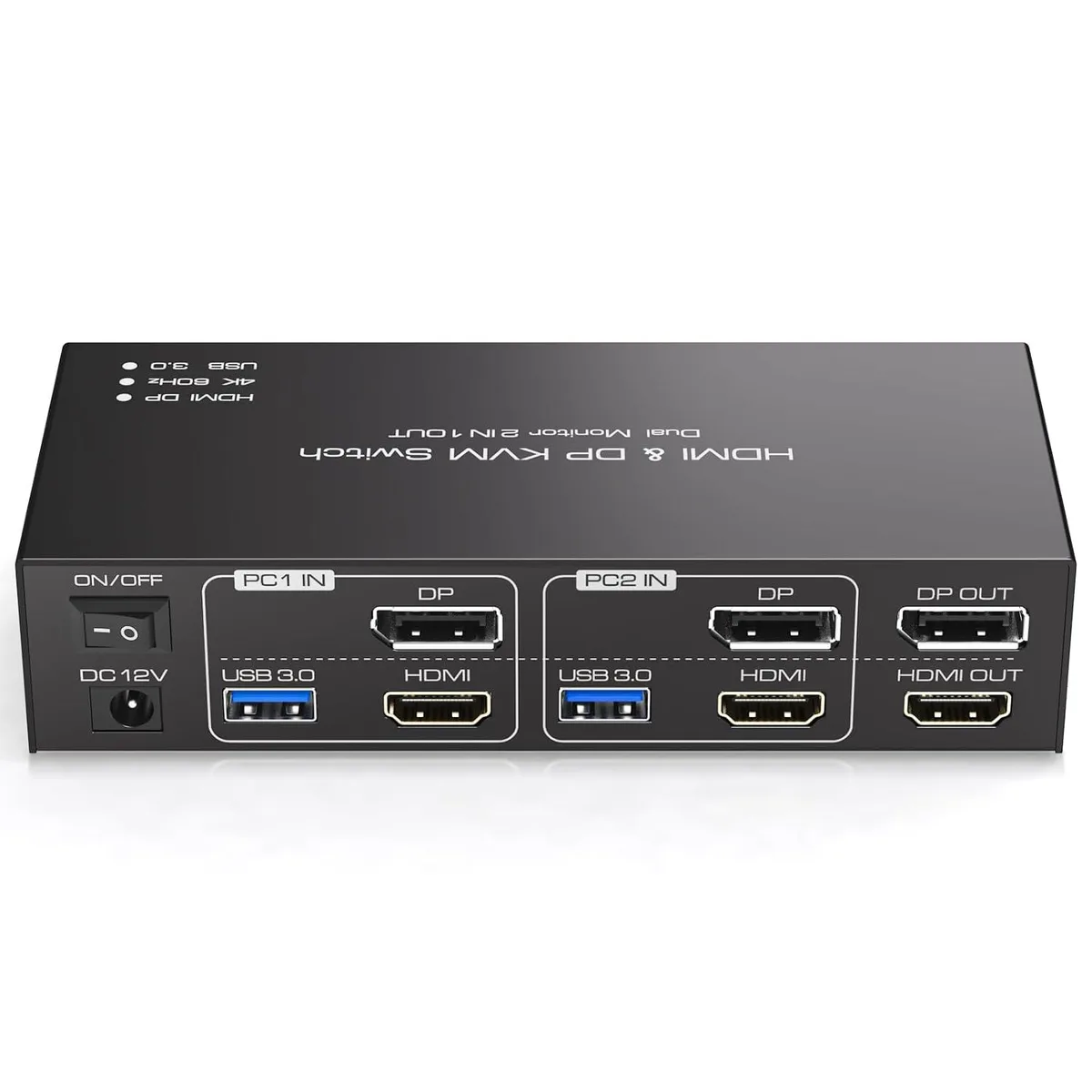
GCROWN Dual Monitor KVM Switch 2 PC 4K 60Hz HDMI DP 4 USB 3.0
Controls two computers across dual monitors at up to 3840x2160@60Hz with four USB 3.0 ports for shared peripherals
- TypeKVM Switch
- Control two PCs with one keyboard and mouse across two monitors
- Extended and copy display modes for flexible multitasking
- 4K 60 Hz resolution for sharp, detailed visuals
- Four USB 3.0 ports share peripherals at up to 5 Gbps
- Desktop controller and cables included for quick setup
Dual-Monitor KVM for Two PCs
This GCROWN KVM switch lets you operate two computers from a single keyboard, mouse and dual-display setup. Each system connects through one HDMI and one DisplayPort input, and the switch routes those signals to two corresponding monitor outputs. Four USB 3.0 ports share peripherals such as printers or scanners between the two hosts.
Suited for dual-head workstations.
The unit is built for setups that already run two monitors per computer and need extended or copy display modes. It does not convert between HDMI and DisplayPort, so every video path must match end to end. Buyers with only one monitor per PC, or who need signal conversion, should look at a different class of switch.
Check port match and cable capability before
Verify that each computer or docking station provides both an HDMI and a DisplayPort output, and that both monitors accept the matching inputs. For 4K at 60 Hz you need cables, sources and displays that all support 3840×2160 at 60 Hz; otherwise the link will fall back to 4K at 30 Hz or 1080p at 60 Hz. The package includes two USB cables for the host connections.
Highlights
- Control two PCs with one keyboard and mouse across two monitors
- Extended and copy display modes for flexible multitasking
- 4K 60 Hz resolution for sharp, detailed visuals
- Four USB 3.0 ports share peripherals at up to 5 Gbps
- Desktop controller and cables included for quick setup
Specifications
| Type | KVM Switch |
|---|
Questions about this item
Which video outputs must my two computers already provide to connect this KVM switch?
Each computer needs both an HDMI output and a DisplayPort output; the switch does not convert between them.
Will my existing 1080P monitors work with this switch alongside a newer 4K display?
Yes, the switch is backward compatible with 1080P@60Hz and 4K@30Hz, so mixed-resolution monitors function together.
How can I verify the switch is delivering 4K@60Hz after I set it up?
Check the on-screen display on each monitor or your operating system display settings to confirm 3840x2160 at 60Hz is active.
Also in this aisle
People compared these
Same shelf, same checkout — eight coins and a 30-minute rate lock.


Black Box Corporation
Black Box Corporation 4K60 HDMI Dual-Head KVM Switch 4 Port
$774.99
0.00929222BTC
In stock