


FLEANE
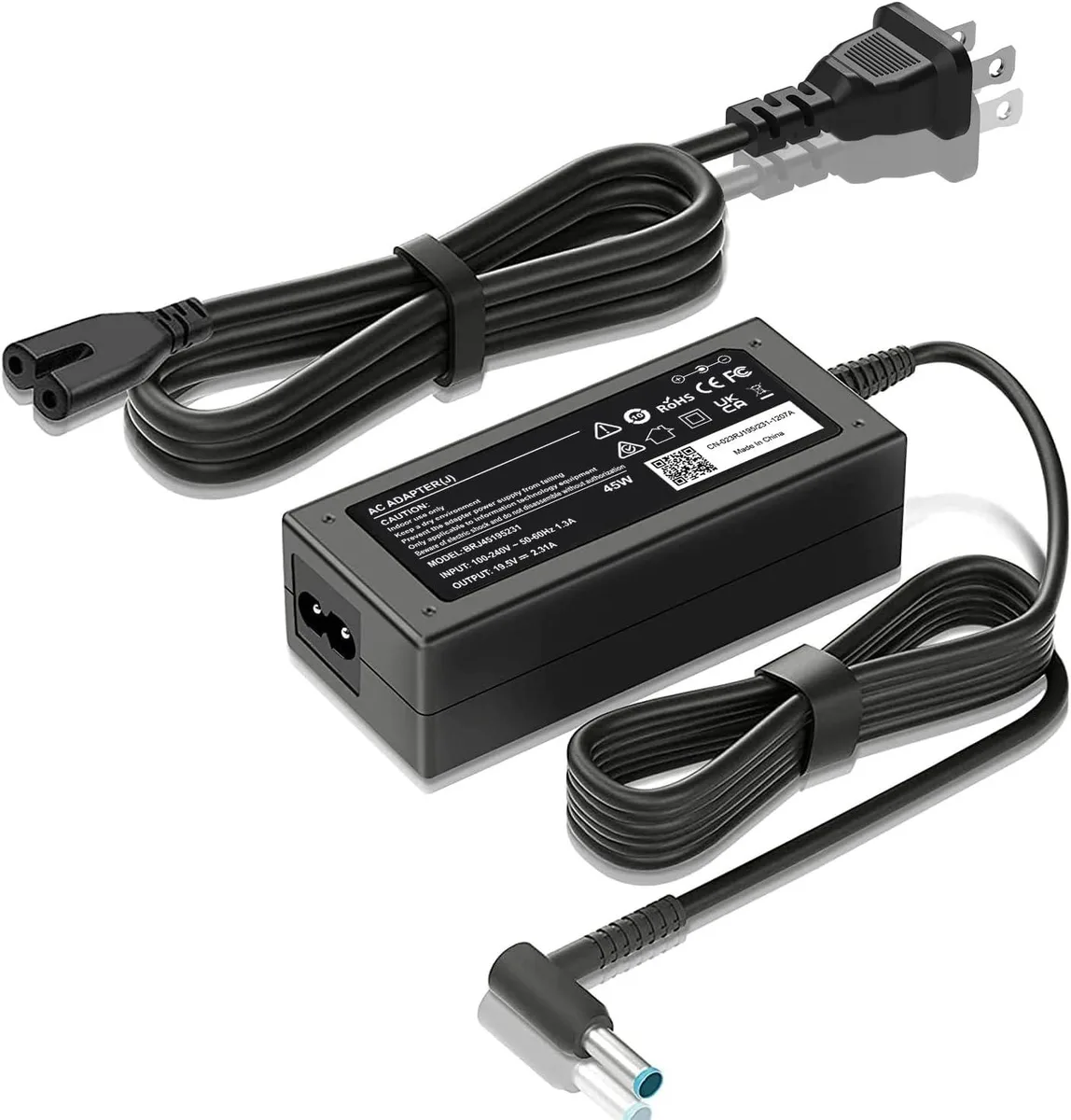
FLEANE 11-Y000 45W laptop charger 19.5V 2.31A 4.5mm blue tip
45 W AC adapter delivering 19.5 V at 2.31 A with a 4.5 mm blue-tip connector for compatible HP laptops
- TypeCharger
- 45W output keeps compatible HP laptops running
- 5V 2.31A matches original power requirements
- 5mm blue-tip connector fits listed Stream, Pavilion, Envy, ProBook, EliteBook, Spectre models
- 100-240V 50-60Hz input works on mains worldwide
- New condition ensures full performance from first use
45W HP Laptop Charger Blue Tip
This FLEANE 11-Y000 charger delivers 45W at 19.5V and 2.31A with a 4.5mm blue tip connector. It accepts 100-240V AC input at 50-60Hz for worldwide use. The unit is supplied new and replaces the original power adapter for compatible HP notebooks.
Compatible HP Models and Limits
Fits many HP Stream, Pavilion x360, Envy, ProBook, EliteBook and Spectre models including 11, 13, 14, 15 and 17 inch series. It is not for laptops that require a different voltage, a higher wattage or a connector size other than 4.5mm x 3.0mm. Buyers who need more power or a different tip should look elsewhere.
4.5mm Blue Tip Connector Fit
The decisive specification is the 4.5mm x 3.0mm blue tip plug that must match the laptop charging port exactly. Verify the tip dimensions and 19.5V 2.31A output against the device label before purchase. Without this exact match the charger will not connect or power the system.
Highlights
- 45W output keeps compatible HP laptops running
- 5V 2.31A matches original power requirements
- 5mm blue-tip connector fits listed Stream, Pavilion, Envy, ProBook, EliteBook, Spectre models
- 100-240V 50-60Hz input works on mains worldwide
- New condition ensures full performance from first use
Specifications
| Type | Charger |
|---|
Questions about this item
Does my HP laptop need a 4.5 mm x 3.0 mm blue tip connector for this charger to fit?
Yes, the charger uses a 4.5 mm x 3.0 mm smart blue tip connector designed for compatible HP models.
Will this 45W charger work with an older HP EliteBook 840 G3 that originally used a 65W adapter?
It will power the EliteBook 840 G3, but the lower 45W output may charge the battery more slowly or not keep up under heavy load.
How can I confirm the charger is delivering the correct 19.5V 2.31A output after plugging it in?
The laptop should show it is charging, the battery icon will indicate power input, and the system will run without battery drain while connected.
Also in this aisle
People compared these
Same shelf, same checkout — eight coins and a 30-minute rate lock.


Case Logic
Case Logic 3203990 briefcase for 15.6 in laptop with 10.1 in tablet pocket
$30.99
0.00037152BTC
In stock