

Black Box Corporation
Black Box Corporation AVSP-HDMI1X4 1x4 HDMI Splitter tv accessory
$237.99
0.00286383BTC
In stockWe take cryptocurrency — so the coins you hold can buy real hardware.Pay in crypto, spend it on real hardware. Free insured shipping worldwide over $399. Plain, unbranded boxes, sent from Germany.Free insured shipping over $399. Your rate is locked for 30 minutes once checkout opens.Rate locked 30 minutes. Every item sealed, serial-checked and covered by a 24-month warranty.Sealed, 24-month warranty.


Ergotron
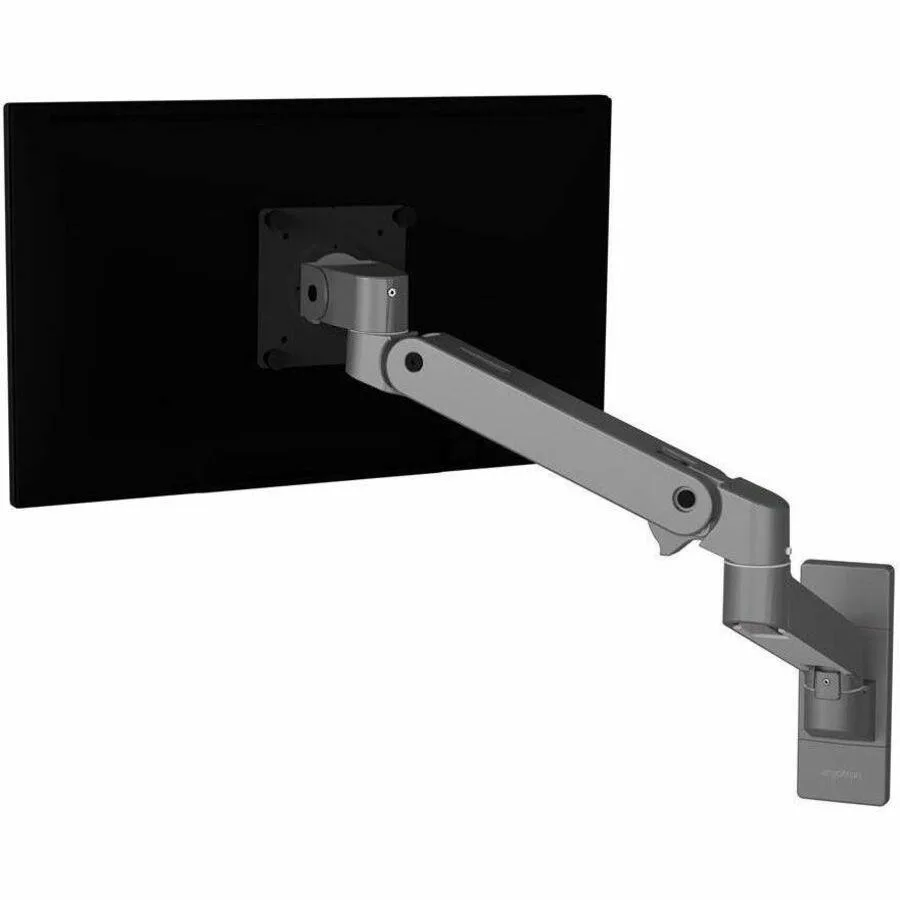
Wall mount arm supports a single display up to 34 inches with full motion adjustment
The Ergotron LX Pro Premium Single Monitor Arm is a wall-mounted support designed for displays up to 34 inches. It provides a secure and adjustable VESA mounting solution for a single screen. The arm enables flexible positioning to suit various viewing angles and workspace layouts. This mount helps free up desk space by attaching directly to the wall.
This mount suits users wanting a single display fixed to a wall with full articulation. It fits home offices, commercial spaces, or gaming stations needing adjustable height and reach. Buyers needing to mount multiple screens or requiring a desk clamp base should look at other solutions. The product is a new unit listed by the manufacturer in 2025.
The key specification is the maximum supported screen size of 34 inches. Confirm your monitor's diagonal measurement and VESA pattern match this limit before purchase. The wall-mount design requires a suitable vertical surface for installation. Best Seller Ranking number 77 in Stands & Mounts indicates proven market acceptance.
| Brand | ERGOTRON |
|---|---|
| Type | Wall Mount |
The wall plate follows the standard VESA hole pattern so it bolts directly to any compliant wall bracket.
They forget to tighten the set-screw that locks the arm rotation after the monitor is levelled.
Re-adjust the spring whenever you change to a monitor that weighs noticeably more or less than the previous one.
Also in this aisle
Same shelf, same checkout — eight coins and a 30-minute rate lock.
What you pay in, and what you read prices in.
Sent from your wallet at checkout
Display only — the catalogue is priced in USD
No currency matches that.
New here?
Already have one?
There is no automatic reset: this shop sends no mail, so there is no one-time link to ask for. Leave the address on the account and it gets picked up by hand.
Request noted
Nothing is on its way to your inbox — this shop sends no mail at all. Someone picks these up by hand.
Remembered it?


