


DELL
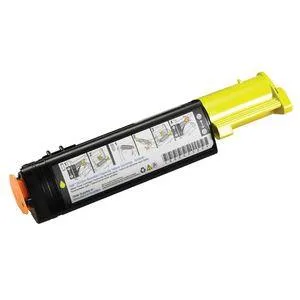
DELL WH006 Yellow Toner Cartridge 2000 Pages for 3010cn
Yellow toner cartridge prints 2000 pages for Dell 3010cn laser printers
- Cartridge Quantity1 / Pack
- Cartridge ColorYellow
- Compatible ProductsDell 3010cn
- Approximate Page Yield2000 Pages
- FeaturesToner Cartridge
- Prints up to 2000 pages before replacement
- Yellow toner formulated for Dell 3010cn
- Genuine Dell OEM cartridge ensures reliable output
- Single cartridge pack simplifies ordering
- Part numbers WH006 and 341-3569 for easy reordering
Genuine Dell Yellow Toner for 3010cn
This genuine Dell WH006 yellow toner cartridge is manufactured for the Dell 3010cn colour laser printer. It supplies a standard-capacity yellow toner formulated for that specific model. The cartridge is sold individually in a sealed pack. Offices and home users running a 3010cn will receive the correct OEM consumable.
Consistent Output Without Hardware Strain
As a non-mechanical consumable, the cartridge adds no fan noise, draws no extra power and generates no additional heat inside the printer. Print quality remains stable across the rated life because the toner formulation matches the engine calibration. The printer’s existing thermal management handles the job without change.
Replaces Empty Yellow Cartridge in a 3010cn
This cartridge replaces a depleted yellow toner in the Dell 3010cn, restoring full colour capability for up to 2,000 pages. The upgrade is worthwhile when the current yellow supply is low or exhausted and the printer reports a replacement alert. It is not intended for other Dell models or for users who need high-yield capacity beyond the standard 2,000-page rating.
Highlights
- Prints up to 2000 pages before replacement
- Yellow toner formulated for Dell 3010cn
- Genuine Dell OEM cartridge ensures reliable output
- Single cartridge pack simplifies ordering
- Part numbers WH006 and 341-3569 for easy reordering
Specifications
| Brand | Dell |
|---|---|
| Cartridge Quantity | 1 / Pack |
| Cartridge Color | Yellow |
| Compatible Products | Dell 3010cn |
| Approximate Page Yield | 2000 Pages |
| Features | Toner Cartridge |
| Shipping weight | 35.83 kg |
| Package size | 340 × 90 × 90 mm |
Questions about this item
How do I install the WH006 yellow toner cartridge in my Dell 3010cn, and which step is often missed?
Open the front cover, pull out the old yellow cartridge by its handle, shake the new WH006 cartridge gently five or six times, remove the protective tape completely, then slide it in until it clicks. People often forget to remove all the tape.
What will need replacing after the WH006 cartridge reaches its 2000-page yield?
The cartridge itself is the only consumable; once it reaches the rated 2000 pages you simply install a new WH006 unit. No separate drum or waste bottle is required for this model.
What limit appears first when printing large solid-yellow jobs continuously?
The 2000-page rated yield is the first limit; heavy coverage reduces the actual page count before the toner runs out and print density drops.
Also in this aisle
People compared these
Same shelf, same checkout — eight coins and a 30-minute rate lock.


Tripp Lite
Tripp Lite U324-003-BK USB 3.0 cable USB-A to USB-A 3 ft
- USB
- Black
$13.99
0.00016846BTC
In stock

MADE IN USA TONER
MADE IN USA TONER TK-8367K Cyan Toner Cartridge 25000 Pages
$48.99
0.00058993BTC
In stock