Microsoft
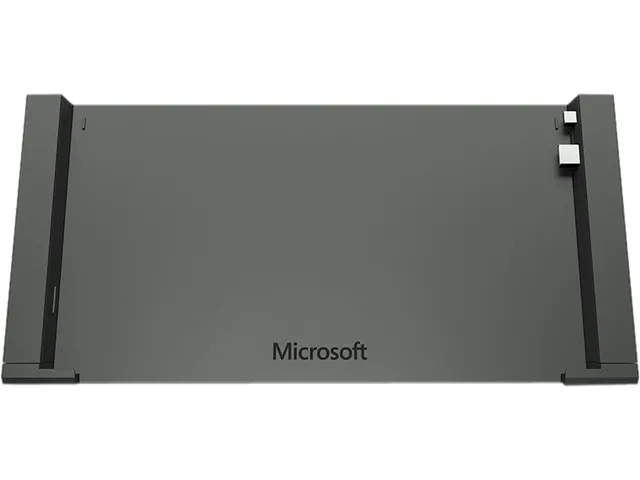
Microsoft GJ3-00001 Docking Station 2 in 1 Accessory
- Docking Station
- Black
$125.99$178.99−30%
0.00150937BTC
In stockWe take cryptocurrency — so the coins you hold can buy real hardware.Pay in crypto, spend it on real hardware. Free insured shipping worldwide over $399. Plain, unbranded boxes, sent from Germany.Free insured shipping over $399. Your rate is locked for 30 minutes once checkout opens.Rate locked 30 minutes. Every item sealed, serial-checked and covered by a 24-month warranty.Sealed, 24-month warranty.

DELL
Eight-channel RAID controller with 1.2 GB/s cache supporting levels 0, 1, 5, 6, 10, 50, 60
The Dell PERC H730P is a low-profile plug-in card that adds hardware RAID to compatible Dell 2-in-1 platforms. It connects through a PCI Express 3.0 x8 slot and provides eight internal SAS ports supporting SATA 6Gb/s and SAS 12Gb/s devices. A 2 GB flash-backed cache protects data during unexpected power loss.
This card upgrades systems that rely on simple host-bus adapters by adding RAID levels 0, 1, 5, 6, 10, 50 and 60 with up to 1.2 GBps throughput. The jump is worth it when you need redundancy or performance beyond single-drive operation. Builders who require external SAS connectivity or non-Dell chassis support should look elsewhere.
No published specifications for this item yet.
The PERC H730P is a low-profile plug-in card designed for a PCI Express 3.0 x8 slot.
Attach the 2 GB flash-backed cache module to the controller first, then insert the assembled card into the PCIe slot and secure the bracket.
New to this? Buying a laptop with crypto, start to finish — what to check, what it costs to pay, and what is never asked for.
More in 2 in 1 Accessories
Same shelf, same checkout — eight coins and a 30-minute rate lock.
What you pay in, and what you read prices in.
Sent from your wallet at checkout
Display only — the catalogue is priced in USD
No currency matches that.
New here?
Already have one?
There is no automatic reset: this shop sends no mail, so there is no one-time link to ask for. Leave the address on the account and it gets picked up by hand.
Request noted
Nothing is on its way to your inbox — this shop sends no mail at all. Someone picks these up by hand.
Remembered it?