


DELL
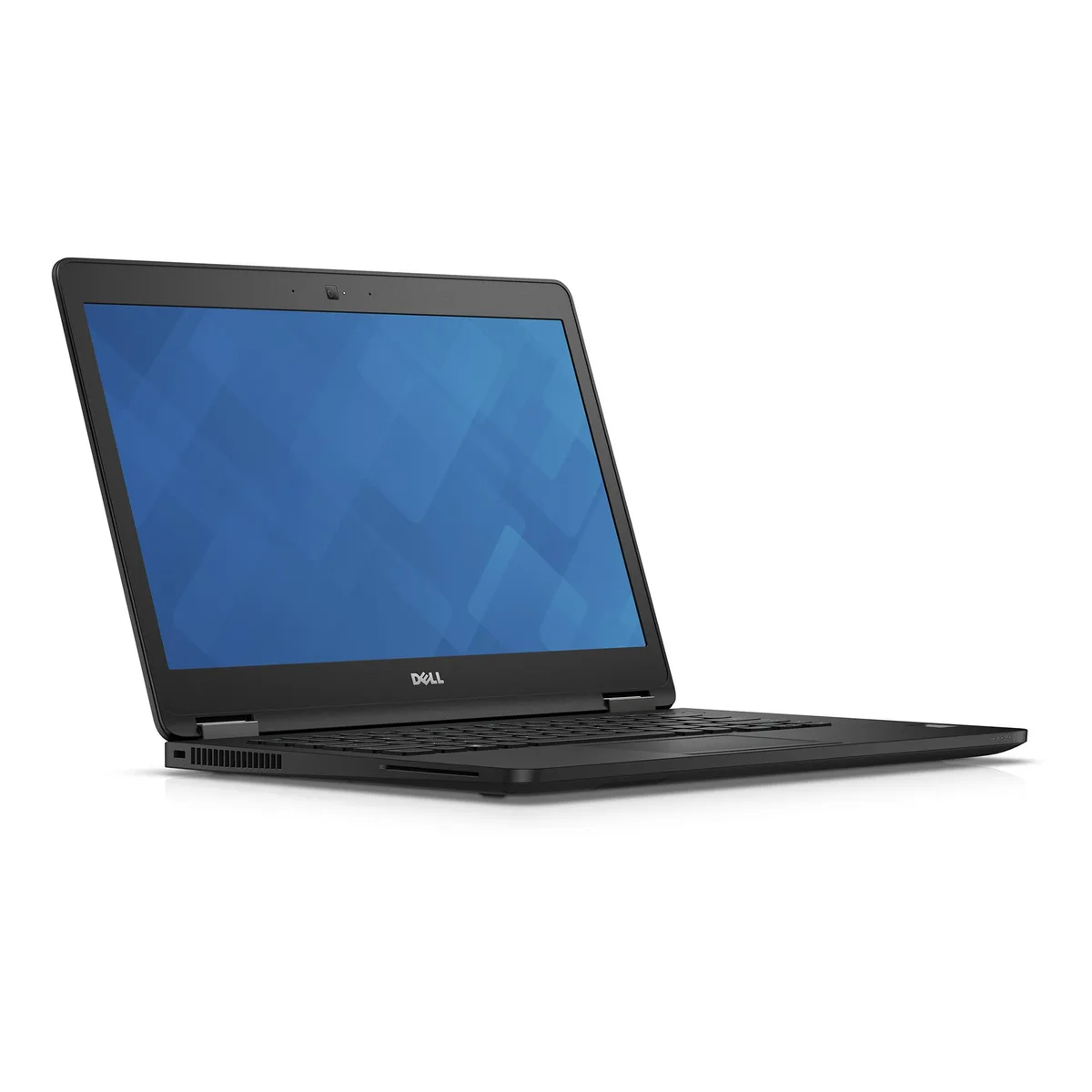
DELL Latitude E7470 14" HD i5-6300U 8GB 240GB SSD
14-inch HD laptop with Intel Core i5-6300U, 8GB DDR4 and new 240GB M.2 NVMe PCIe SSD running Windows 10 Home 64-bit
- ColorBlack
- Operating SystemWindows 10 Home
- CPU TypeIntel Core i5 6th Gen
- Processor Name2.40GHz
- Turbo Frequency3.00 GHz
- Number of CoresDual-core Processor
- 0 inch HD screen gives clear visuals at 1366 x 768 resolution
- Intel Core i5-6300U at 2.40 GHz with 3.00 GHz turbo handles everyday tasks
- 8GB DDR4 memory runs multiple apps smoothly
- 240GB M.2 NVMe PCIe SSD provides fast storage and quick boot
- Windows 10 Home 64-bit offers familiar desktop experience
Purpose-built for mobile professionals
The Dell Latitude E7470 is a 14.0" HD laptop powered by an Intel Core i5-6300U dual-core processor running at 2.40 GHz with a 3.00 GHz turbo frequency. It ships with 8GB of DDR4 memory and a NEW 240GB M.2 NVMe PCIe SSD. Windows 10 Home 64-bit comes pre-installed for immediate deployment in business environments.
Compact chassis with essential connectivity
The non-touch 1366 x 768 display keeps the footprint small for travel while the matte finish reduces glare in office lighting. Two memory slots support up to 16 GB total for future upgrades. Integrated Intel HD Graphics 520 handles standard productivity and video playback without a discrete GPU. Standard ports cover external monitors, peripherals and wired networks.
Efficient thermal profile for daily workloads
The low-power U-series processor and integrated graphics generate modest heat during typical office tasks, allowing the cooling system to run quietly. Power draw stays light, extending battery runtime on the move. Fan noise only becomes noticeable under sustained heavy loads such as large compilations or extended video encoding.
Highlights
- 0 inch HD screen gives clear visuals at 1366 x 768 resolution
- Intel Core i5-6300U at 2.40 GHz with 3.00 GHz turbo handles everyday tasks
- 8GB DDR4 memory runs multiple apps smoothly
- 240GB M.2 NVMe PCIe SSD provides fast storage and quick boot
- Windows 10 Home 64-bit offers familiar desktop experience
Specifications
| Brand | DELL |
|---|---|
| Series | Latitude |
| Model | Latitude E7470 |
| Color | Black |
| Operating System | Windows 10 Home |
| CPU Type | Intel Core i5 6th Gen |
| Processor Name | 2.40GHz |
| Turbo Frequency | 3.00 GHz |
| Number of Cores | Dual-core Processor |
| Screen Size | 14.0" |
| Touchscreen | Non-Touch Screen |
| Display Type | HD |
| Resolution | 1366 x 768 |
| GPU/VPU | Intel HD Graphics 520 |
| SSD | 240GB |
| HDD | No |
| Storage Spec | 240GB SSD M.2 NVMe PCIe |
| Memory | 8GB |
| Memory Slot (Total) | 2 |
| Max Memory Supported | 16 GB |
| Optical Drive Type | No |
| Audio | Integrated Sound card |
| Style | Ultrabook |
| Type | Mainstream |
| Dimensions (W x D x H) | 9.13" x 13.19" x .76" |
| Weight | 3 - 3.9 lbs. |
Questions about this item
Does the M.2 NVMe PCIe interface cap the 240GB SSD at PCIe 3.0 x4 speeds in practice?
The 240GB M.2 NVMe PCIe SSD runs on the platform's native PCIe 3.0 x4 lanes, so sequential reads and writes are limited by that generation's maximum throughput.
What physical slot and keying does the 240GB M.2 NVMe PCIe drive need to fit the Latitude E7470?
The laptop provides an M.2 2280 M-key slot; the 240GB NVMe drive must match that length and keying to seat correctly.
How is the M.2 NVMe SSD installed, and which step do people often get wrong?
Remove the base cover, insert the drive at an angle into the M.2 slot, then secure it with the single retention screw; the common mistake is forgetting that screw, leaving the drive unseated.
New to this? Buying a laptop with crypto, start to finish — what to check, what it costs to pay, and what is never asked for.
Also in this aisle
People compared these
Same shelf, same checkout — eight coins and a 30-minute rate lock.


