

DELL
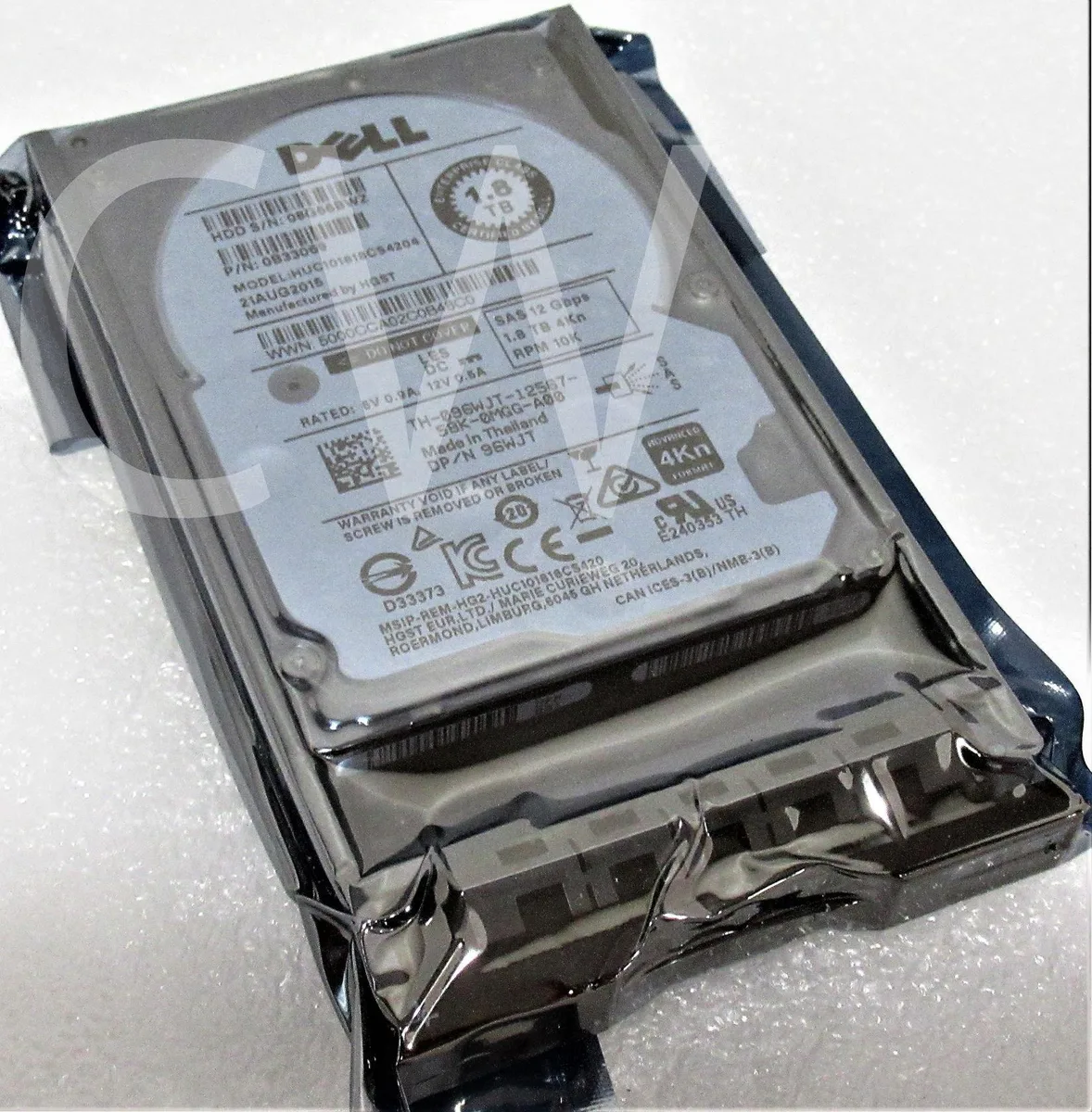
DELL HUC101818CS4204 1.8TB 10000RPM 12Gb/s SAS 2.5in internal hard drive
A 2.5-inch SAS enterprise drive spinning at 10000 RPM with 1.8 TB capacity and a 12 Gb/s interface, supplied with an R-series caddy
- High-capacity 1.8TB storage for demanding enterprise workloads
- 10000RPM spindle speed accelerates data access times
- 12Gb/s SAS interface delivers high-throughput connectivity
- 5-inch form factor fits dense server configurations
- Includes R Series caddy for quick installation
Dell 1.8 TB 10K SAS drive
This new Dell enterprise drive delivers 1.8 TB of storage in a 2.5 inch form factor. It spins at 10000 RPM and connects through a 12 Gb/s SAS interface. The 4Kn sector format and included R Series caddy simplify installation in compatible bays.
Suited for 12 Gb/s SAS bays
The drive fits servers and arrays that accept 2.5 inch SAS devices running at 12 Gb/s. It will not serve buyers who need a different physical size or a slower rotational speed. Systems without a SAS backplane cannot use this unit.
12 Gb/s SAS interface
The single specification that decides compatibility is the 12 Gb/s SAS interface. The host must provide a matching SAS port and support 4Kn sector addressing for the drive to function correctly.
Highlights
- High-capacity 1.8TB storage for demanding enterprise workloads
- 10000RPM spindle speed accelerates data access times
- 12Gb/s SAS interface delivers high-throughput connectivity
- 5-inch form factor fits dense server configurations
- Includes R Series caddy for quick installation
Specifications
No published specifications for this item yet.
Questions about this item
What throughput does the 12Gb/s SAS interface cap at in practice?
The 12Gb/s SAS link supports up to 12 Gbit/s per lane, so sustained transfer will not exceed that ceiling.
What does the drive need to fit in a 2.5in bay?
It is a 2.5in form-factor drive and the package includes an R Series caddy/tray for direct mounting.
How is the HUC101818CS4204 installed, and what step is often missed?
Slide the drive into the supplied R Series tray, secure the screws, then insert the assembly into the hot-swap bay until the latch clicks — forgetting to lock the latch is the common error.
New to this? Paying with USDT: TRC-20 or ERC-20 — what to check, what it costs to pay, and what is never asked for.
Also in this aisle
People compared these
Same shelf, same checkout — eight coins and a 30-minute rate lock.


