

Black Box Corporation
Black Box Corporation AVSP-HDMI1X4 1x4 HDMI Splitter tv accessory
$237.99
0.00286262BTC
In stockWe take cryptocurrency — so the coins you hold can buy real hardware.Pay in crypto, spend it on real hardware. Free insured shipping worldwide over $399. Plain, unbranded boxes, sent from Germany.Free insured shipping over $399. Your rate is locked for 30 minutes once checkout opens.Rate locked 30 minutes. Every item sealed, serial-checked and covered by a 24-month warranty.Sealed, 24-month warranty.

DELL
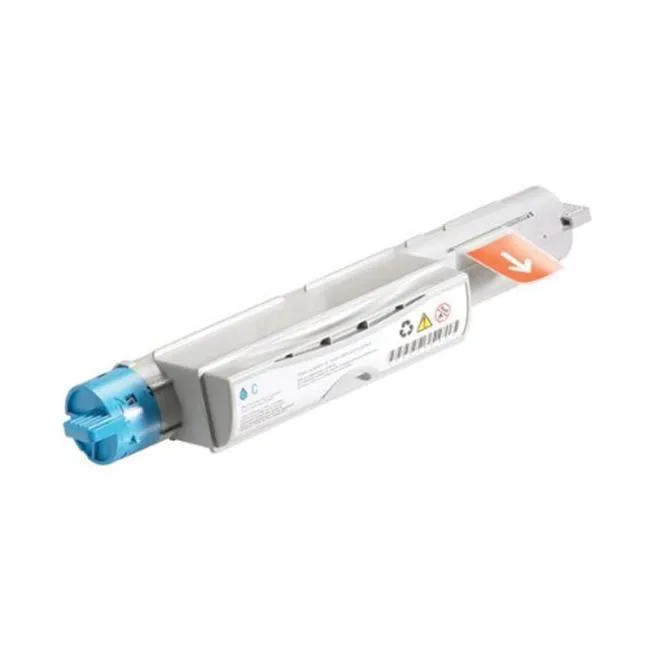
High-yield cyan toner cartridge prints up to 12000 pages for Dell 5110cn printers
This genuine Dell GD900 cyan toner cartridge is built for the Dell 5110cn colour laser printer. It supplies up to 12000 pages of sharp text and images. Offices and workgroups that print high volumes of colour documents will find the yield matches their workload.
The high-yield formulation replaces the lower-capacity cyan cartridge normally shipped with the 5110cn. The jump is worth it when monthly colour output regularly exceeds the standard cartridge's page count, reducing swap frequency and cost per page.
This cartridge is validated only for the Dell 5110cn printer. It will not fit other Dell colour lasers or third-party machines, so buyers with mixed printer fleets need separate cartridges for each model.
No published specifications for this item yet.
The cartridge is tested and validated for the Dell 5110cn printer, ensuring correct fit and operation in that model.
Open the front cover, remove the old cyan cartridge by pulling its handle straight out, shake the new cartridge gently side-to-side, remove the protective seal, then slide it in until it clicks firmly into place.
Replace it when the printer reports low toner or print quality fades; the cartridge is rated for approximately 12000 pages at standard coverage.
Also in this aisle
Same shelf, same checkout — eight coins and a 30-minute rate lock.
What you pay in, and what you read prices in.
Sent from your wallet at checkout
Display only — the catalogue is priced in USD
No currency matches that.
New here?
Already have one?
There is no automatic reset: this shop sends no mail, so there is no one-time link to ask for. Leave the address on the account and it gets picked up by hand.
Request noted
Nothing is on its way to your inbox — this shop sends no mail at all. Someone picks these up by hand.
Remembered it?


