


DBTLAP
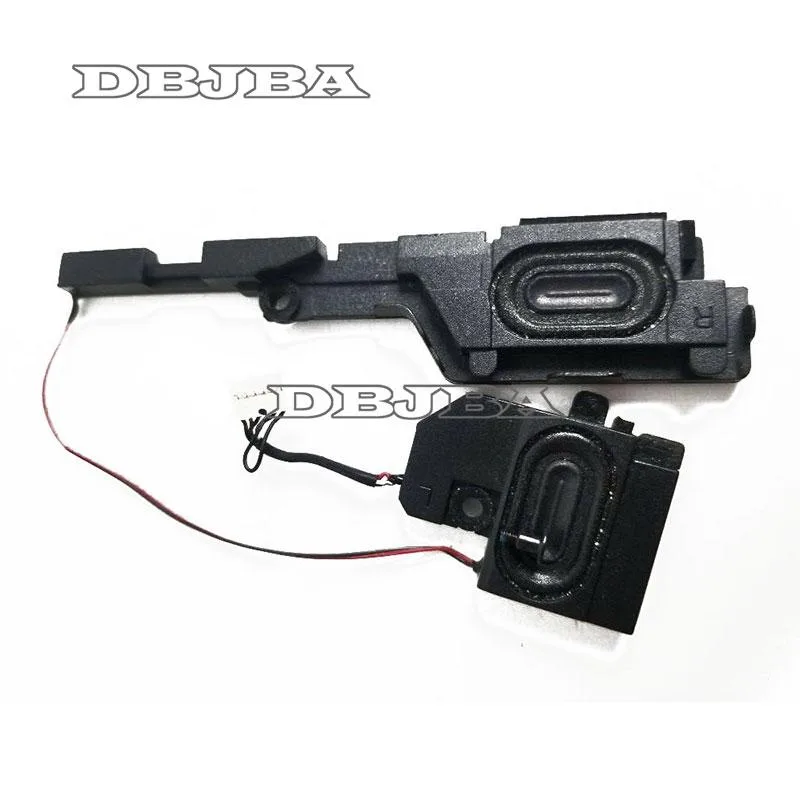
DBTLAP Laptop Speaker for HP X360 M3-U001DX 023.40092.0011
Replacement internal speaker restores audio to HP X360 M3-U001DX laptops using part number 023.40092.0011
- TypeComputerSpeakers
- Restores clear audio with exact HP X360 M3-U001DX fit
- Part 023.40092.0011 matches original specification for 100% compatibility
- Single built-in speaker unit replaces damaged component directly
- Each unit tested before dispatch to confirm performance
- Real-item photos let you verify appearance before ordering
Replacement speaker for HP X360 M3-U001DX
This DBTLAP built-in speaker replaces the original audio module in the HP X360 M3-U001DX laptop. It is intended for owners of that specific model who need to restore sound output after a failure. The part number 023.40092.0011 must match the existing component for correct fitment. Buyers who need a speaker for a different laptop series cannot use this item.
Passive audio component with no active cooling
The speaker operates without a fan or dedicated power circuit, drawing its signal directly from the motherboard audio header. Normal use adds no measurable heat or noise beyond the acoustic output itself. There are no thermal throttling concerns and no additional power draw to consider. The unit is tested individually before shipping to verify basic function.
Consistent output during extended playback
Because the driver is a passive transducer, its performance does not change between a short burst and sustained audio playback. Volume level and frequency response remain stable for the duration of the session. No thermal compression or power limiting occurs in the speaker itself. The only limit is the amplifier capability of the host laptop.
Highlights
- Restores clear audio with exact HP X360 M3-U001DX fit
- Part 023.40092.0011 matches original specification for 100% compatibility
- Single built-in speaker unit replaces damaged component directly
- Each unit tested before dispatch to confirm performance
- Real-item photos let you verify appearance before ordering
Specifications
| Type | ComputerSpeakers |
|---|
Questions about this item
How do I install the 023.40092.0011 speaker in my HP X360 M3-U001DX and what step is often missed?
Remove the bottom case, disconnect the old speaker cable, fit the new unit in the same brackets and reconnect the cable; the step often missed is checking the cable routing so it does not get pinched when the case is closed.
What maintenance or replacement will the 023.40092.0011 speaker need later?
No scheduled maintenance is required; if sound becomes distorted or one channel fails after extended use, the speaker itself would need replacement.
What limit appears first on the 023.40092.0011 speaker during sustained high-volume playback?
The driver can overheat during prolonged loud output, causing temporary volume roll-off or distortion until it cools.
Also in this aisle
People compared these
Same shelf, same checkout — eight coins and a 30-minute rate lock.


Cables To Go
Cables To Go 39908 5 in Wall Mount Speaker 70V
- Consumer Electronics
$64.99
0.0007818BTC
In stock

LG Electronics
LG Electronics SQC4R-CR 4.1 Channel Wireless Subwoofer Speaker Kit
- Kit
$98.99
0.0011908BTC
In stock