


DBTLAP
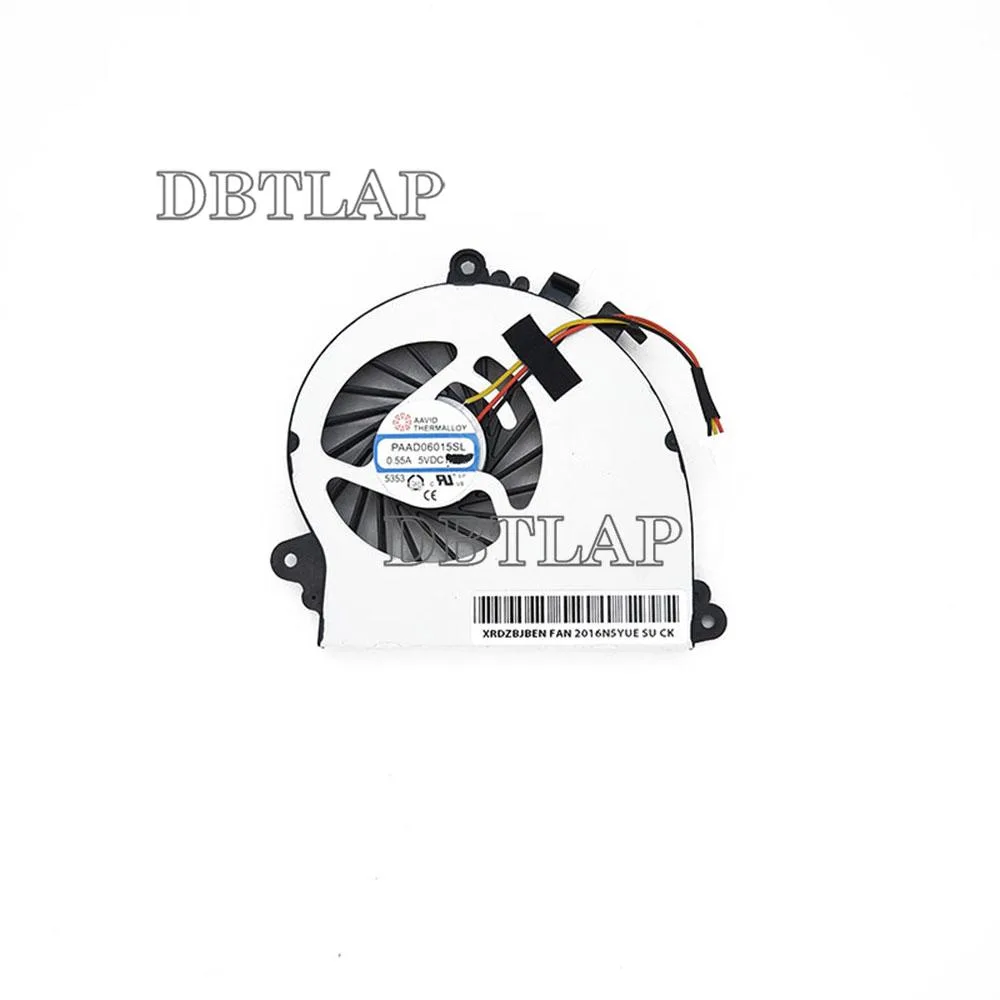
DBTLAP Laptop CPU Fan for MSI GS70 GS72 MS-1771 MS-1773 PAAD06015SL-N184 -N229
Replacement CPU cooler fits MSI GS70 and GS72 models MS-1771 and MS-1773 using part numbers PAAD06015SL-N184 and N229
- Accessory TypeCooler
- Cooling for MSI GS70 and GS72 models
- Compatible with MS-1771 and MS-1773 chassis
- Replaces PAAD06015SL-N184 and N229 part numbers
- Each unit tested before dispatch for reliable operation
- Single fan included ready for installation
DBTLAP CPU Fan for MSI GS70 and GS72
This replacement cooler fits MSI GS70 and GS72 notebooks carrying the MS-1771 or MS-1773 chassis codes. It is intended for owners whose original CPU fan has become noisy or failed. The part matches the PAAD06015SL-N184 and N229 references used in those models.
Capacity and headroom: what it handles
The fan is a direct mechanical substitute for the factory CPU cooler in the listed machines. It restores stock airflow for normal workloads and moderate gaming sessions. Sustained heavy loads that exceed the original thermal design will still throttle the processor as the heatsink and chassis limits remain unchanged.
Critical spec: PAAD06015SL-N184 / N229 part number
Compatibility hinges on the PAAD06015SL-N184 or N229 marking on your existing fan. Manufacturers such as Forcecon, ADDA, Sunon or Kipo may supply the unit depending on stock, so the connector layout and screw positions must match the original exactly. Buyers who cannot verify that part number should not order.
Highlights
- Cooling for MSI GS70 and GS72 models
- Compatible with MS-1771 and MS-1773 chassis
- Replaces PAAD06015SL-N184 and N229 part numbers
- Each unit tested before dispatch for reliable operation
- Single fan included ready for installation
Specifications
| Accessory Type | Cooler |
|---|
Questions about this item
Will the PAAD06015SL-N184 -N229 fan fit my MSI GS70 or GS72 without modifying the heatsink?
The fan is listed for MSI GS70, GS72, MS-1771 and MS-1773 models using part numbers PAAD06015SL-N184 and -N229; compare the connector and screw holes to your original unit before fitting.
How can I confirm the fan is running correctly once installed?
After fitting, power on the laptop and listen for steady airflow from the exhaust vent; the supplier tests each unit to 100 % operation before dispatch.
Does the package include mounting screws or thermal paste, or just the fan itself?
Only the fan is included — one unit per pack — so retain your original screws and re-apply thermal compound when you swap the cooler.
Also in this aisle
People compared these
Same shelf, same checkout — eight coins and a 30-minute rate lock.


Case Logic
Case Logic 3203990 briefcase for 15.6 in laptop with 10.1 in tablet pocket
$30.99
0.00037276BTC
In stock