


DBTLAP
DBTLAP laptop cooling pad for Lenovo Legion 5 Pro 16IAH7H 82RF
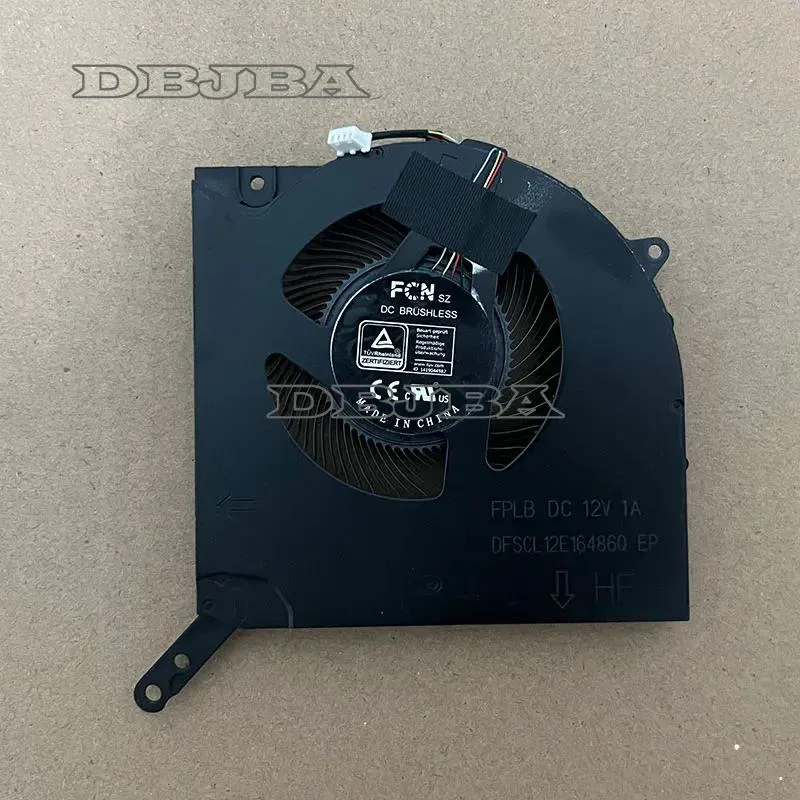
Replacement GPU cooling fan tested for full compatibility with Lenovo Legion 5 Pro 16IAH7H 82RF models
- Accessory TypeCooler
- Direct GPU cooling for Lenovo Legion 5 Pro 16IAH7H
- Exact part match DFSCL12E16486Q-FPLB ensures fit
- Pre-tested fan ships ready to install
- Single replacement fan restores thermal performance
- Verify model 82RF before ordering for 100% compatibility
Direct GPU Cooling Fan
This replacement fan targets the discrete graphics module inside the Lenovo Legion 5 Pro 16IAH7H 82RF chassis. It restores factory airflow when the original cooler has worn out or failed. Buyers who need a full bottom-panel cooling pad with multiple fans should look elsewhere.
Single Fan Capacity
The unit supplies one dedicated GPU fan rated to match the original DFSCL12E16486Q-FPLB specification. It handles typical gaming and rendering loads that the stock cooler was designed for. Sustained maximum clocks in poorly ventilated environments may still exceed its thermal headroom.
Tested Drop-In Build
Each fan is bench tested before dispatch and ships as a direct mechanical match for the Legion 5 Pro 16IAH7H 82RF mounting points. The four-wire connector aligns with the motherboard header for PWM control. Technicians who lack disassembly experience should seek professional installation.
Highlights
- Direct GPU cooling for Lenovo Legion 5 Pro 16IAH7H
- Exact part match DFSCL12E16486Q-FPLB ensures fit
- Pre-tested fan ships ready to install
- Single replacement fan restores thermal performance
- Verify model 82RF before ordering for 100% compatibility
Specifications
| Accessory Type | Cooler |
|---|
Questions about this item
Will the DBTLAP GPU cooling fan fit alongside the existing heatsink in my Lenovo Legion 5 Pro 16IAH7H 82RF?
The fan is designed as a direct replacement for the original GPU cooler in the Lenovo Legion 5 Pro 16IAH7H 82RF, so it mounts to the same points without interfering with the existing heatsink assembly.
How can I confirm the DBTLAP fan is spinning correctly after installing it in my 16IAH7H laptop?
Enter the BIOS or use Lenovo Vantage to monitor GPU fan RPM; the reading should rise smoothly under load and the exhaust airflow should feel steady from the rear vents.
Does the package include mounting screws or thermal pads for the 82RF model, or must I buy them separately?
The box contains only the 1 x GPU cooling fan; you will need to reuse the original screws and thermal pads from the old cooler or source them separately.
Also in this aisle
People compared these
Same shelf, same checkout — eight coins and a 30-minute rate lock.


Case Logic
Case Logic 3203990 briefcase for 15.6 in laptop with 10.1 in tablet pocket
$30.99
0.00037096BTC
In stock