

DBTLAP
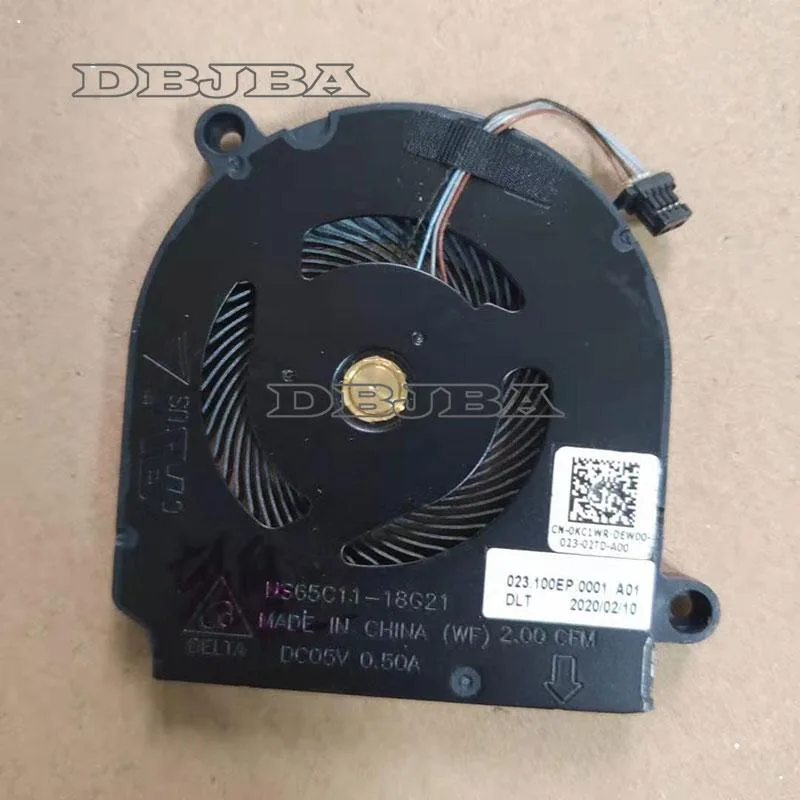
DBTLAP Laptop Cooling Pad Fan NS65C11-18G21 023.100EP.0001 0KC1WR 5V 0.5A
Replacement cooling fan for compatible laptop models, tested before shipping
- Accessory TypeCooler
- Exact replacement for NS65C11-18G21 models
- Verified 5V 0.5A power specification match
- Pre-tested unit ensures reliable operation
- Real-item photos confirm visual compatibility
- Single fan module simplifies installation
Replacement Cooling Fan For Laptop Model NS65C11
This new DBTLAP cooling fan is designed as a direct replacement for the specific laptop model NS65C11-18G21. It suits owners of that exact machine who need to restore original thermal performance. Buyers with different laptop models or those seeking a universal external cooling pad cannot use this part.
Build Quality And Connector Fit
The package includes one fan unit tested by the supplier before shipping. Product photos show the actual item so you can verify the connector shape and mounting holes against your original fan. Installers must match the part numbers 023.100EP.0001 and 0KC1WR to ensure physical compatibility.
Critical Specification 5V 0.5A Power Rating
The fan operates at 5 volts and draws 0.5 amps, a fixed electrical requirement that decides whether this is the correct spare. If your laptop's service manual lists a different voltage or current for the cooling fan, this unit will not work. No other specification overrides this compatibility check.
Highlights
- Exact replacement for NS65C11-18G21 models
- Verified 5V 0.5A power specification match
- Pre-tested unit ensures reliable operation
- Real-item photos confirm visual compatibility
- Single fan module simplifies installation
Specifications
| Accessory Type | Cooler |
|---|
Questions about this item
Does the 5 V 0.5 A fan plug into a standard USB port for power?
Yes, it draws 0.5 A at 5 V, which matches a typical USB 2.0 port output.
What mounting points or screws does the NS65C11-18G21 fan use to fit inside the laptop?
The replacement fan is built to the original NS65C11-18G21 023.100EP.0001 0KC1WR mounting pattern; align the screw holes with the heatsink before securing.
What is the correct order to install the fan so the connector seats properly?
Place the fan on the heatsink, fasten the mounting screws, then plug the 5 V 0.5 A connector into the motherboard header; reversing the order can bend the pins.
Also in this aisle
People compared these
Same shelf, same checkout — eight coins and a 30-minute rate lock.


Case Logic
Case Logic 3203990 briefcase for 15.6 in laptop with 10.1 in tablet pocket
$30.99
0.00037331BTC
In stock