

DBTLAP
DBTLAP Laptop Cooling Fan for HP Pavilion 17-CD TPN-C142 L56873-001 R+L
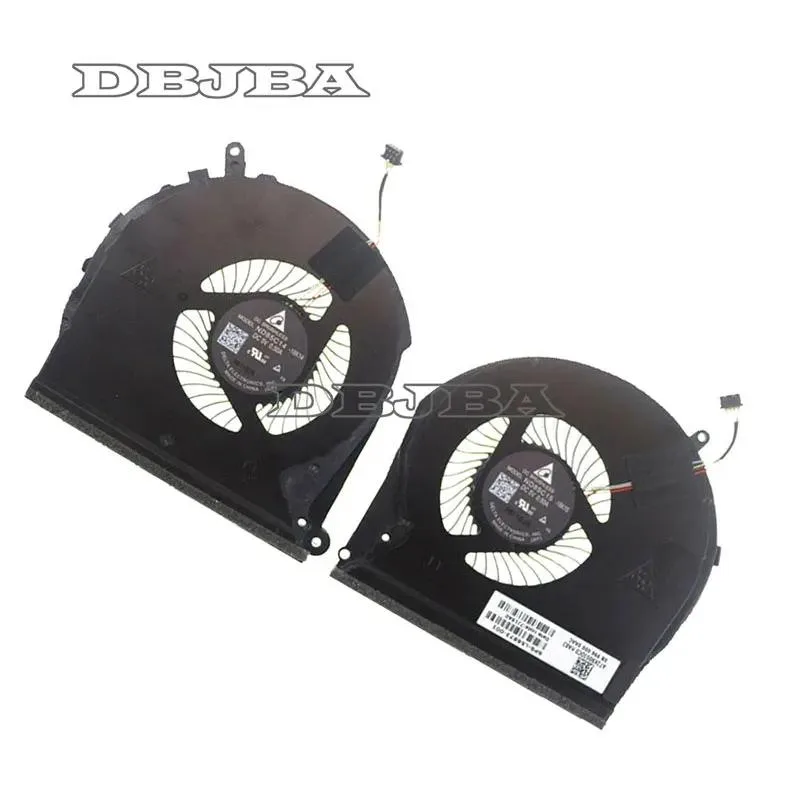
Replacement cooling fan set with two units for HP Pavilion 17-CD series laptops
- Accessory TypeCooler
- Keeps your HP Pavilion 17-CD running cool with two replacement fans included
- Direct fit for TPN-C142 and part L56873-001 ensures 100% compatibility
- Right and left fans supplied together so both sides are covered in one order
- Each unit tested before shipping so it works straight out of the box
- Real product photos let you confirm the match before you buy
Replacement fan set for HP Pavilion 17-CD
This pair of cooling fans is built for the HP Gaming Pavilion 17-CD TPN-C142 using part number L56873-001. It serves owners of that specific notebook who need to replace worn or noisy original coolers. Buyers with a different chassis or motherboard layout cannot use this kit.
Thermals, noise and power draw
Each fan has been tested before shipping to confirm it spins freely and moves air through the heatsink. The two units work together to draw heat away from the CPU and GPU during normal workloads. No power consumption or acoustic figures are supplied by the manufacturer.
Exact part-number match required
Compatibility depends on the L56873-001 designation and the R+L orientation shown in the product photos. Installers must verify that the old assemblies look identical to the images before fitting. Systems that use a different fan layout or connector will not accept this set.
Highlights
- Keeps your HP Pavilion 17-CD running cool with two replacement fans included
- Direct fit for TPN-C142 and part L56873-001 ensures 100% compatibility
- Right and left fans supplied together so both sides are covered in one order
- Each unit tested before shipping so it works straight out of the box
- Real product photos let you confirm the match before you buy
Specifications
| Accessory Type | Cooler |
|---|
Questions about this item
How do I install the two fans for the HP Pavilion 17-CD TPN-C142 L56873-001 and what step is often missed?
Match each fan to the right and left mounting points shown in the photos, then reconnect both power cables — the step most people miss is plugging in the second fan's connector.
What maintenance will these replacement fans need later?
Clean dust from the blades and vents every few months using compressed air; the fans are tested before shipping but have no user-serviceable bearings.
What limit appears first when the fans run continuously under heavy load?
The fans are designed for the HP Pavilion 17-CD thermal envelope; sustained maximum RPM may increase audible noise before any thermal throttle occurs.
Also in this aisle
People compared these
Same shelf, same checkout — eight coins and a 30-minute rate lock.


Case Logic
Case Logic 3203990 briefcase for 15.6 in laptop with 10.1 in tablet pocket
$30.99
0.00036897BTC
In stock