


DBTLAP
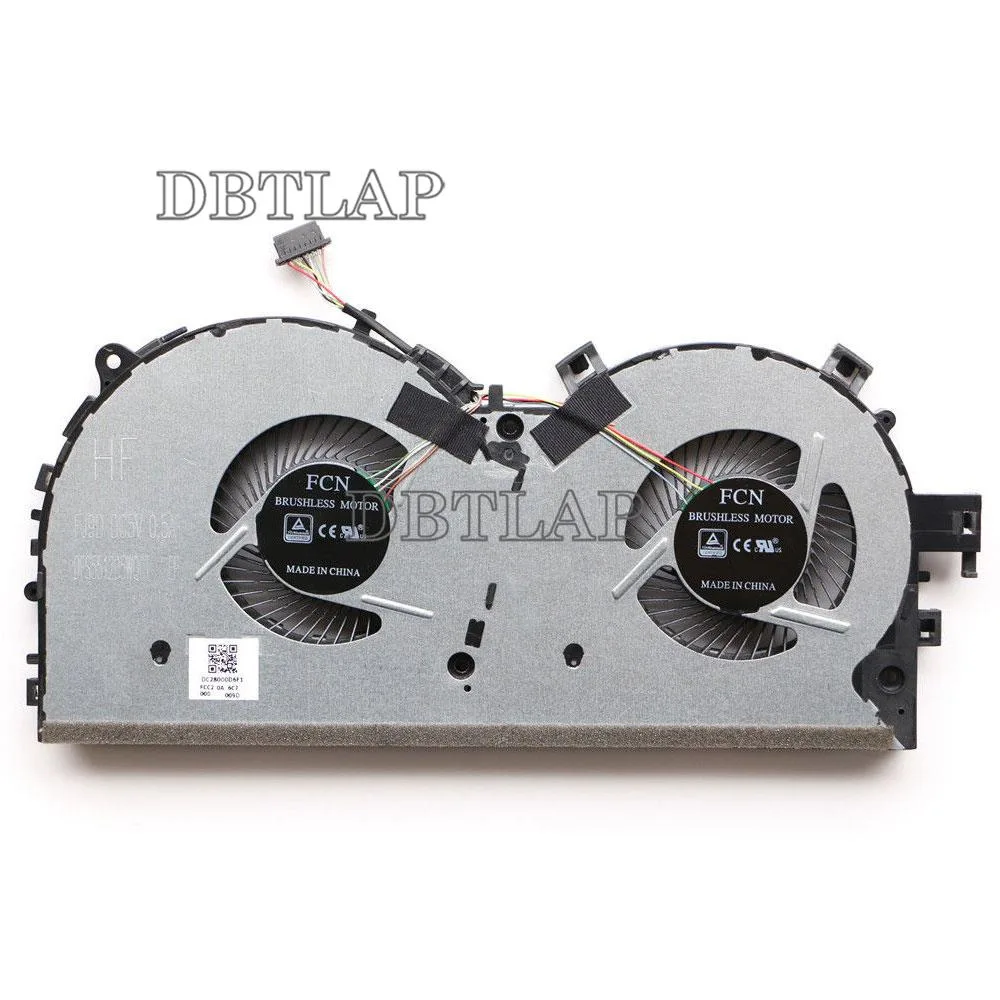
DBTLAP CPU Fan for Lenovo Y520 R720-15IKB laptop cooling pad
Replacement CPU cooling fan compatible with Lenovo Y520 and R720-15IKB laptops
- Accessory TypeCooler
- Direct replacement for Lenovo Y520 and R720 models
- Each unit tested individually before dispatch
- 9-month warranty included for peace of mind
- Single fan package ready to install
- Manufactured by Forcecon, ADDA, Sunon or Kipo
Replacement Fan for Lenovo Y520 and R720
This CPU cooling fan is built for Lenovo Rescuer Y520, R720 and R720-15IKB laptops. It matches part numbers DFS551205WQ0T, FJ9D and DC28000D6F10. Each unit is tested before dispatch and ships as a single fan in new condition.
For owners needing a direct swap
The pad suits users whose original cooler has failed or become noisy. It is not for buyers who want a universal external cooler, a multi-fan stand or a solution for a different laptop series. Compatibility must be verified against the original component before purchase.
Straightforward swap with visual checks
Installation follows the standard laptop teardown for the Y520 and R720 chassis. The main risk is ordering the wrong variant, so compare the product photos with your existing fan carefully. Contact the seller if the connector or mounting holes differ from the pictures.
Highlights
- Direct replacement for Lenovo Y520 and R720 models
- Each unit tested individually before dispatch
- 9-month warranty included for peace of mind
- Single fan package ready to install
- Manufactured by Forcecon, ADDA, Sunon or Kipo
Specifications
| Accessory Type | Cooler |
|---|
Questions about this item
Does the replacement fan plug into the existing motherboard header on a Lenovo Y520?
The fan is built for Lenovo Y520, R720 and R720-15IKB models and uses the original connector, so it fits the stock motherboard header without adapters.
Will this fan fit inside the same chassis if I keep the original heatsink?
It matches the factory dimensions for the Y520 and R720 series, so the original heatsink and mounting points line up exactly.
How can I confirm the new fan is spinning at the correct speed after installation?
Enter the BIOS or use Lenovo Vantage to watch the RPM reading; it should rise smoothly from idle to load without stalling or error alerts.
Also in this aisle
People compared these
Same shelf, same checkout — eight coins and a 30-minute rate lock.


Case Logic
Case Logic 3203990 briefcase for 15.6 in laptop with 10.1 in tablet pocket
$30.99
0.000371BTC
In stock