
DBTLAP
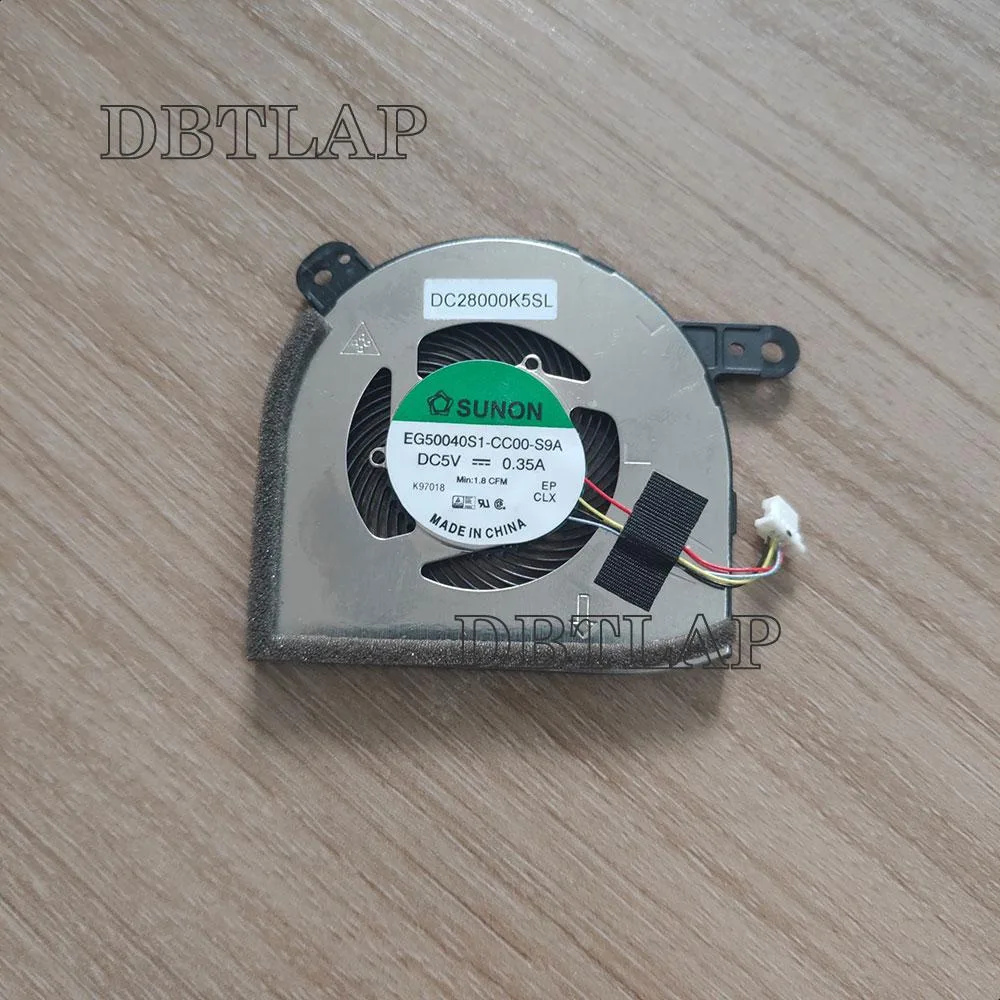
DBTLAP CPU Fan for Dell Latitude 12 5290 2in1 EG50040S1-CC00-S9A
Replacement CPU cooling fan for Dell Latitude 12 5290 2-in-1, tested before shipping
- Accessory TypeCooler
- Replacement fan restores cooling to Latitude 12 5290 2in1
- Verified compatibility with part numbers EG50040S1-CC00-S9A DC28000K5SL K97018
- Each unit tested before dispatch for reliable operation
- Direct fit for Dell Latitude 12 5290 2in1 models
- Single fan package includes only the cooler component
Replacement CPU Fan for Latitude 5290 2-in-1
This new DBTLAP cooling fan is built for the Dell Latitude 12 5290 2-in-1 laptop. It arrives as a single tested unit ready to replace a worn or noisy original cooler. The part targets owners and repair technicians who need a direct drop-in component for this specific model.
Compatibility Constraints
Buyers must verify the part number EG50040S1-CC00-S9A against the existing fan before ordering. The component suits only the listed Latitude 12 5290 2-in-1 chassis. Anyone servicing a different Dell series, a non-convertible Latitude, or any other brand should look for the correct cooler instead.
Critical Part Number Check
The decisive specification is the exact part number match: EG50040S1-CC00-S9A, also referenced as DC28000K5SL and K97018. Confirming this code on the original fan is the only way to guarantee fit and function for the 5290 2-in-1 system.
Highlights
- Replacement fan restores cooling to Latitude 12 5290 2in1
- Verified compatibility with part numbers EG50040S1-CC00-S9A DC28000K5SL K97018
- Each unit tested before dispatch for reliable operation
- Direct fit for Dell Latitude 12 5290 2in1 models
- Single fan package includes only the cooler component
Specifications
| Accessory Type | Cooler |
|---|
Questions about this item
Will this fan fit my Dell Latitude 12 5290 2in1 without any other parts?
Yes, it is a direct replacement for the original EG50040S1-CC00-S9A cooler; you only need the laptop itself and a small screwdriver to swap the unit.
Can I keep my existing heatsink and thermal pads when installing this DC28000K5SL fan?
The fan mounts to the current heatsink assembly, so you reuse the existing thermal pads and heat pipes; just transfer the old fan bracket onto the new K97018 motor.
How do I verify the fan is running correctly after I reinstall the bottom cover?
Power on the 5290, enter the BIOS hardware monitor and confirm the CPU fan RPM reads above zero; you should also hear a steady airflow from the side vent.
Also in this aisle
People compared these
Same shelf, same checkout — eight coins and a 30-minute rate lock.


Case Logic
Case Logic 3203990 briefcase for 15.6 in laptop with 10.1 in tablet pocket
$30.99
0.00037123BTC
In stock