
DBTLAP
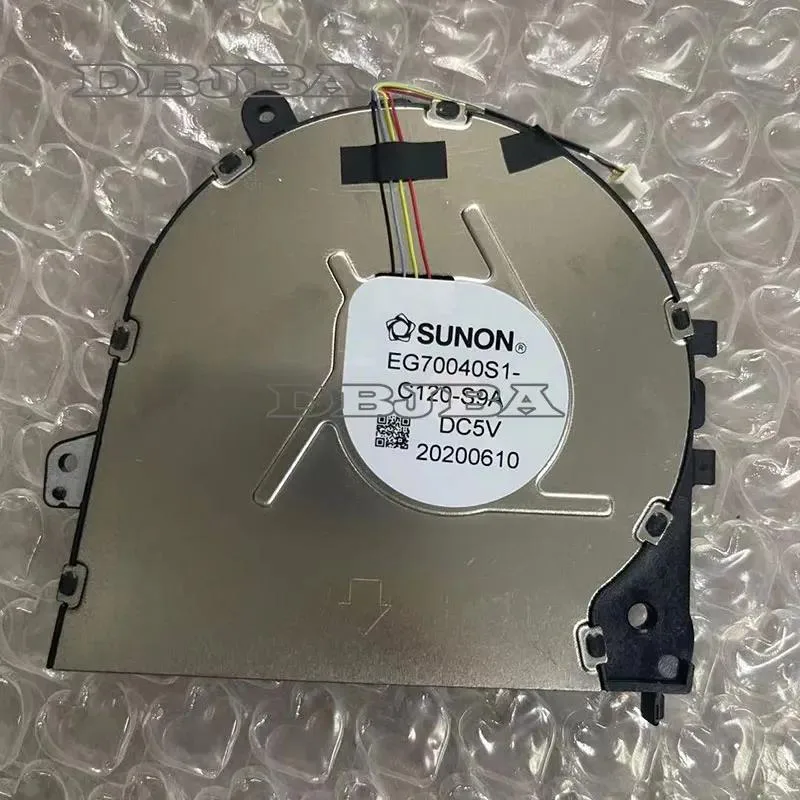
DBTLAP Cooling Fan for HP ProBook 430 G8 HSN-Q27C M33085-001 EG70040S1-C120-S9A
Replacement cooling fan for HP ProBook 430 G8 laptops, includes one tested unit
- Accessory TypeCooler
- Direct replacement for HP ProBook 430 G8
- Verified compatibility with part numbers HSN-Q27C and M33085-001
- Pre-tested unit ensures reliable operation out of the box
- Single-fan design fits the original cooling assembly
- Real-item photos let you confirm exact match before ordering
Replacement Fan for HP ProBook 430 G8
This replacement cooling fan is built for the HP ProBook 430 G8 laptop series. It matches part numbers HSN-Q27C, M33085-001 and EG70040S1-C120-S9A. The package contains one tested unit ready for installation.
Who Should Buy This
Owners of an HP ProBook 430 G8 with a noisy or failed internal fan will find the correct spare here. Buyers who need a different form factor, a universal cooler pad or a fan for another laptop model should look elsewhere.
Fitting Into Your Repair
The fan slots directly into the ProBook 430 G8 chassis using the original mounting points and connector. No extra brackets, cables or thermal paste are included, so reuse the existing hardware from the old unit.
Highlights
- Direct replacement for HP ProBook 430 G8
- Verified compatibility with part numbers HSN-Q27C and M33085-001
- Pre-tested unit ensures reliable operation out of the box
- Single-fan design fits the original cooling assembly
- Real-item photos let you confirm exact match before ordering
Specifications
| Accessory Type | Cooler |
|---|
Questions about this item
Which HP ProBook 430 G8 part numbers must match the EG70040S1-C120-S9A fan for it to fit?
The fan is built for HSN-Q27C and M33085-001; verify your laptop shows one of those codes before ordering.
Will this replacement fan align with the original mounting points and connector on a ProBook 430 G8?
Yes, it is made to the same HSN-Q27C specification so the screw holes and power plug line up with the factory layout.
How can I confirm the new fan is running correctly after installation?
Power on the laptop and listen for steady airflow from the vent; the fan should spin smoothly without rattling or error messages.
Also in this aisle
People compared these
Same shelf, same checkout — eight coins and a 30-minute rate lock.


Case Logic
Case Logic 3203990 briefcase for 15.6 in laptop with 10.1 in tablet pocket
$30.99
0.00036897BTC
In stock