

DBTLAP
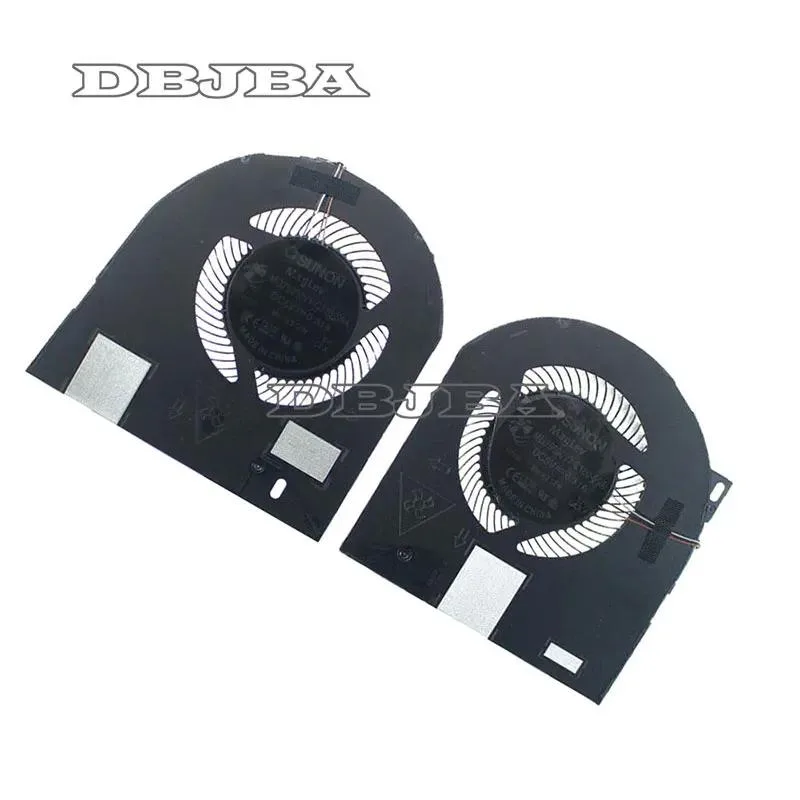
DBTLAP Cooling Fan for Dell Precision 7530 MG75090V1-C160-S9A C170
Replacement CPU and GPU cooling fan kit with two fans for Dell Precision 7530 laptops
- Accessory TypeCooler
- Cools both CPU and GPU for stable performance
- Direct fit for Dell Precision 7530 models
- Includes two fans for balanced airflow
- Each unit tested before shipping for reliability
- Verify part number MG75090V1-C160-S9A C170 for exact match
Replacement Fans for Precision 7530
This set contains two new cooling fans built for the Dell Precision 7530 using part numbers MG75090V1-C160-S9A and C170. They are intended for owners who need to replace worn or noisy original units. Each fan is tested before it leaves the supplier.
Who Should Buy These Fans
The kit suits technicians and experienced users who are comfortable opening a Precision 7530 and swapping the CPU and GPU fans themselves. Buyers who want a simple external cooling pad or who cannot match the part numbers to their exact machine should look at other options.
Critical Compatibility Check
The only specification that decides fit is the exact part-number match between MG75090V1-C160-S9A C170 and the labels on your current fans. Verify the photos and numbers before ordering; a mismatch means the fans will not install correctly.
Highlights
- Cools both CPU and GPU for stable performance
- Direct fit for Dell Precision 7530 models
- Includes two fans for balanced airflow
- Each unit tested before shipping for reliability
- Verify part number MG75090V1-C160-S9A C170 for exact match
Specifications
| Accessory Type | Cooler |
|---|
Questions about this item
Does this fan kit work without an existing Dell Precision 7530 chassis and motherboard?
No, the two fans are direct replacements for the CPU and GPU coolers inside a Dell Precision 7530 and must mount to that laptop's heatsink assembly.
Will the MG75090V1-C160-S9A C170 fans fit if I keep my original heat pipes and thermal pads?
Yes, they are designed to bolt onto the existing Precision 7530 heat-pipe layout; reuse your current thermal pads or apply fresh compound when you swap the fans.
How can I confirm both fans are spinning correctly after installation?
Power on the Precision 7530, enter the BIOS hardware monitor or run Dell diagnostics, and verify that both CPU and GPU fan RPM readings appear and rise under load.
Also in this aisle
People compared these
Same shelf, same checkout — eight coins and a 30-minute rate lock.


Case Logic
Case Logic 3203990 briefcase for 15.6 in laptop with 10.1 in tablet pocket
$30.99
0.00037392BTC
In stock