


DBTLAP
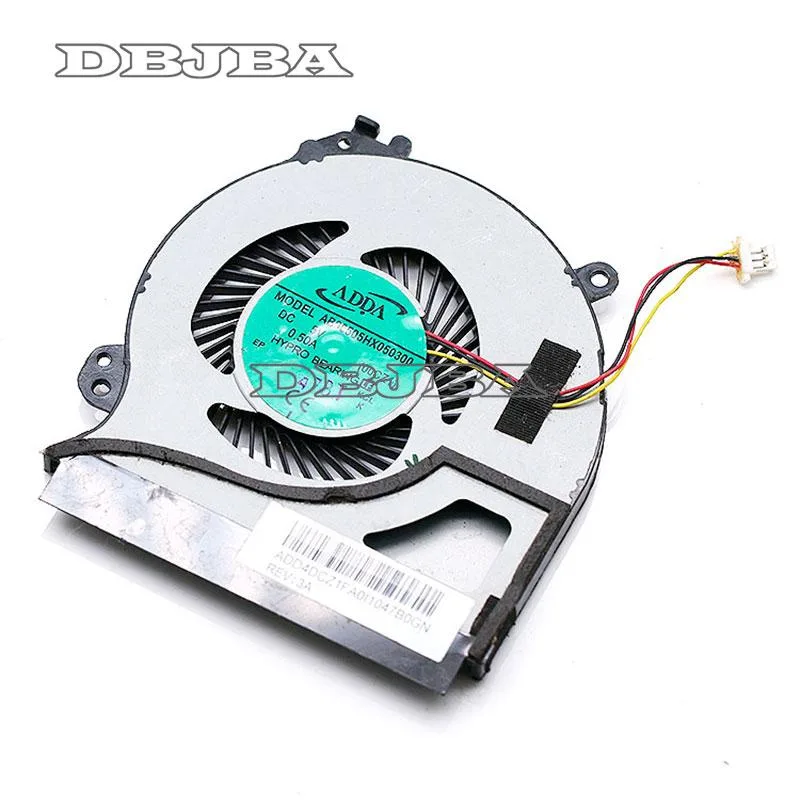
DBTLAP Cooling Fan for ADDA AB06505HX050300 00CZ1 5V 0.50A 3pin
Replacement cooling fan for ADDA AB06505HX050300 00CZ1, 5V 0.50A three-pin, tested before shipping
- Accessory TypeCooler
- Direct replacement for ADDA AB06505HX050300 00CZ1
- 5V 0.50A 3-pin connector matches original spec
- Brand-new unit tested before dispatch
- Single-fan package keeps repair simple
- Verify photos and part number for 100% fit
Replacement Fan for ADDA AB06505HX050300
This DBTLAP cooling fan is a direct replacement for the ADDA AB06505HX050300 00CZ1 model. It operates on a 5V 0.50A power supply and connects via a 3pin header. The unit is supplied new and each item is tested before shipping.
Suits owners of compatible laptops needing
This suits buyers who have verified their original fan matches the ADDA AB06505HX050300 00CZ1 part number exactly. It is not for users who cannot confirm their laptop uses this specific model number or who need a universal cooling pad instead of an internal replacement fan.
Verify the part number and connector before ordering
Check the photos supplied against your existing fan to ensure physical dimensions and connector orientation match. Confirm your laptop requires the ADDA AB06505HX050300 00CZ1 specification. If unsure, provide your laptop model number for compatibility verification before purchase.
Highlights
- Direct replacement for ADDA AB06505HX050300 00CZ1
- 5V 0.50A 3-pin connector matches original spec
- Brand-new unit tested before dispatch
- Single-fan package keeps repair simple
- Verify photos and part number for 100% fit
Specifications
| Accessory Type | Cooler |
|---|
Questions about this item
Will this 5V 0.50A 3-pin fan fit my laptop if the original cooler uses the ADDA AB06505HX050300 00CZ1 part number?
Yes — the fan is built to replace the ADDA AB06505HX050300 00CZ1 cooler; verify the photos match your old unit and the 3-pin connector aligns before installing.
Can I keep my existing heatsink and thermal pads when swapping in this 5V 0.50A 3-pin replacement fan?
The fan is supplied as a standalone 1 x Fan unit; you reuse your current heatsink and thermal interface materials, so ensure they are clean and intact before mounting the new cooler.
How do I confirm the 5V 0.50A 3-pin fan is running correctly after installation?
Power on the laptop and listen for steady airflow from the exhaust vent; the 3-pin header lets the system report fan speed in BIOS or monitoring software, confirming the 0.50A draw is normal.
Also in this aisle
People compared these
Same shelf, same checkout — eight coins and a 30-minute rate lock.


Case Logic
Case Logic 3203990 briefcase for 15.6 in laptop with 10.1 in tablet pocket
$30.99
0.00037104BTC
In stock