


Canon
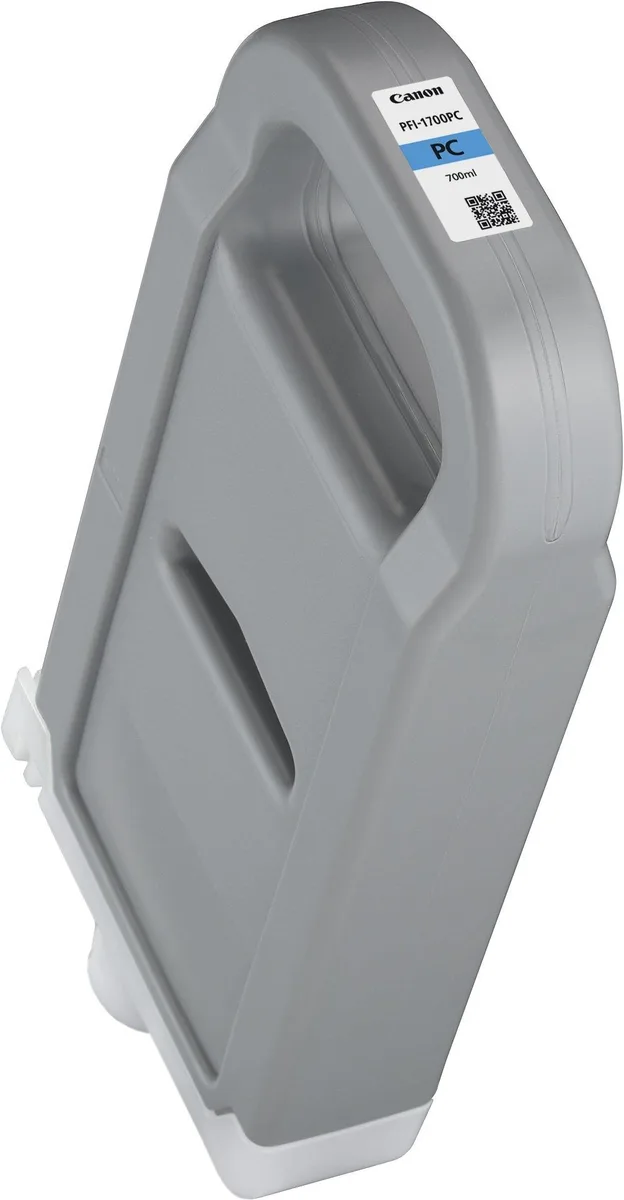
Canon 0779C001AA PFI-1700 700ml Photo Cyan Ink Cartridge
700 ml photo cyan pigment cartridge for Canon imagePROGRAF PRO large-format printers
- Extra-high 700 ml capacity reduces replacement frequency
- Photo cyan pigment ink delivers vibrant, long-lasting colour output
- Genuine Canon formulation ensures reliable performance in PRO series printers
- Compatible with imagePROGRAF PRO-2000, PRO-4000, PRO-4000S and PRO-6000S models
- Also works with PRO-2100, PRO-4100, PRO-4100s, PRO-6100 and PRO-6100s devices
Genuine Canon 700 ml Photo Cyan ink tank
This genuine Canon PFI-1700 tank holds 700 ml of photo cyan pigment ink for select imagePROGRAF PRO large-format printers. It is built for professional photographers, graphic studios and print-service providers who need consistent colour accuracy on every job.
Replaces standard-capacity cyan cartridges
The extra-high-yield volume reduces the frequency of tank changes during long print runs, making the upgrade worthwhile for operators who run multiple large-format jobs each day and want fewer interruptions.
Limited to listed imagePROGRAF PRO models
This cartridge fits only the PRO-2000, PRO-4000, PRO-4000S, PRO-6000S, PRO-2100, PRO-4100, PRO-4100s, PRO-6100 and PRO-6100s printers; it cannot be used in smaller desktop models or in printers from other manufacturers.
Highlights
- Extra-high 700 ml capacity reduces replacement frequency
- Photo cyan pigment ink delivers vibrant, long-lasting colour output
- Genuine Canon formulation ensures reliable performance in PRO series printers
- Compatible with imagePROGRAF PRO-2000, PRO-4000, PRO-4000S and PRO-6000S models
- Also works with PRO-2100, PRO-4100, PRO-4100s, PRO-6100 and PRO-6100s devices
Specifications
| Brand | Canon |
|---|---|
| Shipping weight | 1.13 kg |
| Package size | 305 × 152 × 76 mm |
Questions about this item
Which imagePROGRAF PRO printers accept the 700 ml Photo Cyan tank?
The cartridge fits PRO-2000, PRO-4000, PRO-4000S, PRO-6000S, PRO-2100, PRO-4100, PRO-4100s, PRO-6100 and PRO-6100s models.
How do I install the tank without triggering a recognition error?
Shake the sealed cartridge gently, open the printer’s ink compartment, pull the lever up, insert the tank until it clicks, then lower the lever before closing the cover.
When will the Photo Cyan tank need replacing?
The 700 ml tank is rated for its full volume; the printer will alert you when the level runs low, at which point you swap in a new PFI-1700 cartridge.
Also in this aisle
People compared these
Same shelf, same checkout — eight coins and a 30-minute rate lock.


Tripp Lite
Tripp Lite U324-003-BK USB 3.0 cable USB-A to USB-A 3 ft
- USB
- Black
$13.99
0.00016741BTC
In stock

MADE IN USA TONER
MADE IN USA TONER TK-8367K Cyan Toner Cartridge 25000 Pages
$48.99
0.00058624BTC
In stock