


Cables To Go
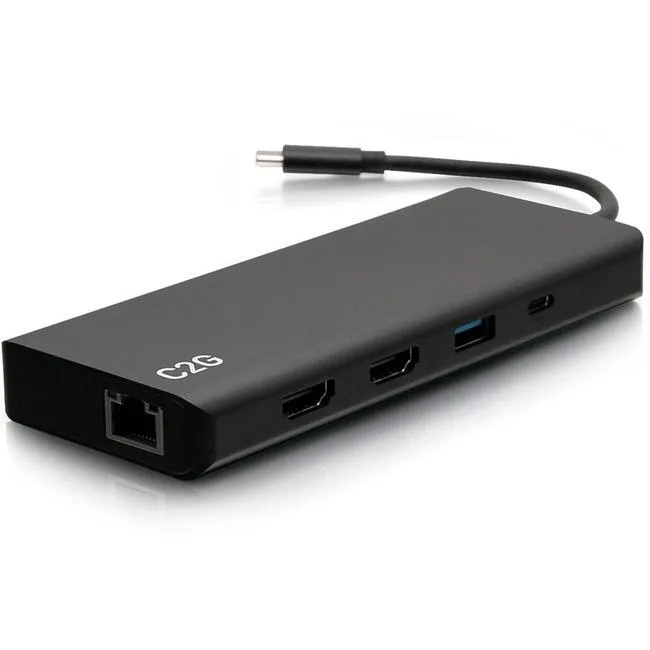
Cables To Go C2G54487 4K USB C Dual Monitor Docking Station 60W
Dual-monitor dock adds HDMI video, Ethernet, USB ports, 3.5 mm audio and 60 W power delivery over USB-C
- Dual 4K displays from one USB-C connection
- 60W power delivery charges laptop while docked
- Gigabit Ethernet port for stable wired networking
- Three USB-A ports connect peripherals simultaneously
- 5mm audio jack supports headset or speakers
Dual 4K monitor dock
The C2G54487 connects two external displays through its HDMI outputs, supporting 4K resolution for expanded workspace. It is built for professionals who need a single-cable desk setup from a USB-C laptop. The dock also adds wired networking, additional USB ports and a 3.5 mm audio jack for headsets or speakers. This makes it suited to office, home-office or hot-desk environments where monitor count and connectivity matter.
60 W pass-through power
The unit delivers up to 60 W of charging power back to the host computer while the dock is in use. This keeps the laptop topped up without needing its original power brick on the desk. Power draw scales with the connected peripherals and the host’s own charging state, so the dock runs cool and silent under typical office loads. No fan is present, meaning zero audible noise during normal operation.
Single USB-C host link
One USB-C cable carries video, data, audio, Ethernet and charging between the laptop and the dock. This frees up the laptop’s remaining ports and reduces cable clutter at the workstation. The dock requires a host that supports video and power delivery over its USB-C port; systems without that capability will not drive the external monitors or accept the 60 W charge. Buyers whose laptops lack USB-C video or charging should verify compatibility before purchasing.
Highlights
- Dual 4K displays from one USB-C connection
- 60W power delivery charges laptop while docked
- Gigabit Ethernet port for stable wired networking
- Three USB-A ports connect peripherals simultaneously
- 5mm audio jack supports headset or speakers
Specifications
| Brand | C2G |
|---|---|
| Shipping weight | 16.33 kg |
| Package size | 900 × 350 × 250 mm |
Questions about this item
How do I connect two monitors to this C2G54487 dock and which step causes the second display to stay dark?
Connect each monitor to an HDMI port using its own cable, then plug the dock into a USB-C port that supports video output; the second screen stays dark if the host port carries only data or power.
Which parts of this C2G54487 dock are most likely to need replacement after heavy daily use?
The HDMI ports, USB connectors, Ethernet jack and 3.5 mm audio socket see the most physical wear; the internal power circuit that delivers 60 W can also degrade over time.
What limit appears first when this C2G54487 dock runs both monitors and charges a laptop continuously?
The 60 W power budget is the first constraint; if the connected laptop draws more than the dock can supply, charging slows or stops while both displays remain active.
Also in this aisle
People compared these
Same shelf, same checkout — eight coins and a 30-minute rate lock.


Case Logic
Case Logic 3203990 briefcase for 15.6 in laptop with 10.1 in tablet pocket
$30.99
0.00037136BTC
In stock