


BUCIER
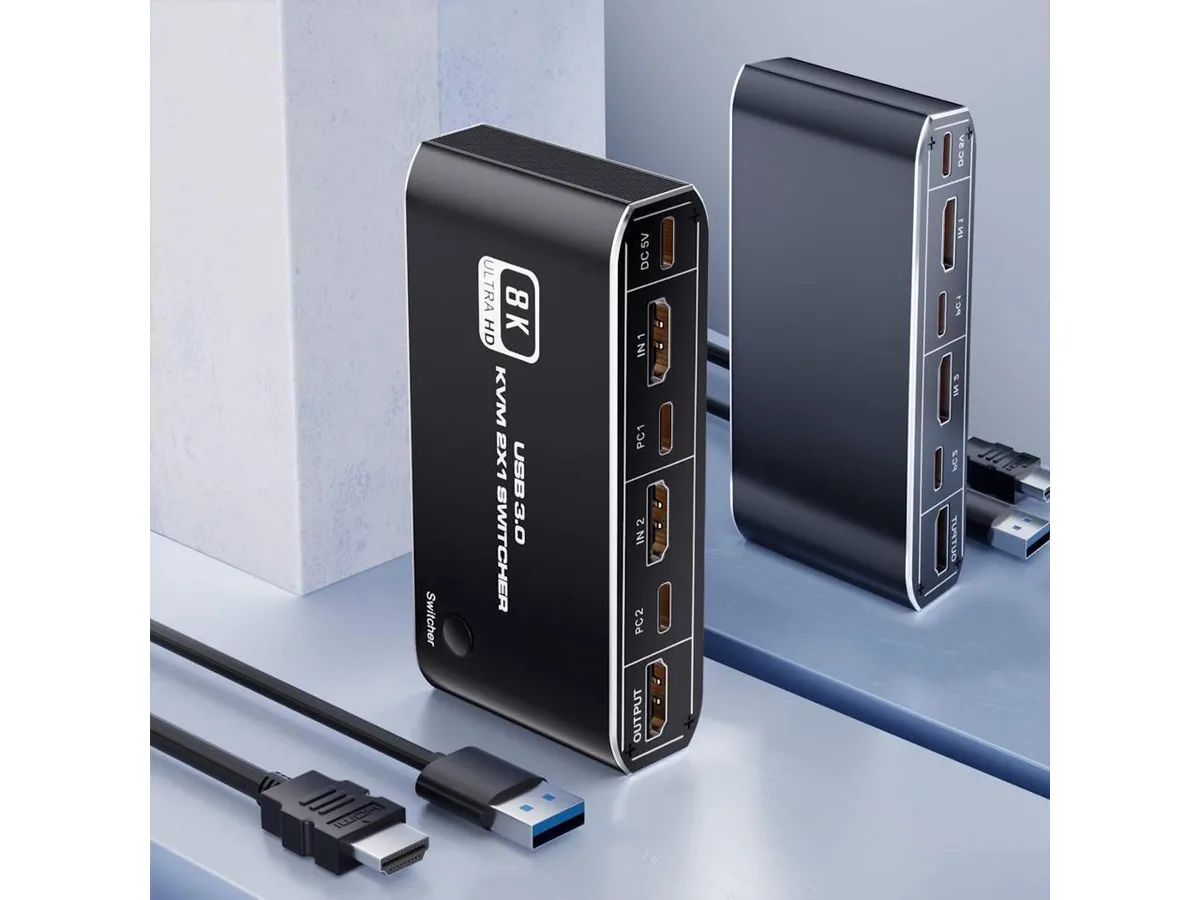
BUCIER 2-Port HDMI 2.1 KVM Switch 4K 120Hz 8K 60Hz USB 3.0
A two-port HDMI 2.1 KVM switch sharing one display, keyboard and mouse between two computers at up to 4K 120 Hz or 8K 60 Hz with USB 3.0 peripheral ports
- TypeAccessories
- Control two computers with one keyboard, mouse and display
- 4K at 120 Hz and 8K at 60 Hz via HDMI 2.1
- Two USB 3.0 ports plus two USB 2.0 ports for peripherals
- Switch by button, keyboard shortcut or double-tap Ctrl
- Works with Xbox Series X/S, PS5, PS4 Pro and Apple TV
Two-computer control
This BUCIER KVM switch lets you operate two computers from one keyboard, mouse and monitor using HDMI 2.1 connections. It is aimed at users who need to share a single display and USB peripherals between a pair of host systems such as a desktop and a console. The unit accepts two HDMI 2.1 inputs and delivers one HDMI 2.1 output for the shared screen.
Front-panel button and hotkeys
Three switching methods are provided: a physical button on the device, a three-key shortcut of Ctrl+Shift+1 or 2, and a double-tap of the Ctrl key. A separate Ctrl+Shift+K combination toggles the hotkey feature on or off to prevent clashes with running software. Four USB ports are available — two USB 2.0 ports dedicated to keyboard and mouse, plus two USB 3.0 ports for additional peripherals.
HDMI 2.1 bandwidth limits
The HDMI 2.1 interface supports video up to 8K at 60 Hz and 4K at 120 Hz, with HDCP 2.3 content protection. Resolutions or refresh rates beyond these figures are not supported by the switch. Buyers who need to drive displays above 8K60 or 4K120, or who require more than two host inputs, will need a different solution.
Highlights
- Control two computers with one keyboard, mouse and display
- 4K at 120 Hz and 8K at 60 Hz via HDMI 2.1
- Two USB 3.0 ports plus two USB 2.0 ports for peripherals
- Switch by button, keyboard shortcut or double-tap Ctrl
- Works with Xbox Series X/S, PS5, PS4 Pro and Apple TV
Specifications
| Type | Accessories |
|---|
Questions about this item
What HDMI standard does the BUCIER KVM switch use, and what resolutions does it cap at?
The switch uses HDMI 2.1 and supports up to 8K at 60 Hz or 4K at 120 Hz.
What physical ports and cables are needed to connect two computers and one display?
Two HDMI 2.1 inputs for the computers, one HDMI 2.1 output for the display, two USB 2.0 ports for keyboard and mouse, plus two USB 3.0 ports for extra peripherals.
How is the switch installed, and which step do people often get wrong?
Connect both computers via HDMI and USB, attach the display and peripherals, then use the front button or Ctrl+Shift+1/2 to switch; the common mistake is forgetting to enable the hotkey shortcut with Ctrl+Shift+K before using it.
Also in this aisle
People compared these
Same shelf, same checkout — eight coins and a 30-minute rate lock.


Black Box Corporation
Black Box Corporation 4K60 HDMI Dual-Head KVM Switch 4 Port
$774.99
0.009291BTC
In stock