


BFKK
BFKK 11-in-1 USB-C Docking Station 8K@30Hz Dual 4K@60Hz 130W PD 100W
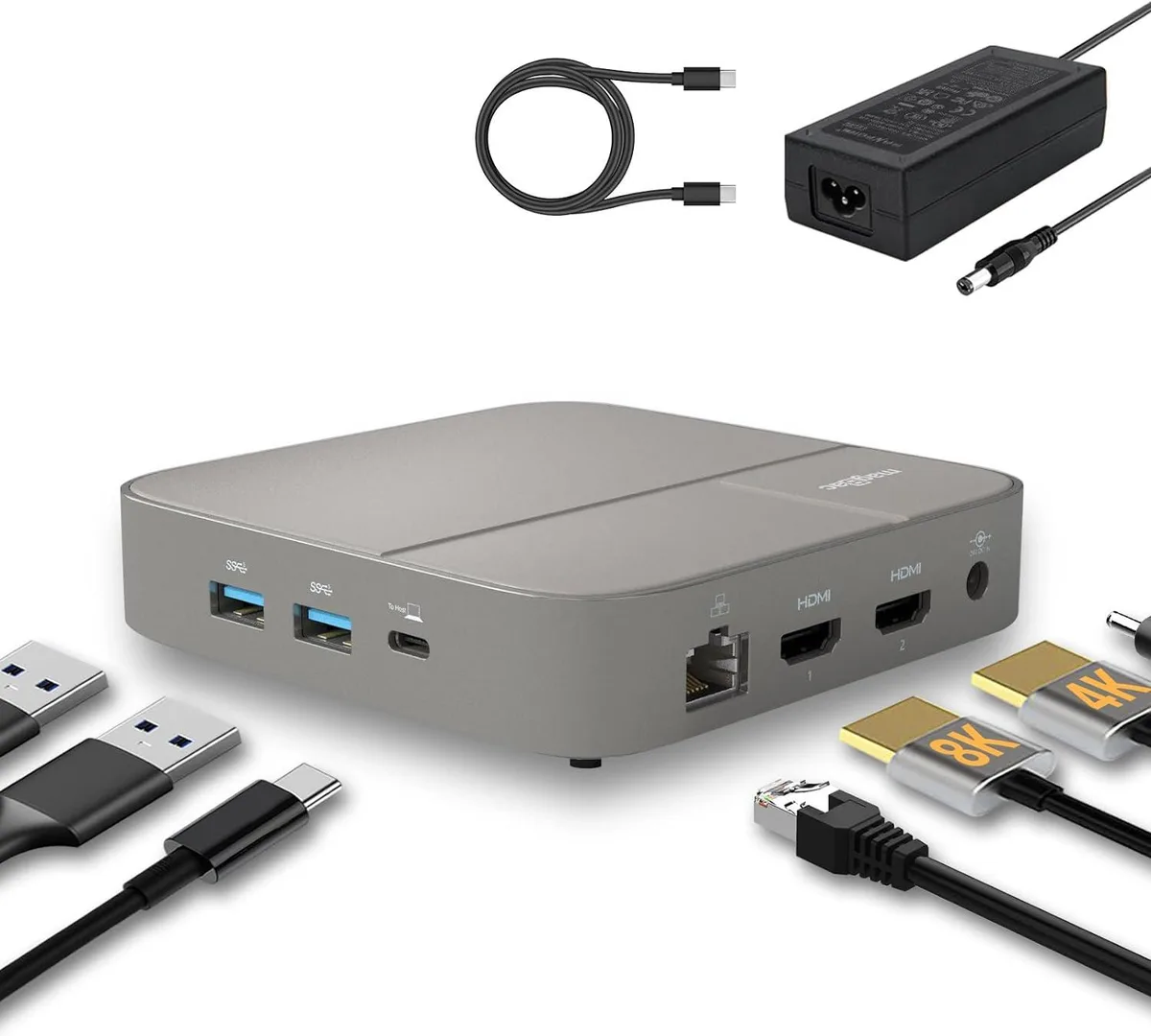
An 11-port USB-C dock adds dual HDMI monitors up to 8K at 30 Hz or dual 4K at 60 Hz, three USB 3.0 ports, two USB-C ports, gigabit Ethernet, SD 4.0 card slot.
- 8K 30 Hz single display via HDMI 2.1
- dual 4K 60 Hz monitors over two HDMI ports
- 100 W laptop charging through USB-C PD port
- 5 Gbps data across three USB-A and two USB-C ports
- gigabit Ethernet plus SD 4.0 card reader built in
11-in-1 USB-C Dock with 8K HDMI 2.1
This 11-in-1 USB-C docking station provides two HDMI outputs, three USB-A 3.0 ports, two USB-C ports, gigabit Ethernet, SD 4.0 card access and a 3.5 mm audio jack. A 130 W DC adapter is included and feeds the 100 W Power Delivery charging port so the host laptop charges at full speed without using the dock’s own power budget. It suits users who need multiple peripherals and dual high-resolution displays from a single USB-C connection.
Ideal for dual 4K workflows.
The dock drives one display at 8K 30 Hz via HDMI 2.1 or two displays simultaneously at 4K 60 Hz via both HDMI ports, making it a good fit for professionals who run side-by-side 4K monitors. It is not for users who need more than two external screens, who require video outputs other than HDMI, or who want a lightweight bus-powered hub that draws all power from the laptop.
100 W Power Delivery charging decides host
The single specification that determines whether this dock works for a given laptop is the 100 W USB-C Power Delivery charging port; the host must accept at least 100 W over USB-C PD to charge at the rated speed while driving dual 4K displays and all connected peripherals.
Highlights
- 8K 30 Hz single display via HDMI 2.1
- dual 4K 60 Hz monitors over two HDMI ports
- 100 W laptop charging through USB-C PD port
- 5 Gbps data across three USB-A and two USB-C ports
- gigabit Ethernet plus SD 4.0 card reader built in
Specifications
No published specifications for this item yet.
Questions about this item
What host port does the dock connect to?
The dock connects through a single USB-C cable to the laptop.
Which driver or firmware step is often missed during setup?
On macOS the DisplayLink driver must be installed before the external monitors will appear.
What power supply is required if the original 130 W adapter is lost?
A 24 V 5.4 A DC adapter is needed to keep the 100 W PD port functioning.
Also in this aisle
People compared these
Same shelf, same checkout — eight coins and a 30-minute rate lock.


Case Logic
Case Logic 3203990 briefcase for 15.6 in laptop with 10.1 in tablet pocket
$30.99
0.00037238BTC
In stock