

Beisite
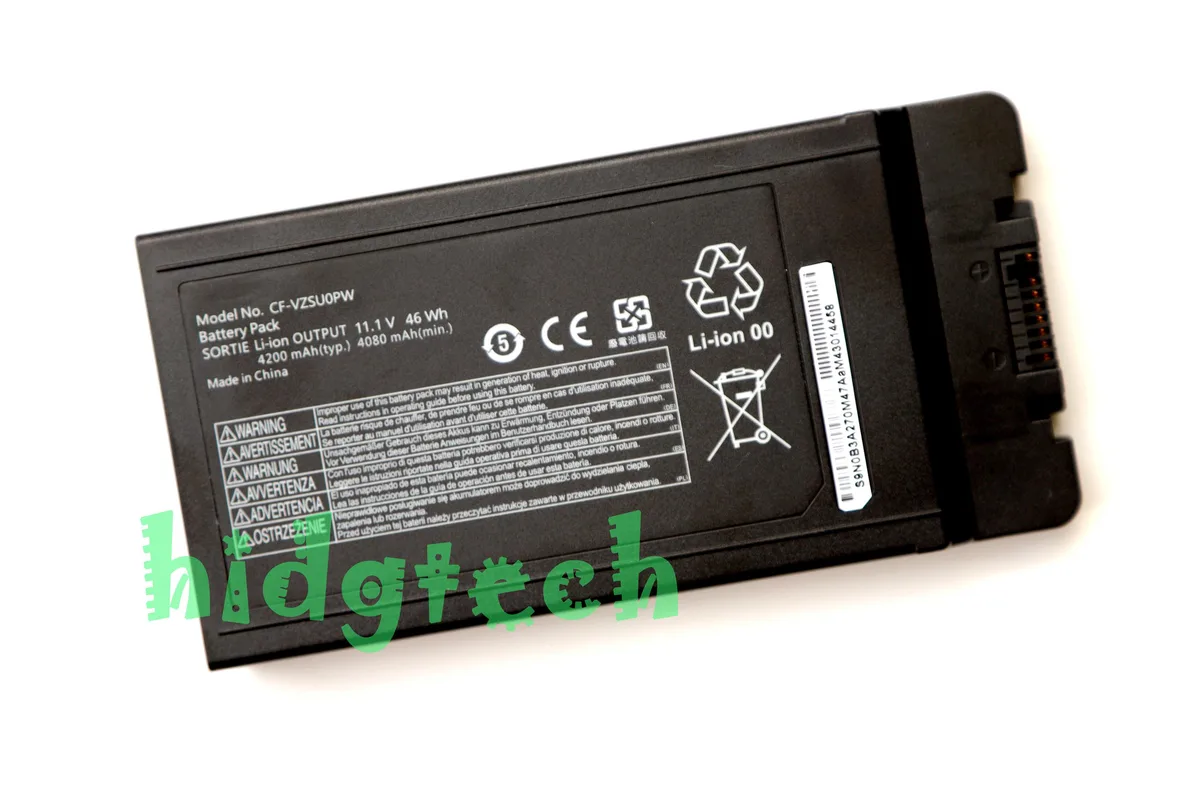
Beisite CF-VZSU0PW 46Wh 11.1V laptop battery for Panasonic Toughbook 54
46 Wh, 11.1 V lithium-ion replacement battery for Panasonic Toughbook 54 MK1, MK2 and MK3 models
- ColorBlack
- TypeBattery
- CompatibilityFor PanasonicToughbook 54 54 CF-54 MK1 MK2 MK3
- Battery TypeLithium-Ion
- Battery Voltage11.1V
- Battery Capacity46Wh
- 46 Wh capacity powers Toughbook 54 models through long shifts
- 1 V lithium-ion chemistry matches original CF-VZSU0PW specifications
- Direct replacement for CF-VZSU0PR and CF-VZSU0PW part numbers
- Fits MK1, MK2, MK3 and Gloved Multi Touch variants
- Brand-new cell pack backed by 12-month supplier warranty
Purpose and fit
This replacement battery powers Panasonic Toughbook 54 series laptops including MK1, MK2, MK3, Lite, Performance, Prime and Gloved Multi Touch variants. It replaces part numbers CF-VZSU0PR and CF-VZSU0PW. Buyers needing a different voltage, capacity or form factor for other Toughbook models cannot use this unit.
Thermals, noise and power
The lithium-ion cell delivers 11.1V and 46Wh with no moving parts, so it adds no audible noise and produces only the heat normal for battery chemistry during charge or discharge. Power draw depends entirely on the laptop workload and power-management settings.
Bundled items
The package includes one battery only; no tools, screws, adapters or software are supplied. Installation relies on the laptop's existing battery latch and connector, so no extra accessories change the procedure.
Highlights
- 46 Wh capacity powers Toughbook 54 models through long shifts
- 1 V lithium-ion chemistry matches original CF-VZSU0PW specifications
- Direct replacement for CF-VZSU0PR and CF-VZSU0PW part numbers
- Fits MK1, MK2, MK3 and Gloved Multi Touch variants
- Brand-new cell pack backed by 12-month supplier warranty
Specifications
| Brand | CF-VZSU0PW |
|---|---|
| Model | CF-VZSU0PW |
| Part Number | CF-VZSU0PR CF-VZSU0PW |
| Color | Black |
| Type | Battery |
| Compatibility | For PanasonicToughbook 54 54 CF-54 MK1 MK2 MK3 |
| Battery Type | Lithium-Ion |
| Battery Voltage | 11.1V |
| Battery Capacity | 46Wh |
Questions about this item
How do I install the CF-VZSU0PW battery in my Toughbook 54, and what step is often missed?
Power off the laptop, remove the AC adapter, slide the release latch, insert the 11.1V 46Wh pack until it clicks, then lock the latch; the step often missed is fully engaging the lock so the battery stays seated.
What maintenance or replacement will the CF-VZSU0PW need later?
The lithium-ion pack will gradually lose capacity over charge cycles; when runtime drops below your needs, replace it with another CF-VZSU0PW or CF-VZSU0PR unit.
What limit appears first during sustained use of the 46Wh battery?
The 46Wh capacity sets the runtime ceiling; under continuous load the pack will deplete before any thermal or voltage limit is reached.
Also in this aisle
People compared these
Same shelf, same checkout — eight coins and a 30-minute rate lock.


Case Logic
Case Logic 3203990 briefcase for 15.6 in laptop with 10.1 in tablet pocket
$30.99
0.00036897BTC
In stock