


AUTYUE
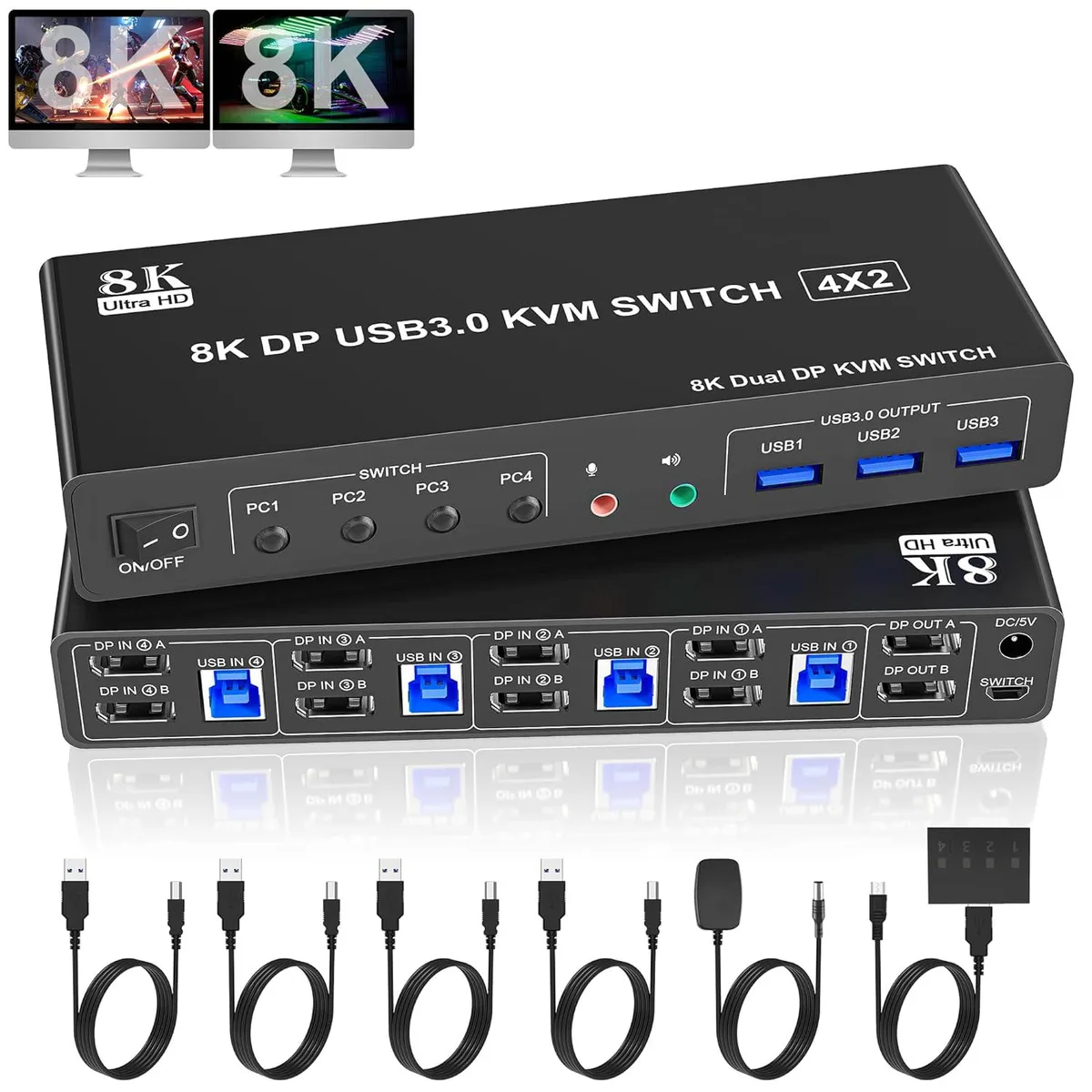
AUTYUE 4-Port Dual Monitor DP 1.4 KVM Switch 8K@60Hz 4K@144Hz 3 USB 3.0
Connects four computers to dual monitors at up to 8K 60 Hz or 4K 144 Hz with three USB 3.0 ports and audio
- TypeDisplayPort, USB
- PC ConnectorsDisplayport, USB
- Computer Connections4 Ports
- Monitor Connections2 Ports
- Video Resolution8K@60Hz 4K@144Hz, and also supports 4K@60Hz or other lower r
- PC SelectionPush Buttons
- Share four computers across two monitors with a single keyboard and mouse
- Dual DisplayPort outputs up to 8K at 60 Hz and 4K at 144 Hz
- Three USB 3.0 ports at 5 Gbps for peripherals
- Driver-free operation on Windows, Linux, Mac and more
- Switch via front button or included wired remote
Four-Port Dual-Monitor KVM
This DisplayPort 1.4 KVM switch lets four desktops or laptops share one keyboard, one mouse and two monitors. It supports extended, mirrored or spliced desktop layouts when each source system can drive dual displays. Driver-free operation works across Windows, Linux, Mac and other major operating systems. Switching is handled by front-panel buttons or the wired remote included in the box.
Built for Multi-System Workstations
The unit suits users who need simultaneous access to four computers on a single dual-monitor desk without unplugging cables. It also provides three USB 3.0 ports for shared peripherals such as printers or storage and a dedicated microphone output. Buyers whose machines only support a single external display will not be able to use the dual-monitor modes. Anyone needing HDMI or legacy VGA inputs must look elsewhere.
DisplayPort 1.4 at 32.4 Gbps
The switch implements DisplayPort 1.4 with a link rate of 32.4 Gbps, enabling 8K at 60 Hz or 4K at 144 Hz on each connected monitor. Backwards compatibility with DisplayPort 1.2 sources is maintained. This bandwidth figure is the decisive specification for matching the KVM to your graphics outputs and target resolutions.
Highlights
- Share four computers across two monitors with a single keyboard and mouse
- Dual DisplayPort outputs up to 8K at 60 Hz and 4K at 144 Hz
- Three USB 3.0 ports at 5 Gbps for peripherals
- Driver-free operation on Windows, Linux, Mac and more
- Switch via front button or included wired remote
Specifications
| Type | DisplayPort, USB |
|---|---|
| PC Connectors | Displayport, USB |
| Computer Connections | 4 Ports |
| Monitor Connections | 2 Ports |
| Video Resolution | 8K@60Hz 4K@144Hz, and also supports 4K@60Hz or other lower resolution |
| PC Selection | Push Buttons |
| Monitors Supported | Dual Monitor |
| LED Indicators | Yes |
| Audio Features | with Audio Microphone Output |
| Power Features | Requires no additional power supply |
| USB Features | with USB support |
| Application | This 4 IN 2 OUT DP KVM Switch allow 4 desktops or laptops to share one set of keyboard, mouse and 2 monitors for extended, mirrored display. Only when your computer supports dual display or multi display, you can use this KVM to achieve 4 PC to share 2 monitors. (Extended or mirrored display modes depend on your computer's graphics card). |
| Features | 8K DisplayPort KVM Switch 4-Port allows 4 computers/laptops share one set of keyboard, mouse, and 2 monitors (DisplayPort+ DisplayPort) Dual monitors output support up to 8K@60Hz/4K@144Hz, Ultra HD, HDR 10, Dolby vision, 3D effect. Support DP 1.4 , transfer rates up to 32.4Gbps, backwards compatible with DP 1.2 Dual monitors output support up to 8K@60Hz for extended, mirrored or spliced display(Depends on your computer's graphics card.); 2 Switching modes: Button switch and wired remote. With extra 3 USB 3.0 ports and independent audio microphone output. The ports that need to plug i |
| Dimensions | 19.3 x 7.2 x 3.4cm |
| Weight | 800g |
| Package Contents | 1x 4 Port 8K USB 3.0 DisplayPort KVM Switch, 4 x USB 3.0 Cables, 1x Power Adapter, 1x Wired Button Contorller, 1x User's manual |
Questions about this item
Does the DisplayPort 1.4 interface cap at 8K 60 Hz or 4K 144 Hz?
The DP 1.4 link runs at 32.4 Gbps and supports up to 8K at 60 Hz or 4K at 144 Hz, with HDR 10 and Dolby Vision.
What cables and space are needed to fit four computers and two monitors?
You need four DisplayPort and four USB 3.0 cables for the PC links, plus two DisplayPort cables for the monitors; the unit measures 19.3 x 7.2 x 3.4 cm.
How is the KVM installed and which step is often missed?
Connect the power adapter first, then plug the two monitor cables into the output ports, then attach each computer's DP and USB cables to the four input groups, and finally use the front buttons or wired remote to switch.
Also in this aisle
People compared these
Same shelf, same checkout — eight coins and a 30-minute rate lock.


Black Box Corporation
Black Box Corporation 4K60 HDMI Dual-Head KVM Switch 4 Port
$774.99
0.00922706BTC
In stock