


AUTENS
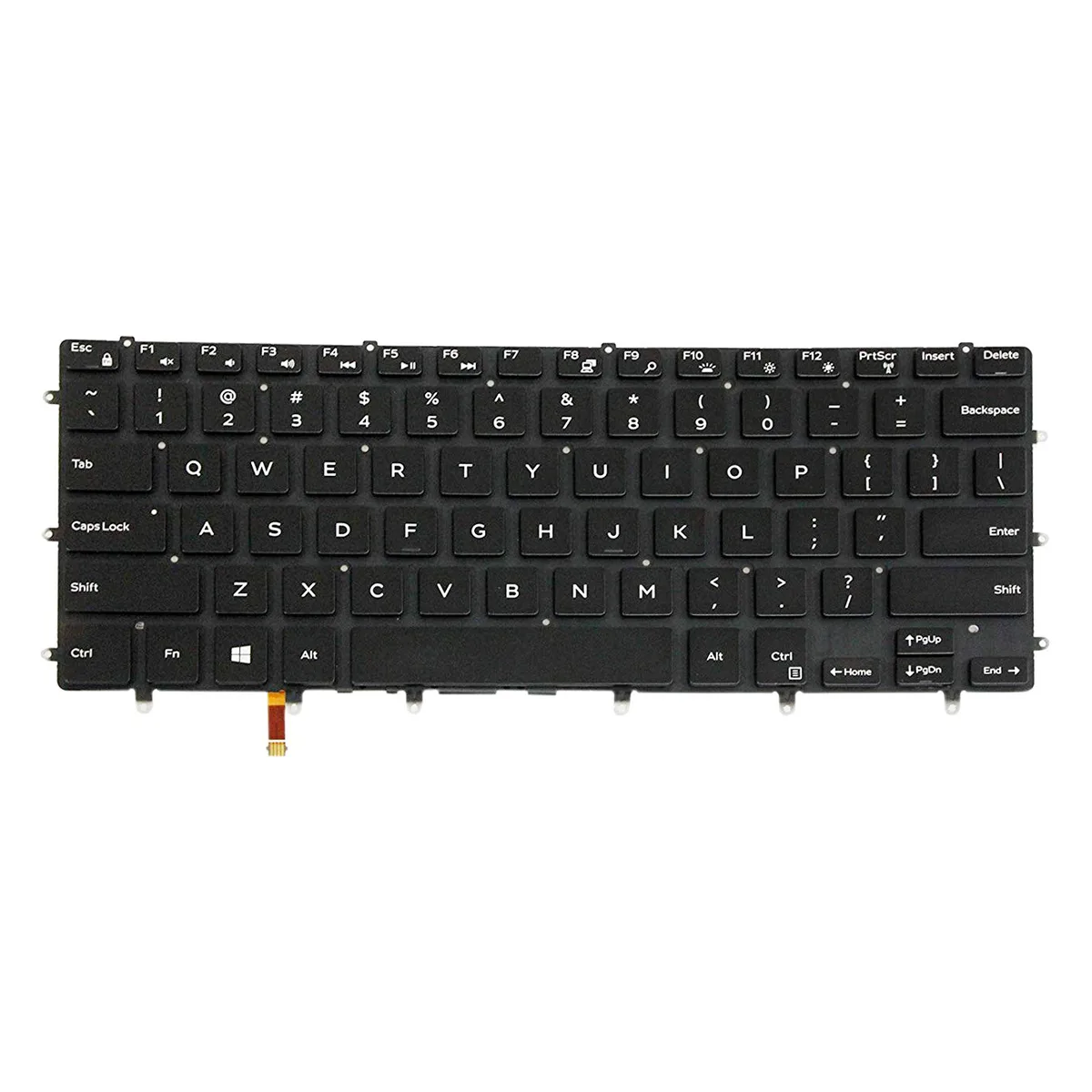
AUTENS Backlit Keyboard XPS 15 9550 9560 9570 7590 Inspiron 7558 7568 Precision 5510 M5510 US No Frame
Backlit US-layout keyboard in black fits Dell XPS 15, Inspiron 7558, 7568 and Precision 5510, M5510 models
- Design StyleStandard
- Keyboard ColorBlack
- TypeBacklit Keyboard
- Backlit keys improve low-light typing
- Black standard-layout keyboard with US English legends
- No-frame design matches original Dell chassis
- Fits XPS 15 9550 9560 9570 7590 and Inspiron 7558 7568
- Compatible with Precision 5510 M5510 part 0GDT9F
Replacement Backlit Keyboard for Dell XPS 15
This AUTENS keyboard is a direct replacement for Dell XPS 15 models 9550, 9560, 9570 and 7590, plus Inspiron 7558, 7568 and Precision 5510 and M5510. It restores full typing and backlight function on compatible machines.
Black Standard Layout
The unit ships as a bare keyboard module without a surrounding frame, so the existing palm-rest and mounting points must be reused. Black keys with white US English legends match the original appearance and backlight illumination shines through as designed.
Verify Exact Model Number
Several Dell 15-inch series share similar looks but use different keyboard assemblies; compare the part number on the original unit with 0GDT9F and inspect the product photos for connector shape and screw-hole alignment. This part will not fit laptops outside the listed XPS, Inspiron and Precision models.
Highlights
- Backlit keys improve low-light typing
- Black standard-layout keyboard with US English legends
- No-frame design matches original Dell chassis
- Fits XPS 15 9550 9560 9570 7590 and Inspiron 7558 7568
- Compatible with Precision 5510 M5510 part 0GDT9F
Specifications
| Brand | AUTENS |
|---|---|
| Design Style | Standard |
| Keyboard Color | Black |
| Type | Backlit Keyboard |
Questions about this item
Does this backlit keyboard use the same ribbon connector as the original Dell XPS 15 9560?
Yes, it is built to match the factory ribbon connector on the Dell XPS 15 9560 and the other listed models, so the backlight and key signals plug straight in.
Will the screw posts on this keyboard line up with the chassis of a Dell Precision 5510?
The screw posts are positioned to match the Dell Precision 5510 palm-rest, allowing the keyboard to sit flush without extra brackets.
What is the first step when installing this keyboard on a Dell Inspiron 7558, and where do people go wrong?
Disconnect the battery first; many installers forget this and risk a short when seating the fragile backlight ribbon cable.
Also in this aisle
People compared these
Same shelf, same checkout — eight coins and a 30-minute rate lock.


Case Logic
Case Logic 3203990 briefcase for 15.6 in laptop with 10.1 in tablet pocket
$30.99
0.00037292BTC
In stock