


AUTECH
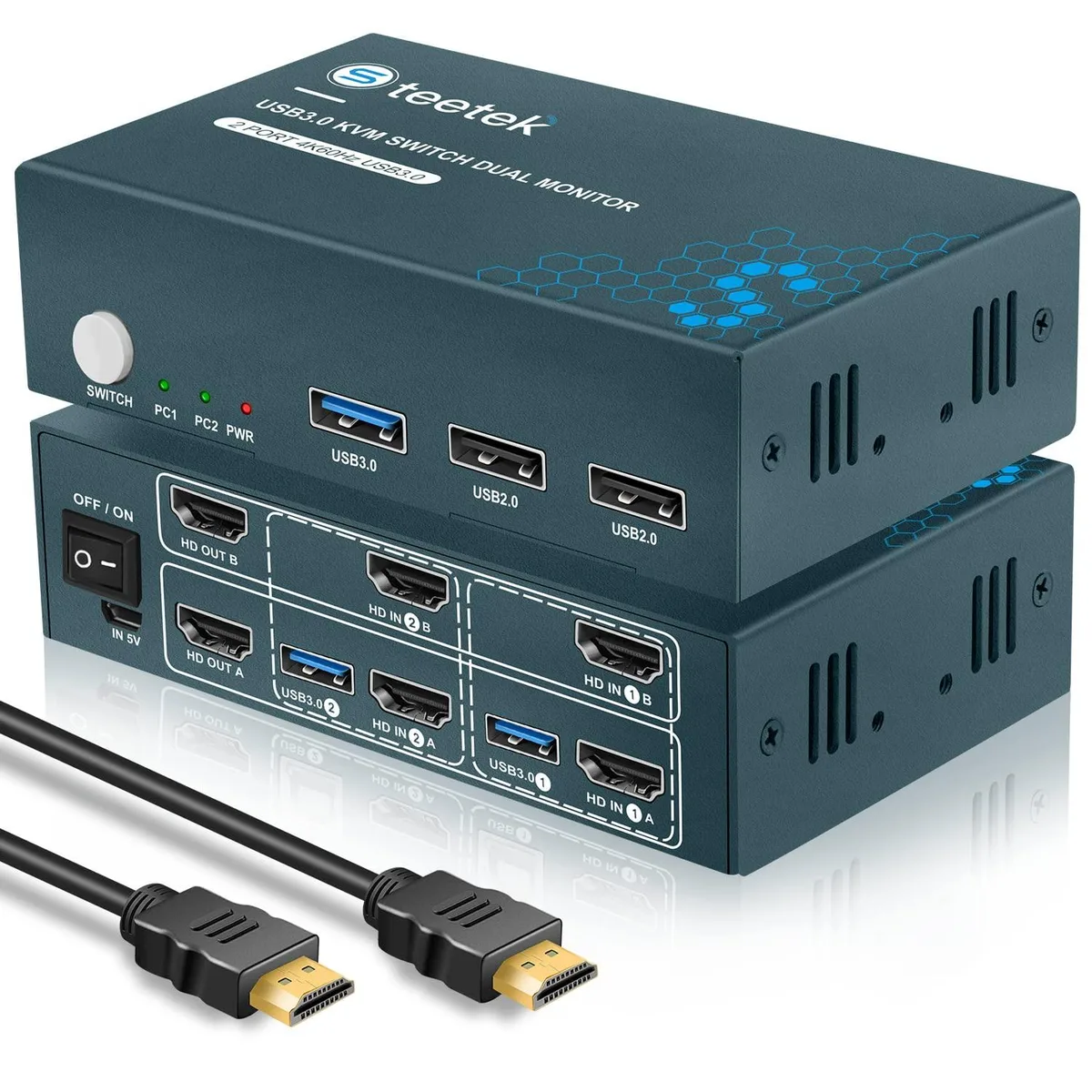
AUTECH 2-Port Dual-Monitor HDMI KVM Switch 4K60 USB 3.0
Lets two computers share dual monitors, keyboard, mouse and USB 3.0 peripherals at up to 4K 60 Hz with EDID emulation
- TypeAccessories
- Control two computers with one keyboard and mouse
- Share two monitors for extended or duplicate desktop views
- 4K at 60 Hz resolution keeps images sharp and vivid
- EDID emulators maintain correct display information on every switch
- USB 3.0 plus two USB 2.0 ports share peripherals at high speed
Two-Computer Dual-Monitor KVM Switch
The AUTECH KVM switch lets two computers share two HDMI monitors and a single keyboard and mouse set. It supports extended or mirrored desktop modes so you can view both displays from either system. Each computer must already provide two video outputs for the dual-monitor layout to function. A front-panel button toggles control between the connected PCs instantly.
Upgrade from Single-Monitor or Software KVM
This hardware switch replaces a single-display KVM or software-based sharing that cannot handle two 4K screens at 60 Hz. The jump is worthwhile when you need true dual-monitor 4K 60 Hz workflow across both machines without latency or driver conflicts. It also adds a USB 3.0 port for high-speed peripheral sharing that older USB 2.0 KVMs cannot deliver.
Check Video Outputs and USB Ports Before Buying
Verify that each computer has two HDMI outputs or suitable adapters; a single HDMI port will not drive both monitors through this switch. Confirm the monitors accept 3840×2160 at 60 Hz or one of the listed lower resolutions. Ensure each PC has a free USB-A port for the upstream cables that carry keyboard, mouse and USB 3.0 hub traffic.
Highlights
- Control two computers with one keyboard and mouse
- Share two monitors for extended or duplicate desktop views
- 4K at 60 Hz resolution keeps images sharp and vivid
- EDID emulators maintain correct display information on every switch
- USB 3.0 plus two USB 2.0 ports share peripherals at high speed
Specifications
| Type | Accessories |
|---|
Questions about this item
How many HDMI ports must each computer provide for dual-monitor operation?
Each computer needs two HDMI outputs to drive both monitors through the switch; a single HDMI port will not support the dual-display function.
What is the correct sequence for connecting cables before powering on?
Connect all four HDMI cables and the USB upstream cables to both computers first, then attach monitors and peripherals, and finally power the KVM so the EDID emulators can read each display.
Which USB port should be used for a high-speed external drive to maintain 3.0 transfer rates?
Use the single USB 3.0 hub port for USB 3.0 devices; the two USB 2.0 hub ports are limited to 2.0 speeds.
Also in this aisle
People compared these
Same shelf, same checkout — eight coins and a 30-minute rate lock.


Black Box Corporation
Black Box Corporation 4K60 HDMI Dual-Head KVM Switch 4 Port
$774.99
0.0093131BTC
In stock