
AUBEAMTO
AUBEAMTO SW241-HD 8K@60Hz 4-Port HDMI KVM Switch
- HDMI KVM Switch
- 4 Ports
$75.99
0.00091442BTC
In stockWe take cryptocurrency — so the coins you hold can buy real hardware.Pay in crypto, spend it on real hardware. Free insured shipping worldwide over $399. Plain, unbranded boxes, sent from Germany.Free insured shipping over $399. Your rate is locked for 30 minutes once checkout opens.Rate locked 30 minutes. Every item sealed, serial-checked and covered by a 24-month warranty.Sealed, 24-month warranty.


AUBEAMTO
Connects four computers to one HDMI monitor, keyboard, mouse and USB 3.0 peripherals at up to 4K@60Hz or 2K@120Hz
Resolution 4K@60Hz
Monitor 1 Monitor
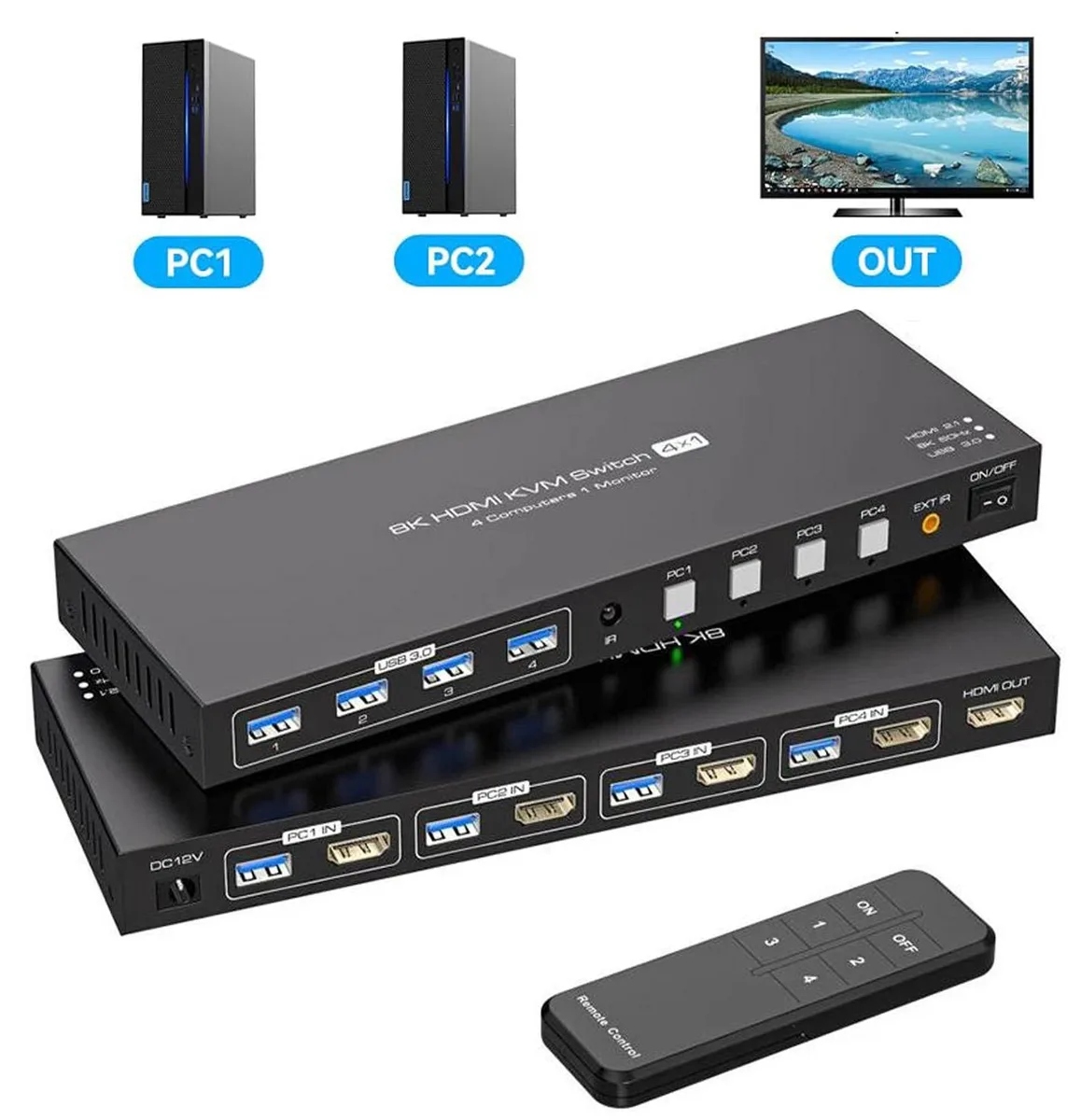
The AUBEAMTO SW240-HD is a 4-port HDMI KVM switch that lets four computers share one monitor, keyboard, mouse, and additional USB 3.0 peripherals. It supports video output up to 3840 x 2160 at 60 Hz and 2K at 120 Hz. Switching is handled by front-panel buttons or an included IR remote. A 12 V DC power adapter is supplied.
This unit fits users who need to control several PCs, laptops, or consoles from a single workstation without unplugging cables. It works with Windows, Linux, macOS, and Unix systems and requires no driver installation. Buyers who need to drive two or more displays simultaneously should look at a different solution.
The key specification is the supported video timing: 3840 x 2160 at 60 Hz and 2K at 120 Hz. If your monitor and source devices match these figures, the switch will pass the signal without scaling. If you require higher refresh rates at 4K or different timing standards, this model will not meet the requirement.
| Brand | AUBEAMTO |
|---|---|
| Series | SW240-HD |
| Type | HDMI, USB |
| Computer Connections | HDMI KVM Switch |
| Monitor Connections | 2 Ports |
| Video Resolution | 3840 x 2160 |
| Monitors Supported | HDMI |
| LED Indicators | Yes |
| Power Features | 12V DC |
| USB Features | with USB support |
| SplitterOnly | Video Switch |
| Application | 4K 60Hz 4x1 HDMI USB 3.0 KVM Switch allows you to share one USB keyboard, USB mouse, and one HDMI monitor to control 4 computers, laptops, game consoles. It is designed for multitask with four computers at your necessary, increasing productivity in the office or at home ; You can switch between 4 computers using a manual switch located on the top of the KVM unit. |
| Features | 4 computers/laptops share one set of keyboard, mouse and 1 monitors, and more USB 3.0 peripherals; Support maximum resolution up to 4K 120Hz HDMI monitors output Support up to 4K@60Hz and 2K@120Hz, and is backward compatible with lower resolutions Compatible with Windows 11/10/8/7/2000/XP/Vista, Linux, UNIX, Ubuntu, Fedora, and other systems; Advanced switching modes: push button and IR remote control;No complicated installation is required, and non-professionals can easily operate it; The ports that need to plug in HDMI/USB cables are all hidden behind the KVM, so the desktop doesn' |
| Dimensions | 8.66 x 5.31 x 1.69 inches |
| Weight | 15.8 ounces |
| Package Contents | You will receive a 1*4 in 1 out KVM switcher, 4*USB 3.0 A to A cables, 1*12V1A external power supply, 1*IR cable, 1*remote control (excluding battery), and 1*user manual. |
Other versions of this model
Same family, different memory, cooler or clock — compare before you commit.
Choose 4K@60Hz when you need the full 3840 x 2160 resolution for detailed work or media; switch to 2K@120Hz if your monitor supports that refresh rate and you prefer smoother motion for gaming.
Each connected computer can output up to 3840 x 2160 at 60 Hz to the single shared monitor, so you get full 4K clarity on whichever system you have active.
The four USB 3.0 ports run at 5 Gbps, letting you share keyboards, mice, drives or other peripherals across all four computers without the slower speeds of USB 2.0.
Also in this aisle
Same shelf, same checkout — eight coins and a 30-minute rate lock.
What you pay in, and what you read prices in.
Sent from your wallet at checkout
Display only — the catalogue is priced in USD
No currency matches that.
New here?
Already have one?
There is no automatic reset: this shop sends no mail, so there is no one-time link to ask for. Leave the address on the account and it gets picked up by hand.
Request noted
Nothing is on its way to your inbox — this shop sends no mail at all. Someone picks these up by hand.
Remembered it?


