


Aomoproing
Aomoproing 12-in-1 Dual Monitor KVM Switch 4K@60Hz
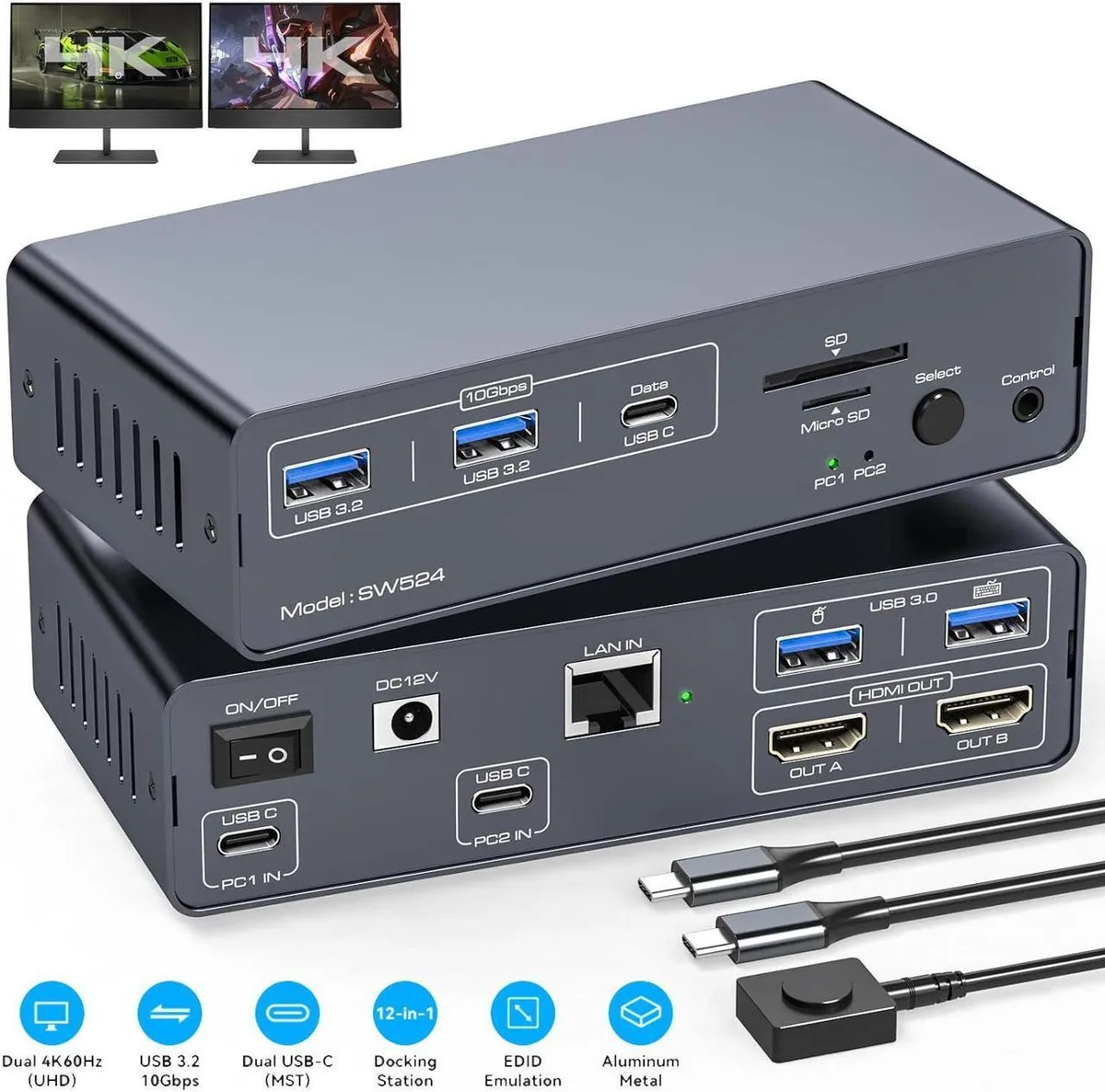
A 12-in-1 dual-monitor KVM switch lets two computers share one keyboard, mouse, dual 4K 60 Hz displays, 1000 Mbps Ethernet, five USB 3.2 and USB-C ports, plus SD and microSD card slots
Style 2 Port HDMI - Dual Monitor - 4K
- 2 Port HDMI - Dual Monitor - 4K
- 2 Port Displayport - Dual Monitor
- Control two computers and two monitors with one keyboard and mouse
- Switch between dual-screen extended and mirrored 4K@60Hz modes with EDID emulation
- Connect wired network at 1000Mbps through the built-in Ethernet port
- Transfer files quickly via USB 3.2 and USB-C ports plus SD/microSD slots
- Change inputs using the front button or desktop software control
Dual-computer KVM for two 4K displays
The Aomoproing 12-in-1 KVM switch lets you control two computers across two monitors with a single keyboard and mouse. It supports 4K resolution at 60 Hz in either extended or mirrored modes. EDID emulation keeps window layouts stable when switching. macOS is limited to mirrored output only.
Check USB-C video support and monitor inputs
Both host computers must provide video over their USB-C ports for the dual-display function to work. Verify that each system’s USB-C implementation includes DisplayPort Alt Mode or equivalent video-out capability. The switch connects to monitors via HDMI, so ensure your displays accept HDMI signals at the desired resolution.
Metal chassis with front-button and software
A sturdy metal enclosure houses the ports and dissipates heat during sustained use. Switching between computers is done by a physical button on the front panel or via a desktop hot-key utility. The front layout puts USB 3.2, USB-C, SD and microSD slots within easy reach, while rear-mounted host and display cables keep the workspace tidy.
Highlights
- Control two computers and two monitors with one keyboard and mouse
- Switch between dual-screen extended and mirrored 4K@60Hz modes with EDID emulation
- Connect wired network at 1000Mbps through the built-in Ethernet port
- Transfer files quickly via USB 3.2 and USB-C ports plus SD/microSD slots
- Change inputs using the front button or desktop software control
Specifications
No published specifications for this item yet.
Other versions of this model
1 more in the same range
Same family, different memory, cooler or clock — compare before you commit.


Questions about this item
What cables and accessories are included, and what must I buy separately?
The box contains the KVM switch unit; you must supply two USB-C cables that support video output from your computers and two HDMI cables for the monitors.
Should I choose the dual-screen docking mode or the mirroring mode for my setup?
Use dual-screen docking mode when you need two independent desktops on Windows or Linux; mirroring mode is the only option on macOS and shows the same image on both monitors.
What does the 4K 60 Hz rating mean when the switch is connected to my laptop?
Each HDMI output can drive a 4K display at 60 Hz provided the host USB-C port supports video and the cables meet the bandwidth requirement.
Also in this aisle
People compared these
Same shelf, same checkout — eight coins and a 30-minute rate lock.


Black Box Corporation
Black Box Corporation 4K60 HDMI Dual-Head KVM Switch 4 Port
$774.99
0.00928543BTC
In stock