


Acer America
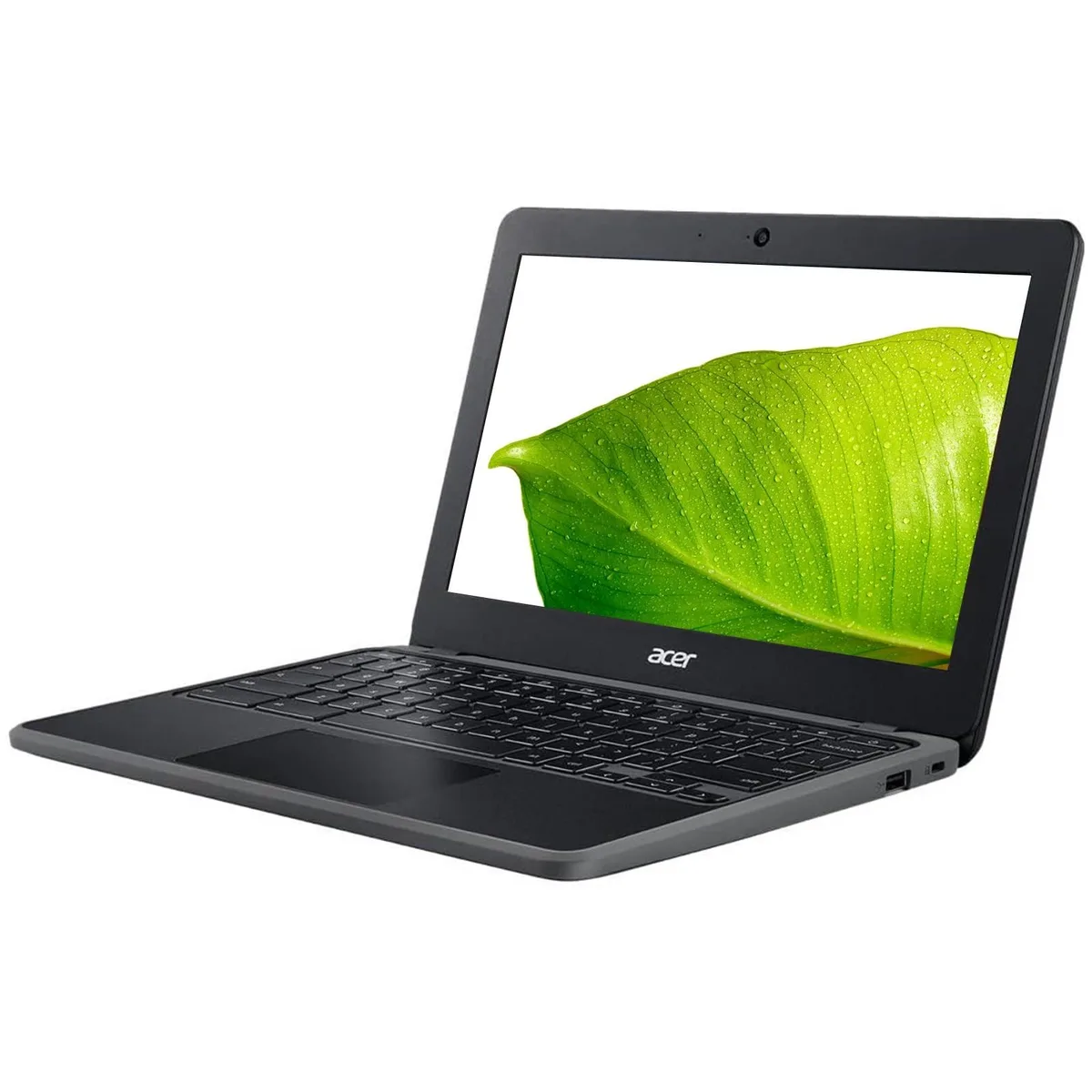
Acer Chromebook 311 C722 4KCN 11.6" ARM Cortex A73 2.10GHz 4GB 32GB eMMC
An 11.6-inch Chrome OS laptop with an ARM Cortex-A73 processor, 4 GB RAM and 32 GB eMMC storage
- 6 inch display for portable productivity
- ARM Cortex A73 at 2.10 GHz for efficient performance
- 4 GB RAM with 32 GB eMMC for everyday tasks
- USB 3.0 and USB-C for versatile connectivity
- Built-in webcam and microphone for video calls
Compact Chromebook for casual use
The Acer Chromebook 311 C722 runs Chrome OS on an ARM Cortex A73 processor clocked at 2.10 GHz. It pairs 4 GB of RAM with 32 GB of eMMC storage and an 11.6 inch display at 1366 x 768 resolution. Integrated Mali-G71 graphics handle the visual output.
Students and light-duty workers
This device suits anyone who needs a simple, portable machine for web browsing, document editing and video calls using the built-in webcam and microphone. Buyers who require local storage beyond 32 GB, higher RAM capacity or the ability to run traditional desktop applications should consider other form factors.
Sustained workload behaviour
Under continuous load the Cortex A73 cores maintain their 2.10 GHz speed while the fanless chassis relies on passive cooling. Performance remains steady for typical Chrome OS tasks such as streaming or cloud-based workflows, though extended heavy multitasking will eventually hit the 4 GB memory ceiling.
Highlights
- 6 inch display for portable productivity
- ARM Cortex A73 at 2.10 GHz for efficient performance
- 4 GB RAM with 32 GB eMMC for everyday tasks
- USB 3.0 and USB-C for versatile connectivity
- Built-in webcam and microphone for video calls
Specifications
| Model | Chromebook 311 C722 |
|---|
Questions about this item
What USB ports does the Acer Chromebook 311 C722 provide for connecting my existing peripherals?
The Chromebook 311 C722 includes USB 3.0 and USB-C ports, so keyboards, mice, flash drives and external displays that use those connectors will work directly.
Will my older USB 2.0 devices still function with the USB 3.0 and USB-C ports on this Chromebook?
Yes, USB 2.0 peripherals are backward-compatible with the USB 3.0 and USB-C ports on the C722, so legacy mice, printers or storage will operate normally.
How can I confirm the Mali-G71 graphics are active after the initial Chrome OS setup?
Open the Chrome OS settings, navigate to About Chrome OS > Diagnostics, and the GPU field will list Mali-G71, confirming the integrated graphics are running.
Also in this aisle
People compared these
Same shelf, same checkout — eight coins and a 30-minute rate lock.


Case Logic
Case Logic 3203990 briefcase for 15.6 in laptop with 10.1 in tablet pocket
$30.99
0.00037136BTC
In stock